SavorumPress kit

A recipe library you can keep.

Savorum is a recipe library for iPhone, iPad, Apple Watch and the web. It saves recipes from websites, social posts, apps and printed pages, scales and cooks them the way they were written, and keeps them in an open format on a server you can run yourself.

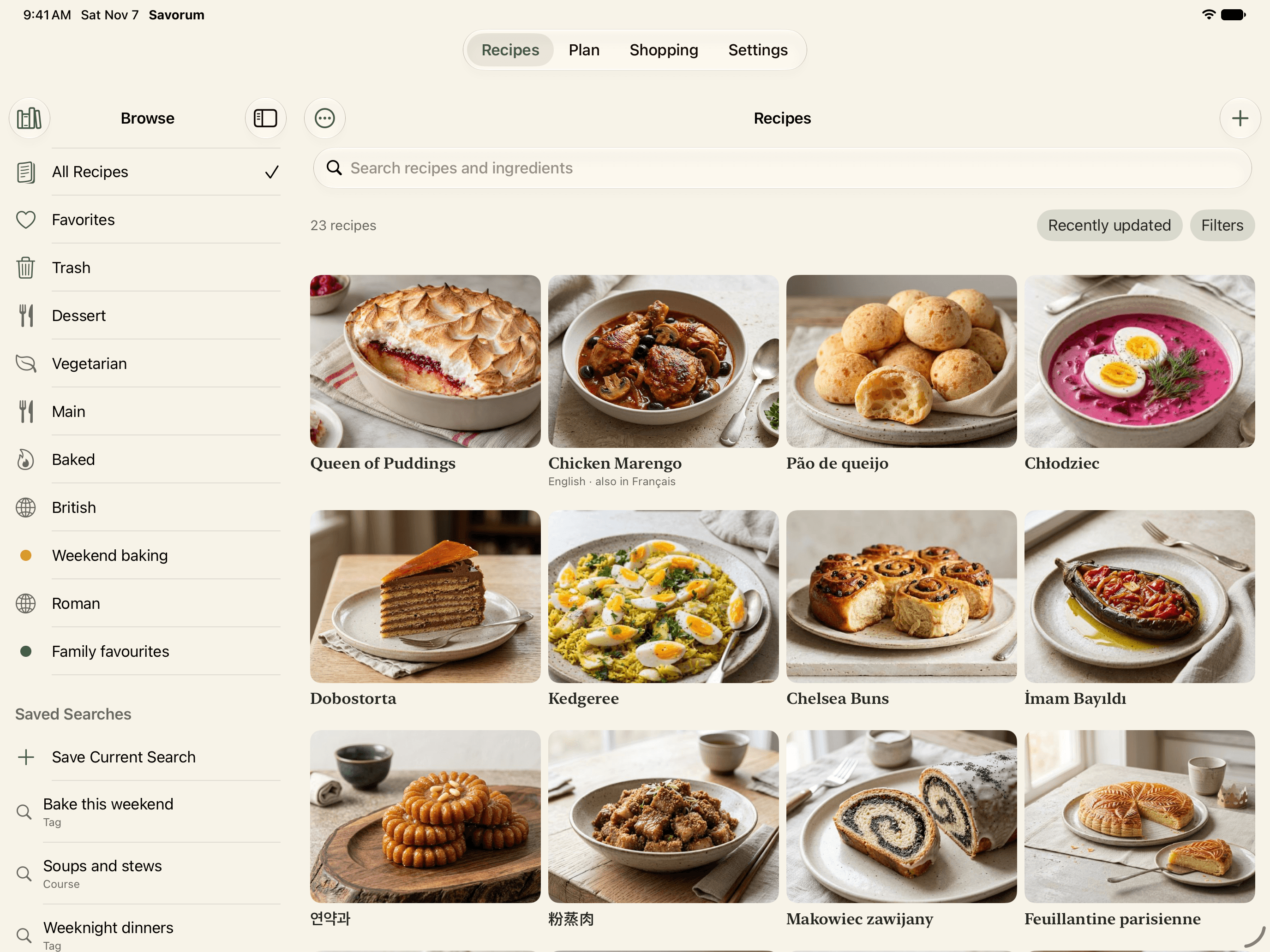
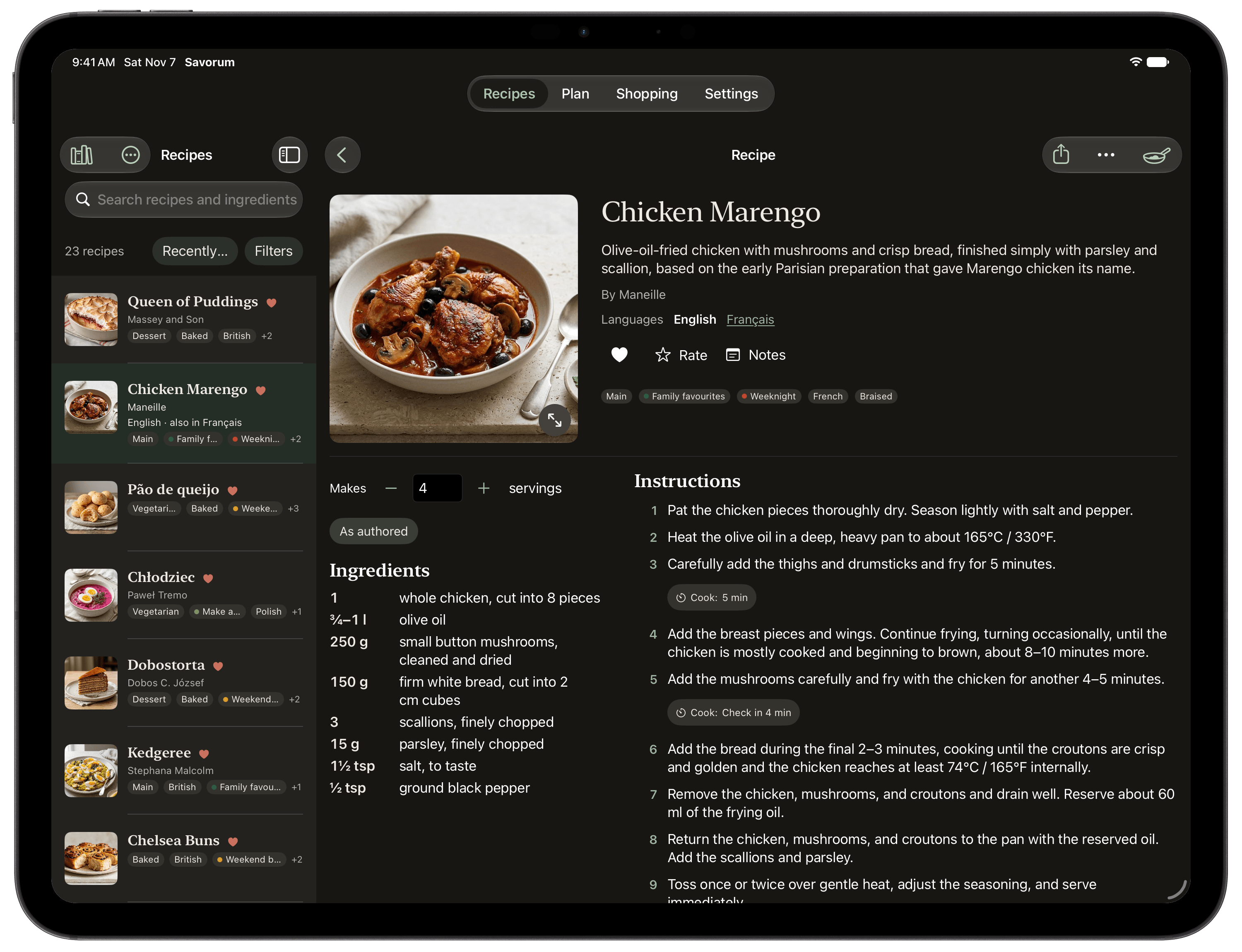
Savorum’s recipe library on iPad Pro

Overview

The facts, and descriptions you can quote as they are.

Developer
Veridorn LLC
Released
November 6, 2026
App version
1.1.0, for iPhone, iPad and Apple Watch
Savorum Core version
0.6.0, the server and web app
Apps
iPhone and iPad (iOS 26 or later), Apple Watch (watchOS 26 or later), and any modern web browser
Server
Savorum Core in Docker, including on a NAS or Unraid, or built from source on Linux and macOS
Price
Free to download. Savorum Cloud is $7.99 a month or $79.90 a year after a 14-day free trial, for the whole household. Running your own server is free.
Open source
Savorum Core, the server and web app, AGPL-3.0
Languages
29
Press contact
info@veridorn.com

One line

Savorum is a recipe library for iPhone, iPad, Apple Watch and the web that you can keep.

Short

Savorum is a recipe library for iPhone, iPad, Apple Watch and the web. It saves recipes from websites, social posts, apps and printed pages, scales and cooks them the way they were written, and keeps them in an open format on a server you can run yourself.

Long

Savorum saves recipes from Safari and other apps, from public posts on TikTok, YouTube, Instagram, Reddit, Facebook and Pinterest, from cookbook pages scanned with the camera, and from Paprika, Mealie, Tandoor and CookbookManager libraries. When a recipe does not say which cup or spoon it means, Savorum asks instead of guessing. Recipes scale by servings, by count or by batch, with each ingredient group scaled on its own. The step-by-step cooking view runs timers as Live Activities and answers spoken requests for the next step, a timer or an amount.

On Apple Watch, Savorum shows the shopping list by aisle and the day’s meals, and walks through a dish one step at a time with its timers. Widgets and complications put the list and the meal plan on the Home Screen and the watch face.

Meal plans, saved meals, pantry notes and a shared shopping list are built for a household: one subscription covers everyone, each person has their own account, and invitation links add people as editors or viewers. About twenty Shortcuts actions, Spotlight and Visual Intelligence make it easy to automate, and AI assistants can connect over MCP.

The Savorum server is open source (AGPL-3.0). Recipes export in SREF, an open, documented format, every edit is kept as a version, and a Cloud library downloads as an encrypted backup that restores on your own server.

Savorum is free to download. Savorum Cloud costs $7.99 a month or $79.90 a year after a 14-day free trial. Running your own server is free.

Story

Why Savorum exists, and who it’s for.

“I cook and bake a lot, and most of the time I still use printed recipes. Sometimes I’ll have one open on my phone or laptop, and I wanted hands-free instructions to be an option too. I also tend to change recipes after I’ve made them, and I want to keep track of what I’ve changed.

I’ve spent years collecting recipes, and I don’t think that collection should depend on any one app or service, including Savorum. That’s why we made the server free and open source and published the recipe format separately. Anyone can write software that reads those recipes without needing anything from us.”

Jonathan la Cour

Home cooks

People who collect recipes from websites, apps and cookbooks, change them as they cook, and want to keep them for years.

Households

Families and housemates who plan meals and shop together, with one subscription and an account for each person.

Self-hosters

People who run their own server and want native apps for iPhone, iPad and Apple Watch, with their data on their own hardware.

Features

What Savorum does on iPhone, iPad, Apple Watch and the web.

Saves from anywhere

Share from Safari or any app, or use Control Center, the widget, Siri or a desktop bookmarklet. Public posts on TikTok, YouTube, Instagram, Reddit, Facebook and Pinterest import from their captions, the author’s comments or a linked recipe page. Scan a cookbook page and the text is read on the device. Paprika, Mealie, Tandoor and CookbookManager libraries import in one step.

Reads recipes as written

When a recipe doesn’t say which cup or spoon it means, Savorum asks. It scales by servings, count or batch, each ingredient group on its own, and adjusts microwave times to your microwave.

Cooks with you

Each step shows the ingredients it needs. Timers run as Live Activities and alarms, and several dishes can cook at once, each at its own step.

Keeps your hands free

On iPhone and iPad, ask for the next step, a timer or an amount, and Savorum answers aloud for the batch you’re cooking. Speech is recognized on the device, in the app’s language.

On Apple Watch

The shopping list by aisle, the day’s meals, and a dish one step at a time with its timers. The watch syncs with the library on its own, and complications show groceries and meals.

Plans the week

Meal plans by day, week or month, saved meals, a shared shopping list that works offline, pantry notes with best-before dates, and the plan as a calendar subscription. Widgets show the list and the meals.

Works for a household

One subscription covers everyone. Each person has their own account and shares the same recipes, plan and list. Invitation links add people as editors or viewers.

Stays yours

An open-source server, an open recipe format, and a version for every edit. Recipes print as typeset 3×5, 4×6 or 5×8 cards, or as whole books.

Works with Shortcuts and assistants

About twenty Shortcuts actions, Spotlight and Visual Intelligence. AI assistants connect over MCP with read-only or full access, and developers get an HTTP API and webhooks.

Speaks your language

The app is available in 29 languages, and recipes stay in the language they were written in, with translations linked alongside.

How Savorum Cloud works

Each household runs its own server. More detail is on page 3 of the fact sheet.

Regions
North America or Europe, chosen by the owner
Backup storage
Encrypted, on the same continent as the library
Backups
Daily when a library has changed
Retention
The latest backup and four weekly points
Checks
Every backup is checked after it is written
Restore test
A full restore and verification every 30 days

One household, one machine

Every Cloud library runs its own copy of Savorum Core on its own virtual machine, with its own private network and encrypted storage. There is no shared database.

Leaving is built in

Owners can download the whole library as an encrypted backup at any time, including after cancelling, and restore it on their own server.

Remote access for self-hosters

Savorum Connect forwards encrypted connections to a server at home. The certificate and its key stay on that server, so the relay never sees recipes.

Images

Screenshots with demo content. Each image links to its full-size original; web-size copies are up to 1600 pixels.

iPad

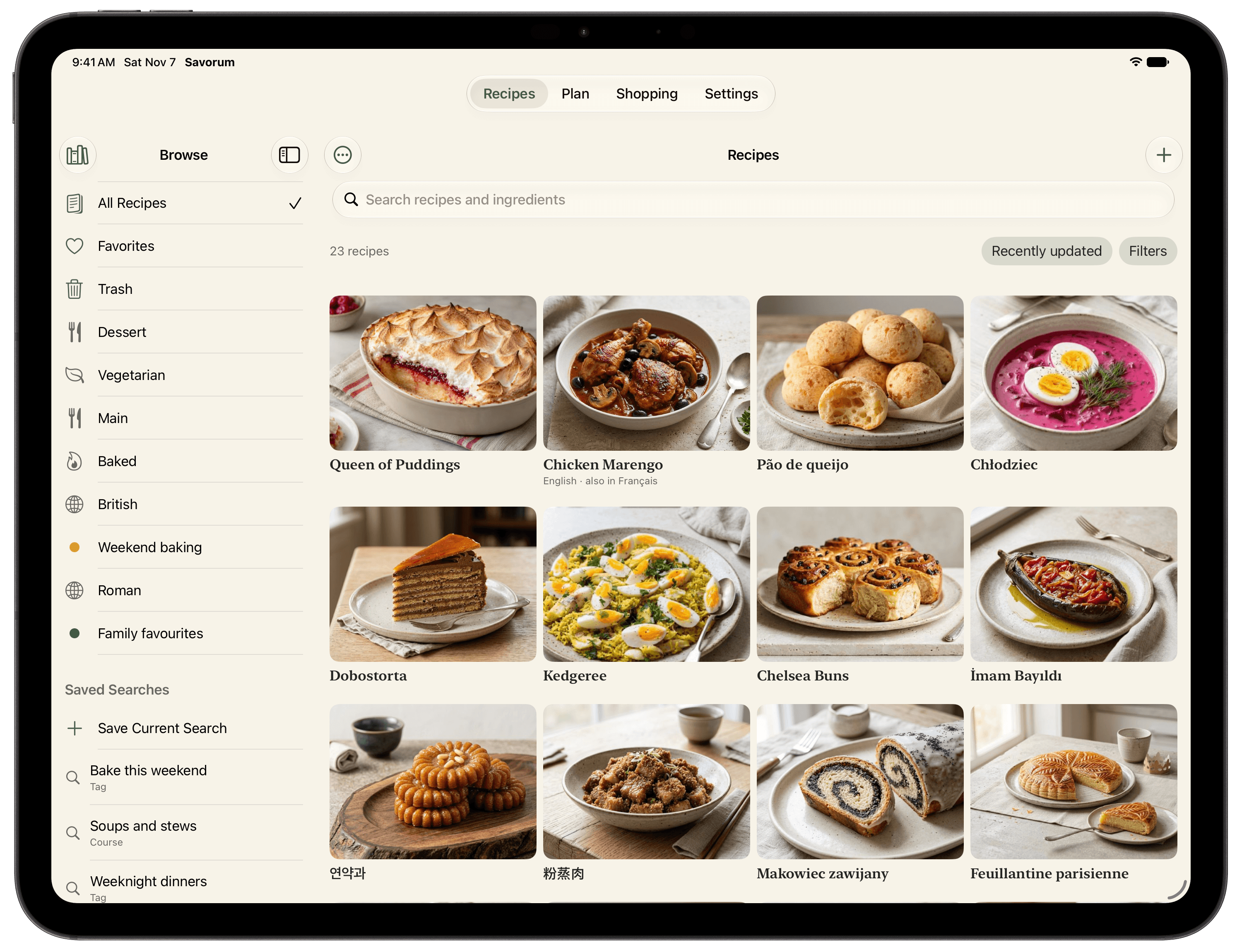
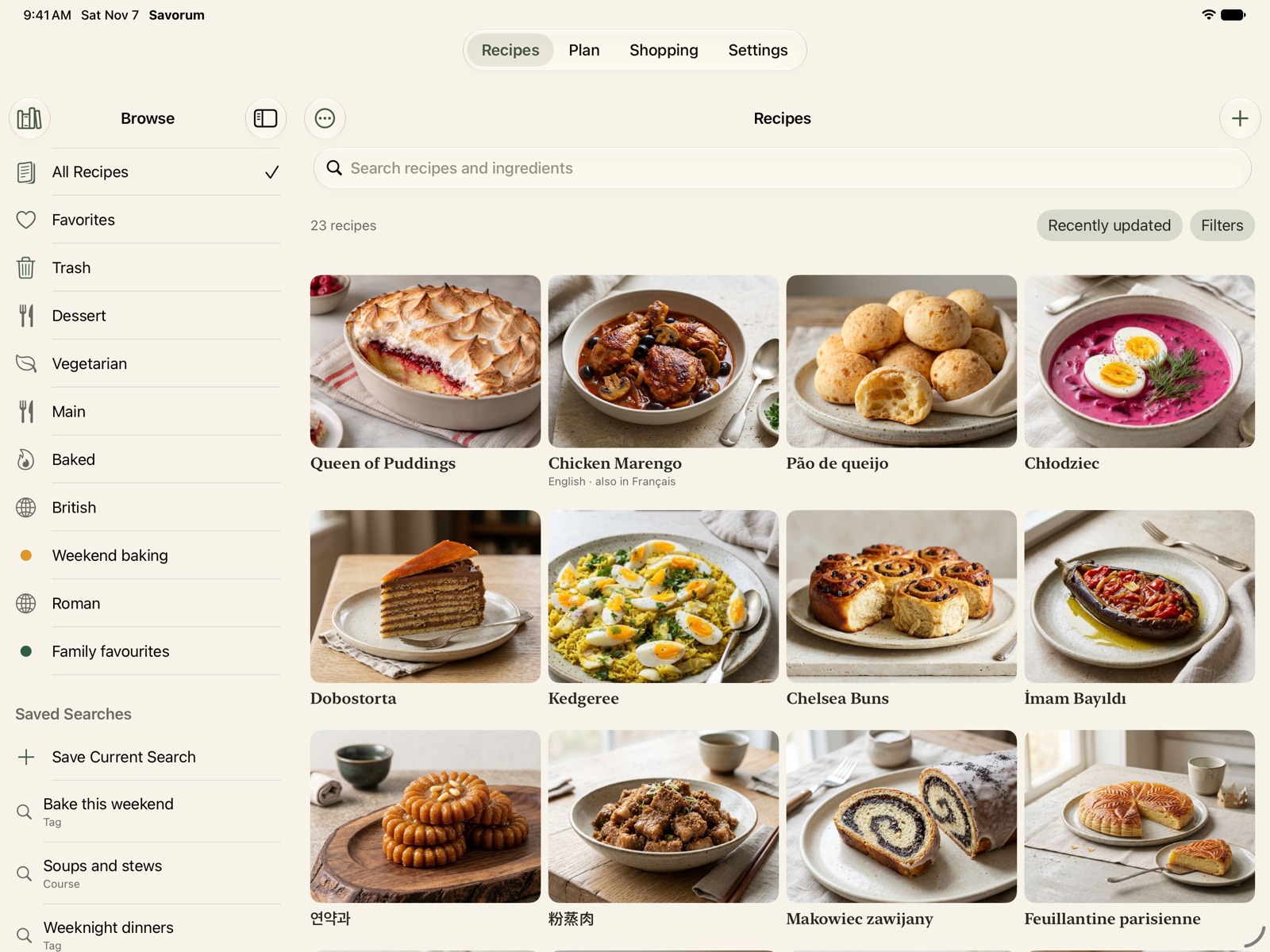
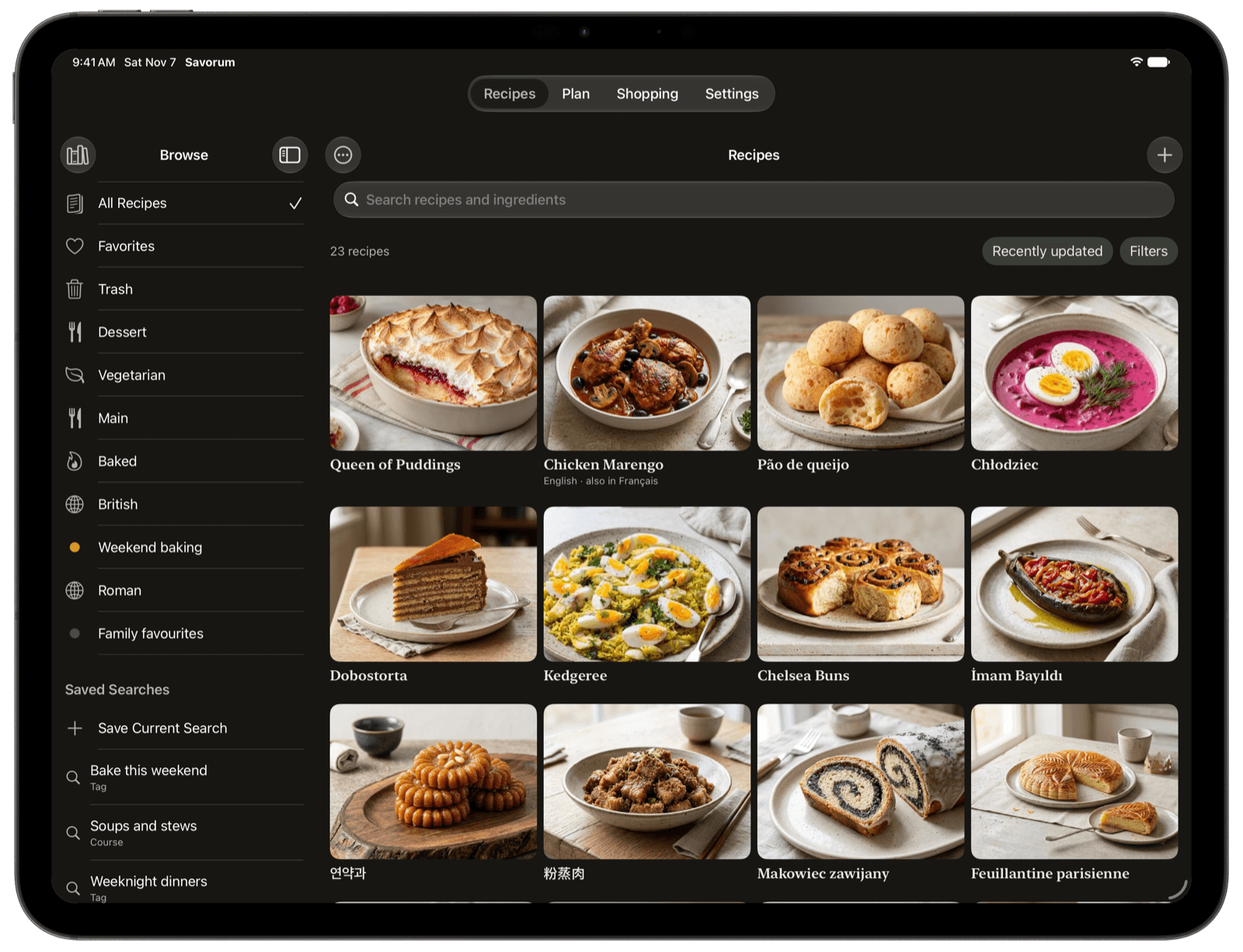
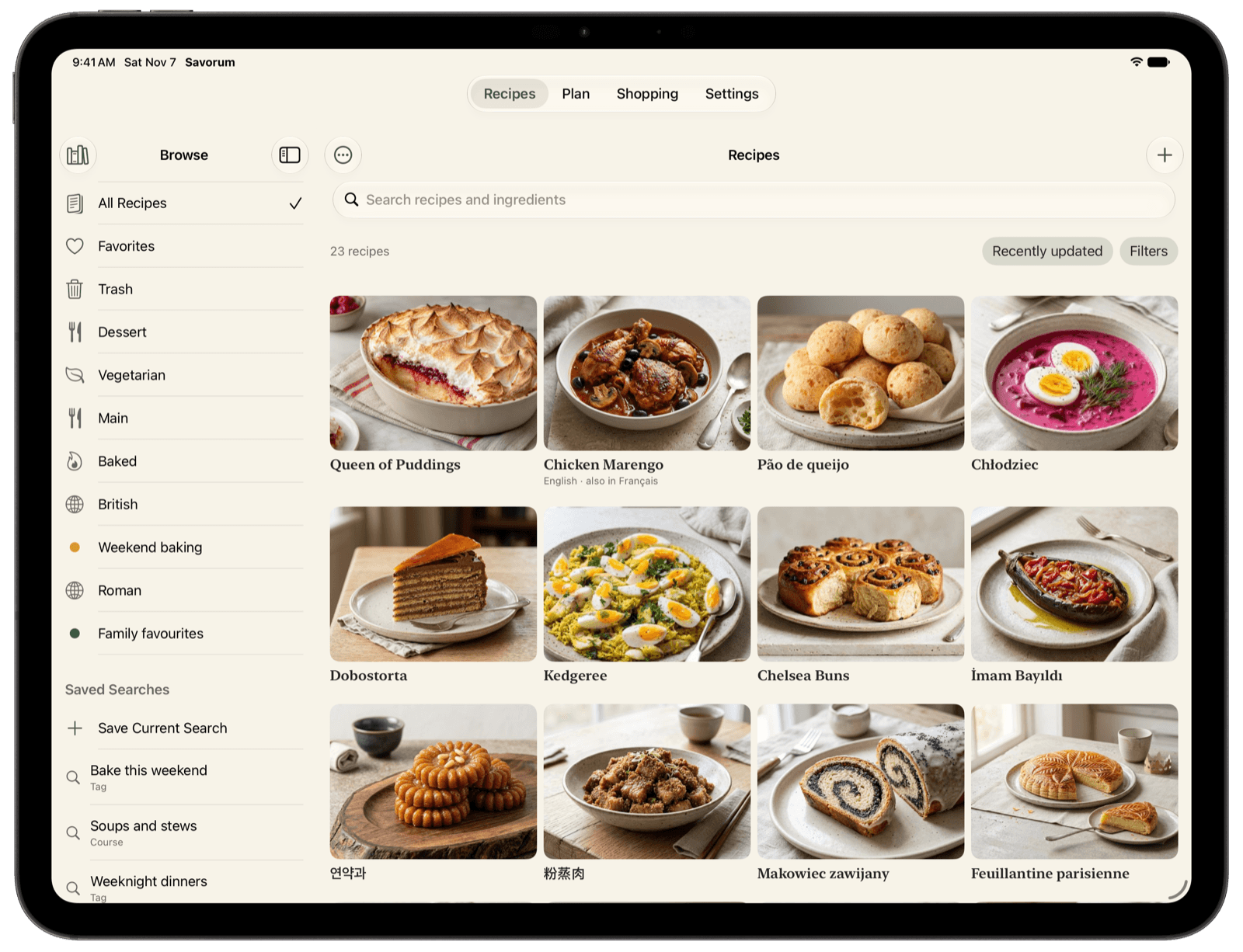
The recipe library on iPad Pro, with categories, tags and saved searches in the sidebar.
The recipe library on iPad Pro, with categories, tags and saved searches in the sidebar.PNG, 1.6 MB · Web size
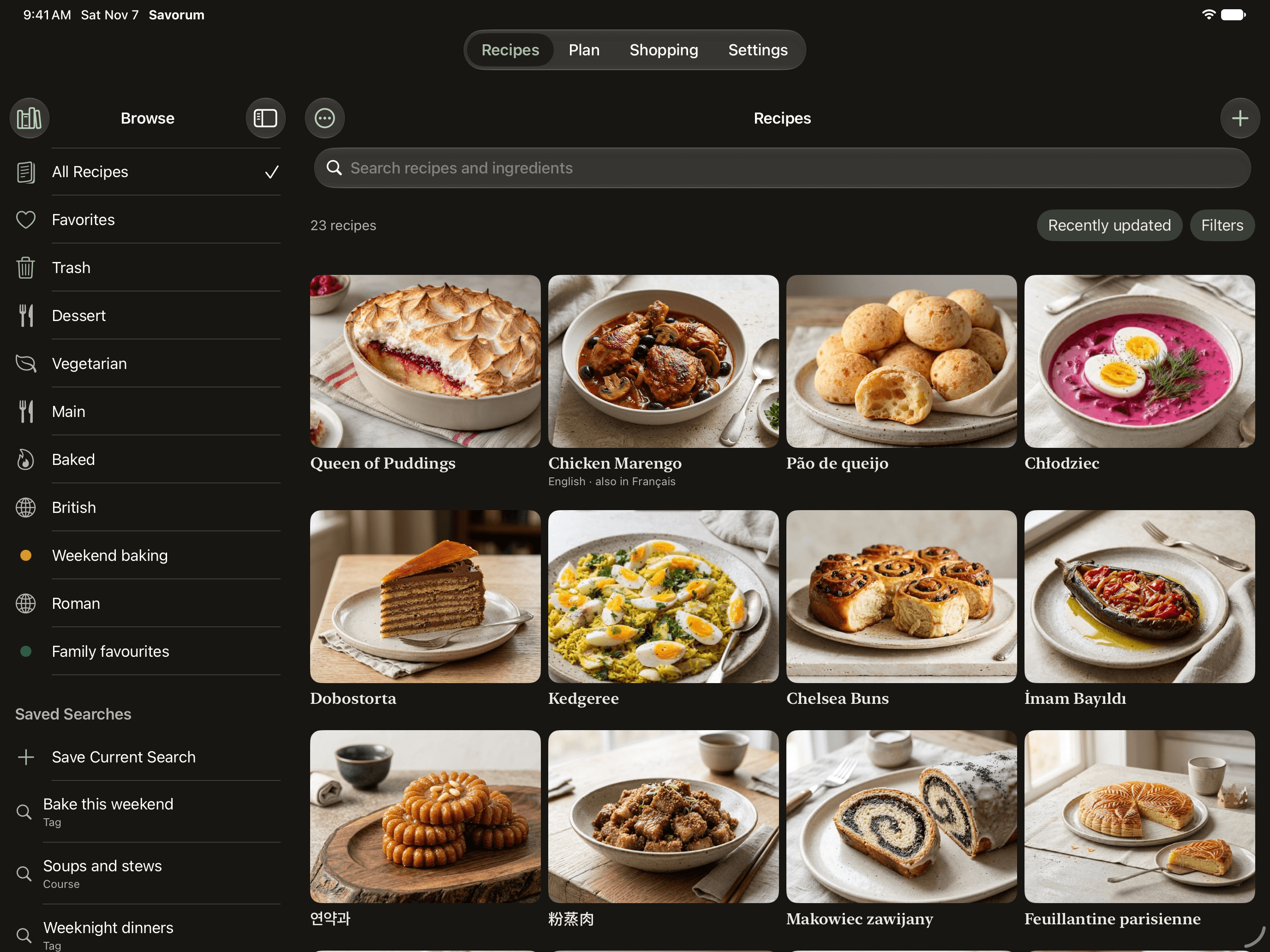
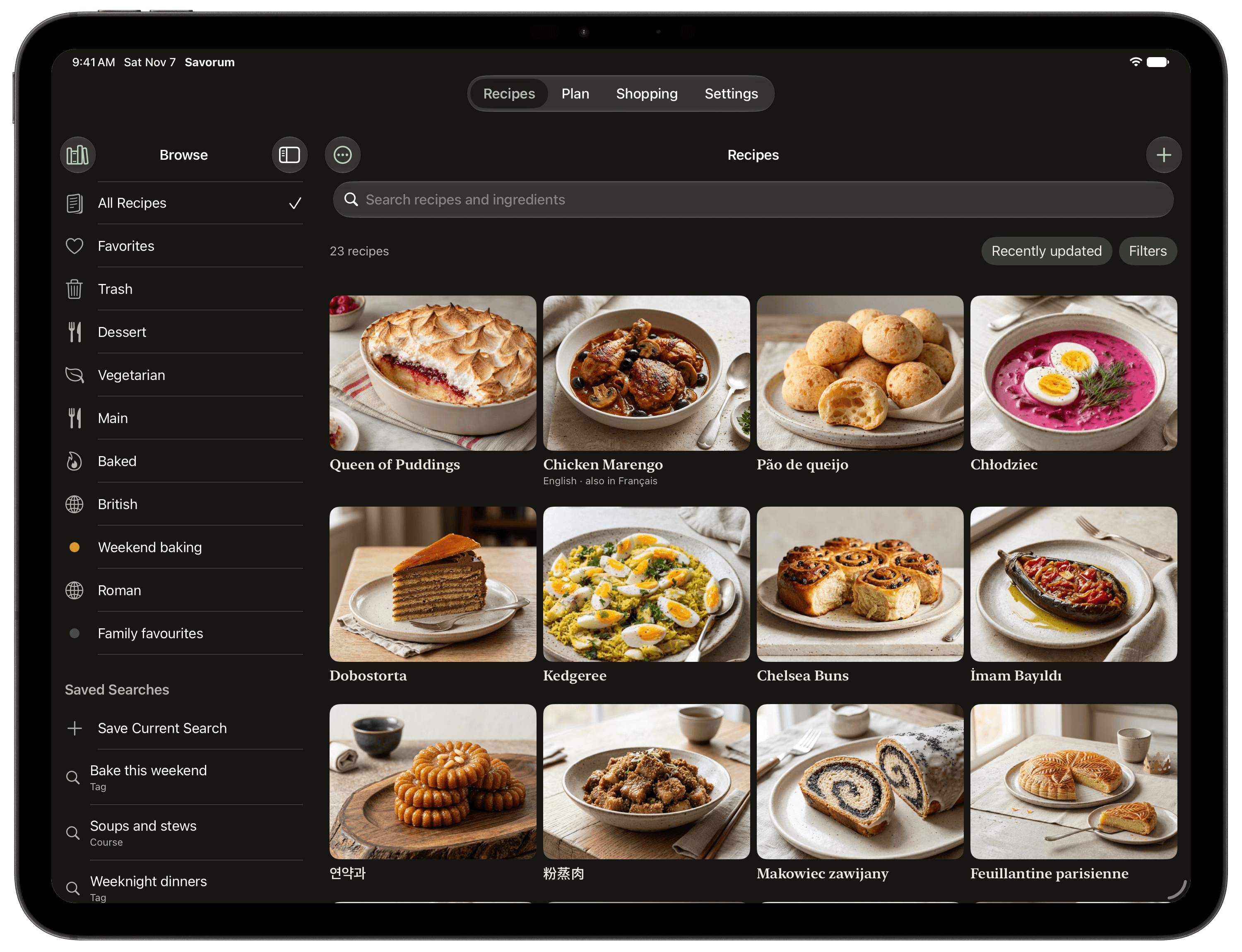
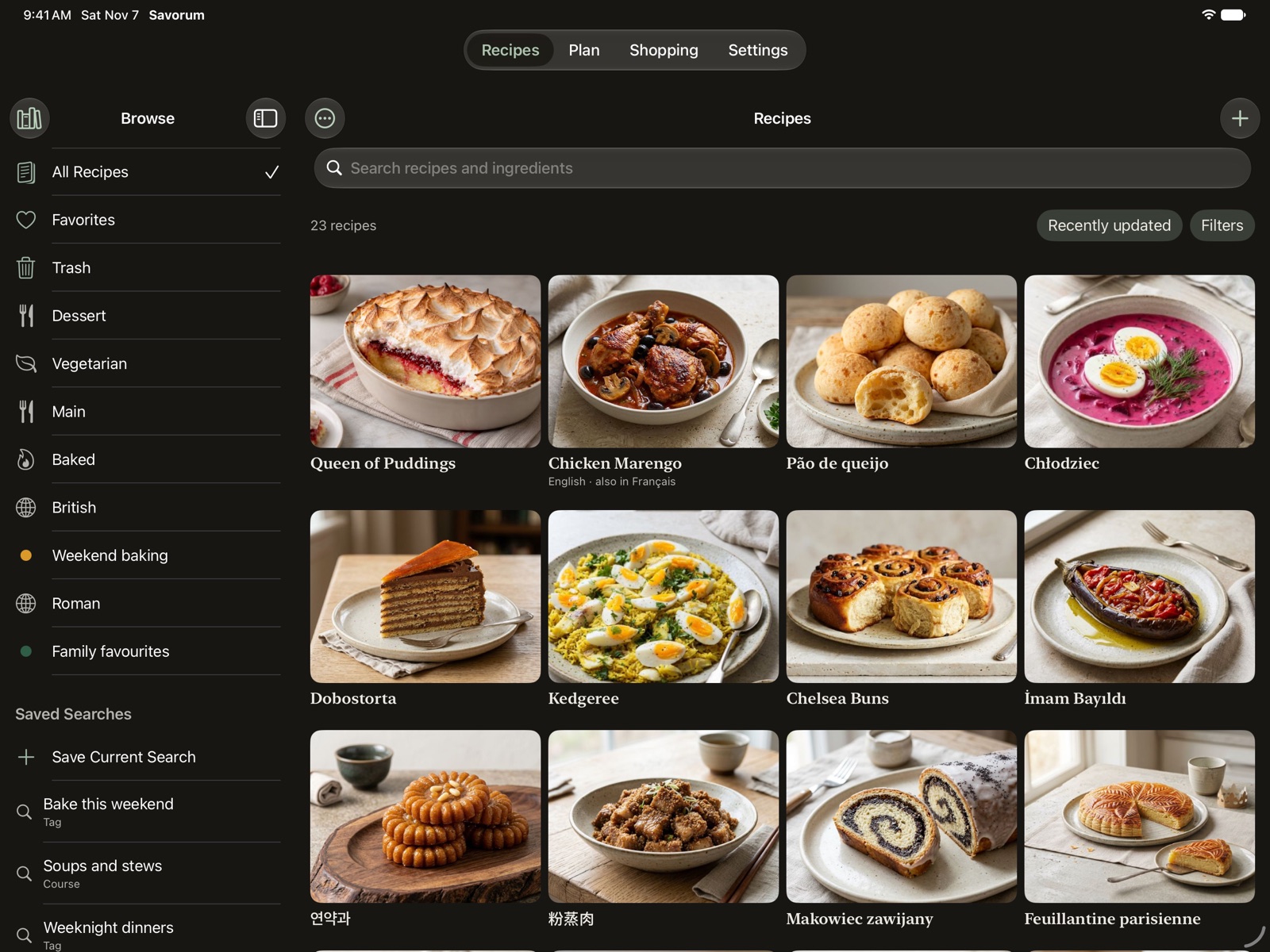
The recipe library on iPad Pro in dark mode.
The recipe library on iPad Pro in dark mode.PNG, 1.5 MB · Web size
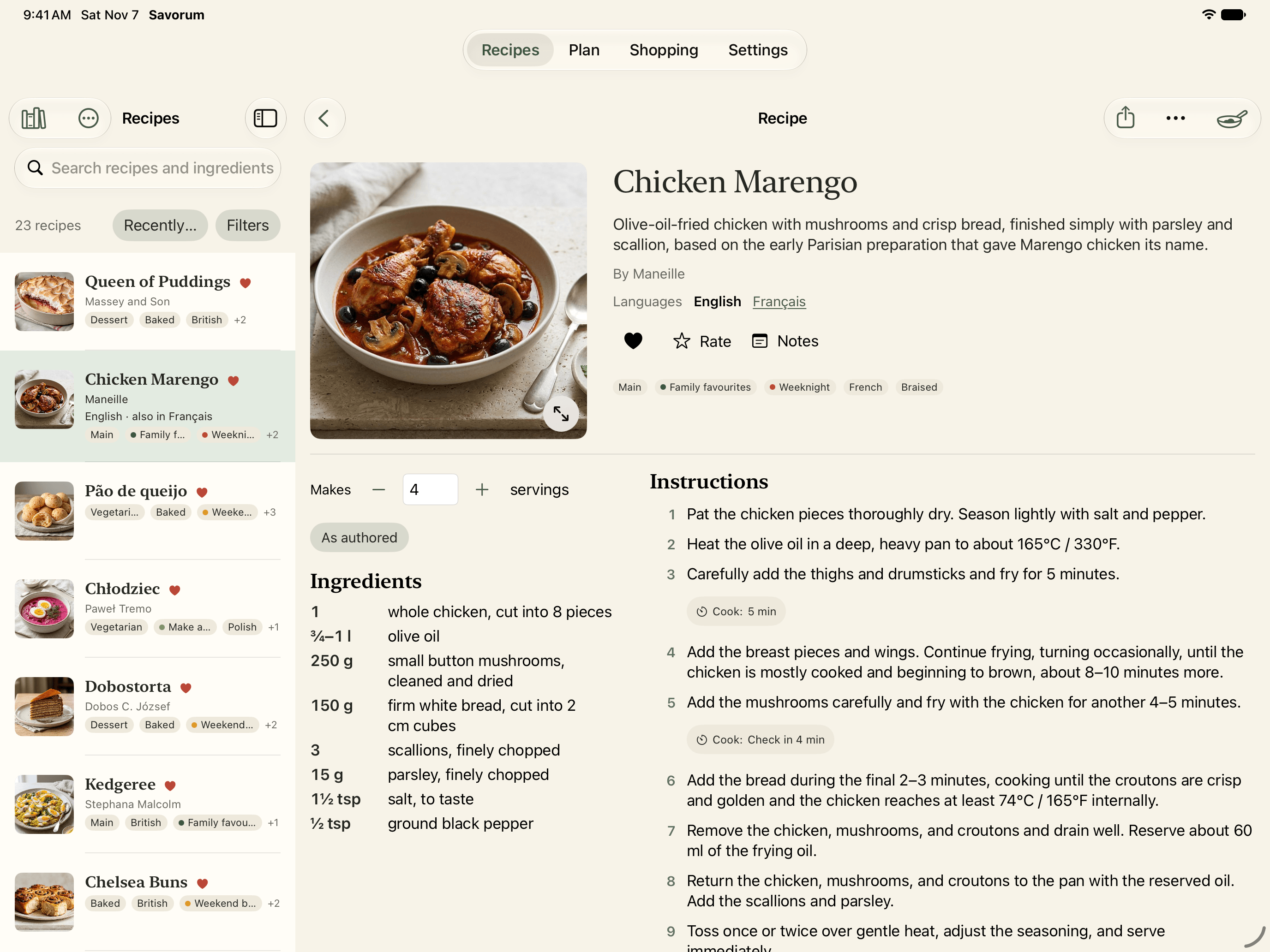
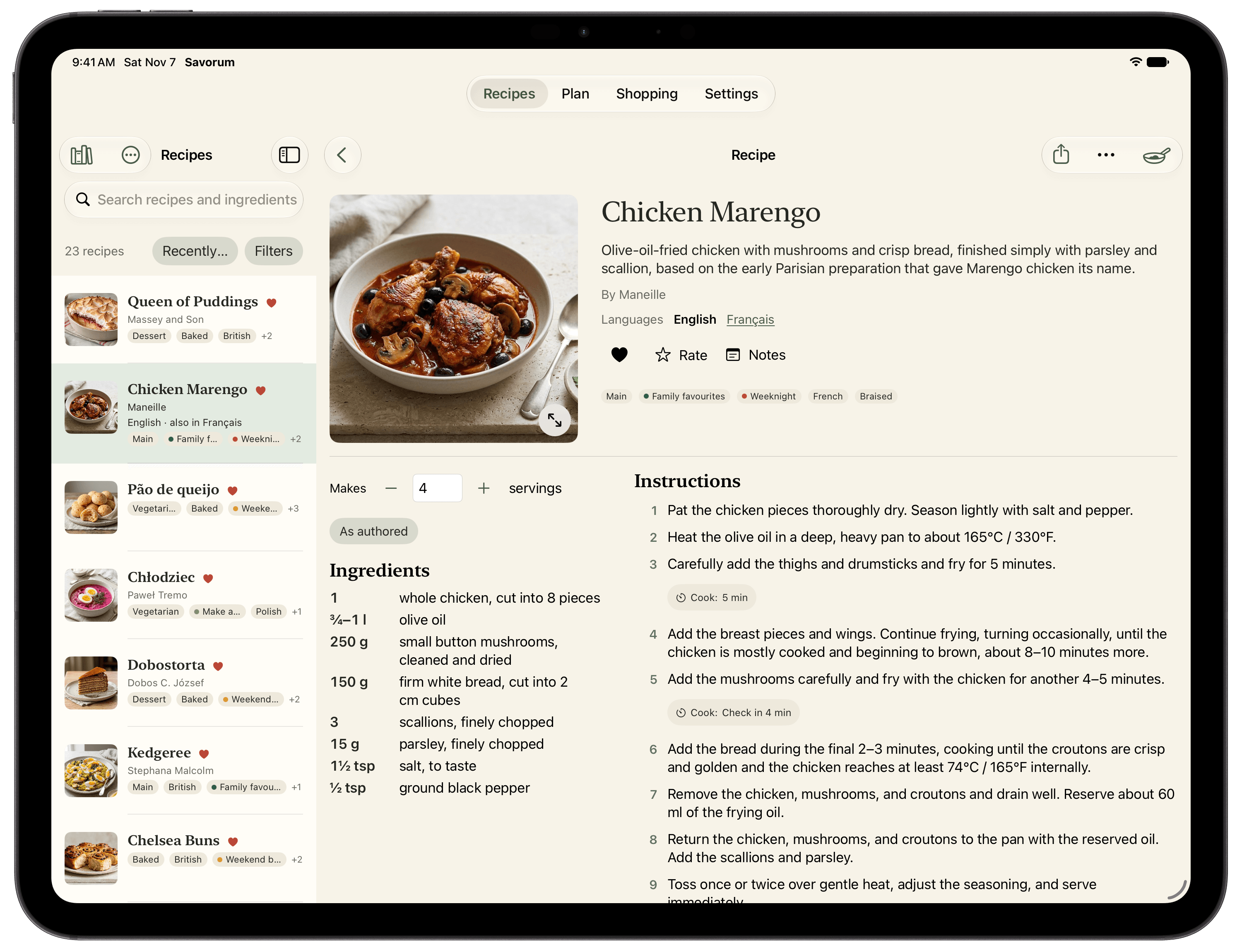
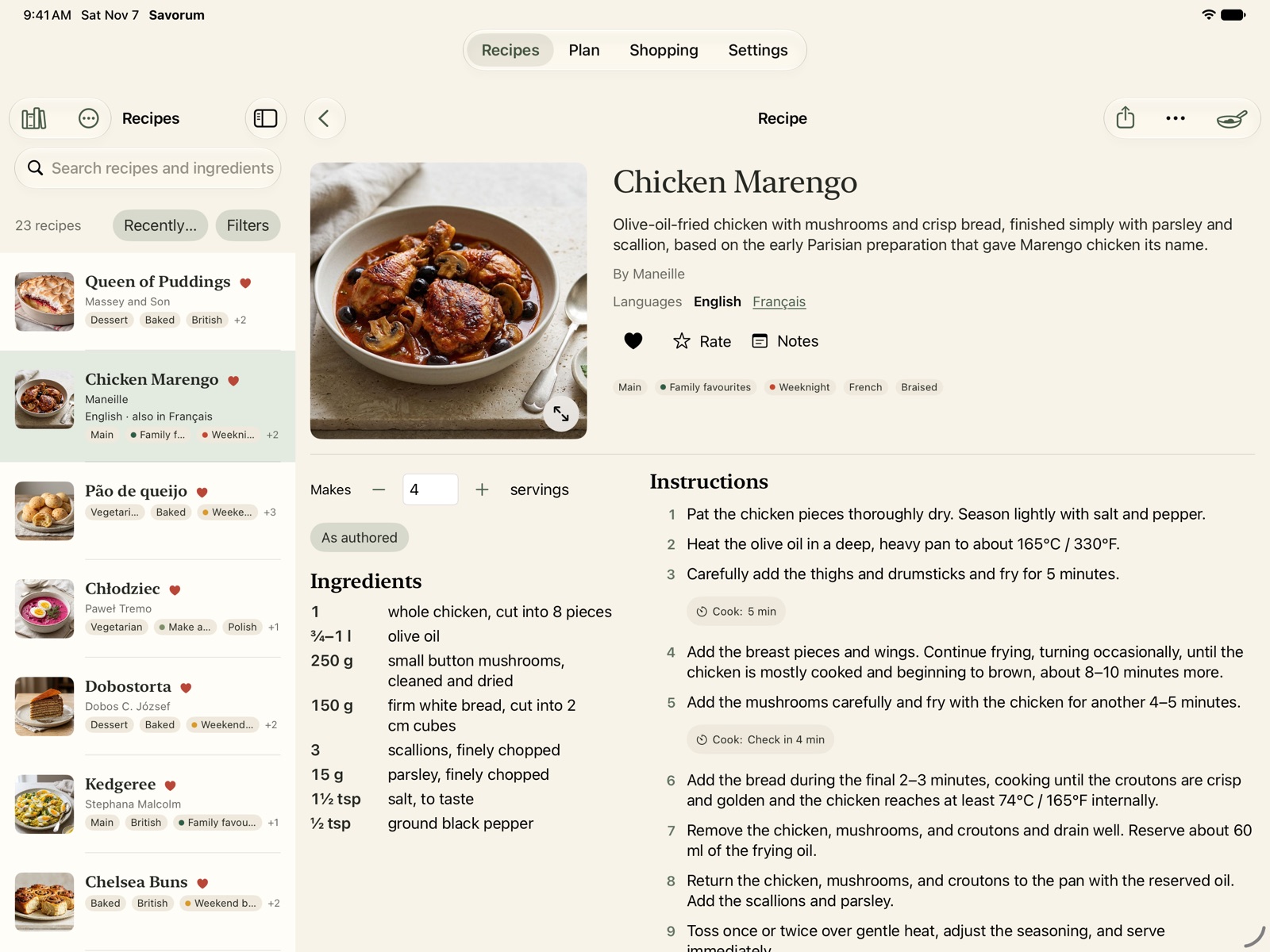
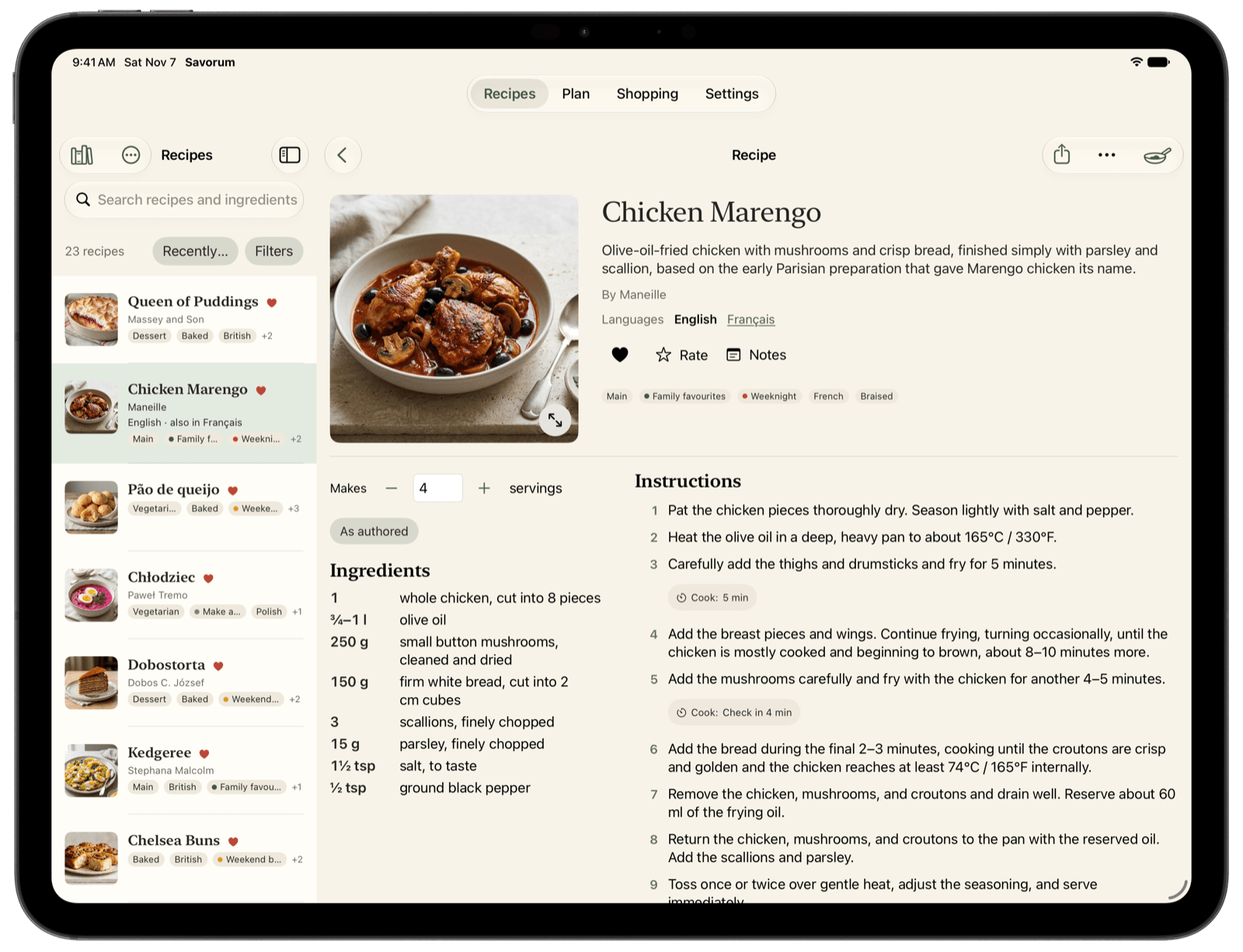
Chicken Marengo on iPad Pro, with timed steps and a link to its French original.
Chicken Marengo on iPad Pro, with timed steps and a link to its French original.PNG, 0.5 MB · Web size
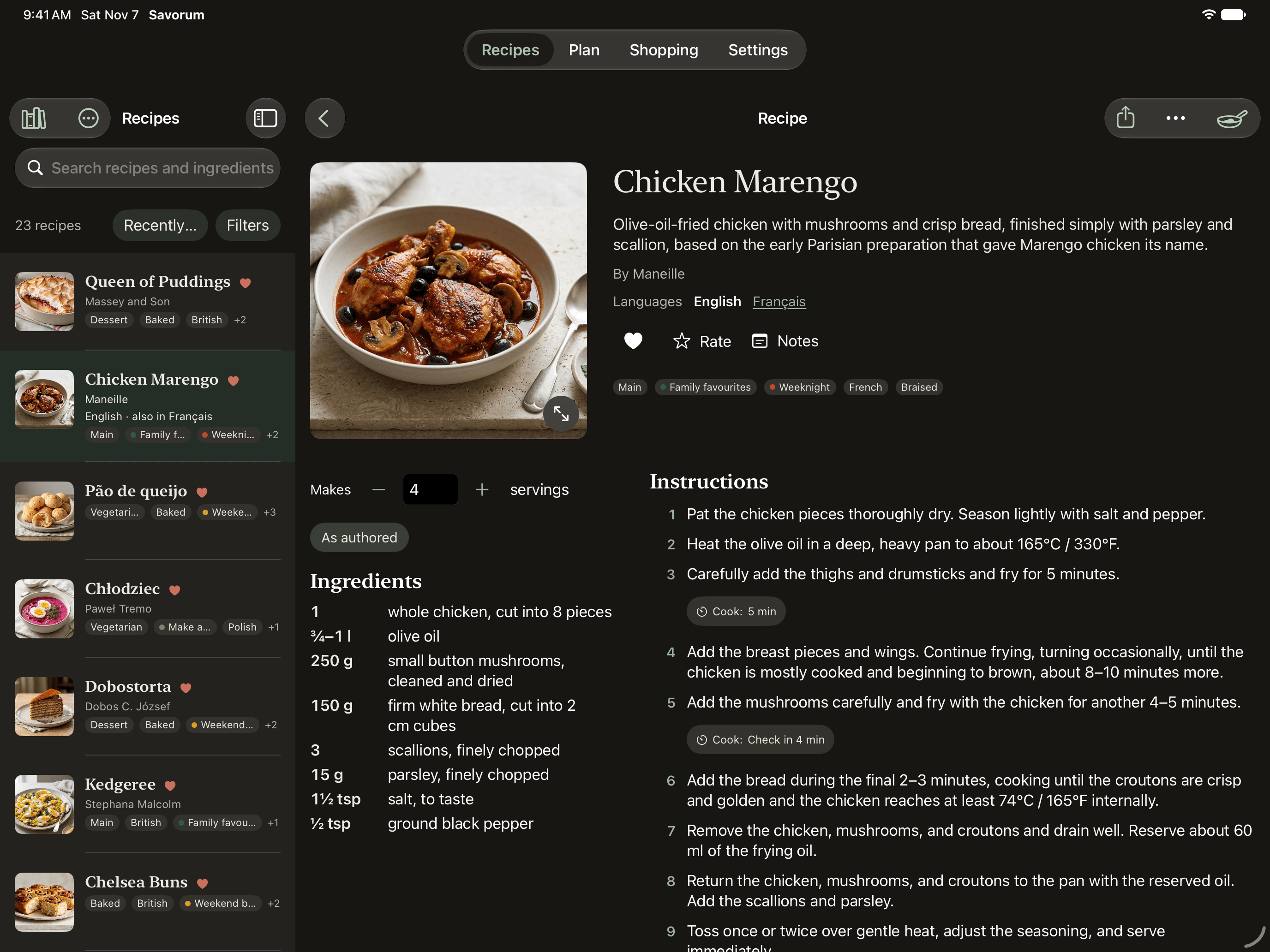
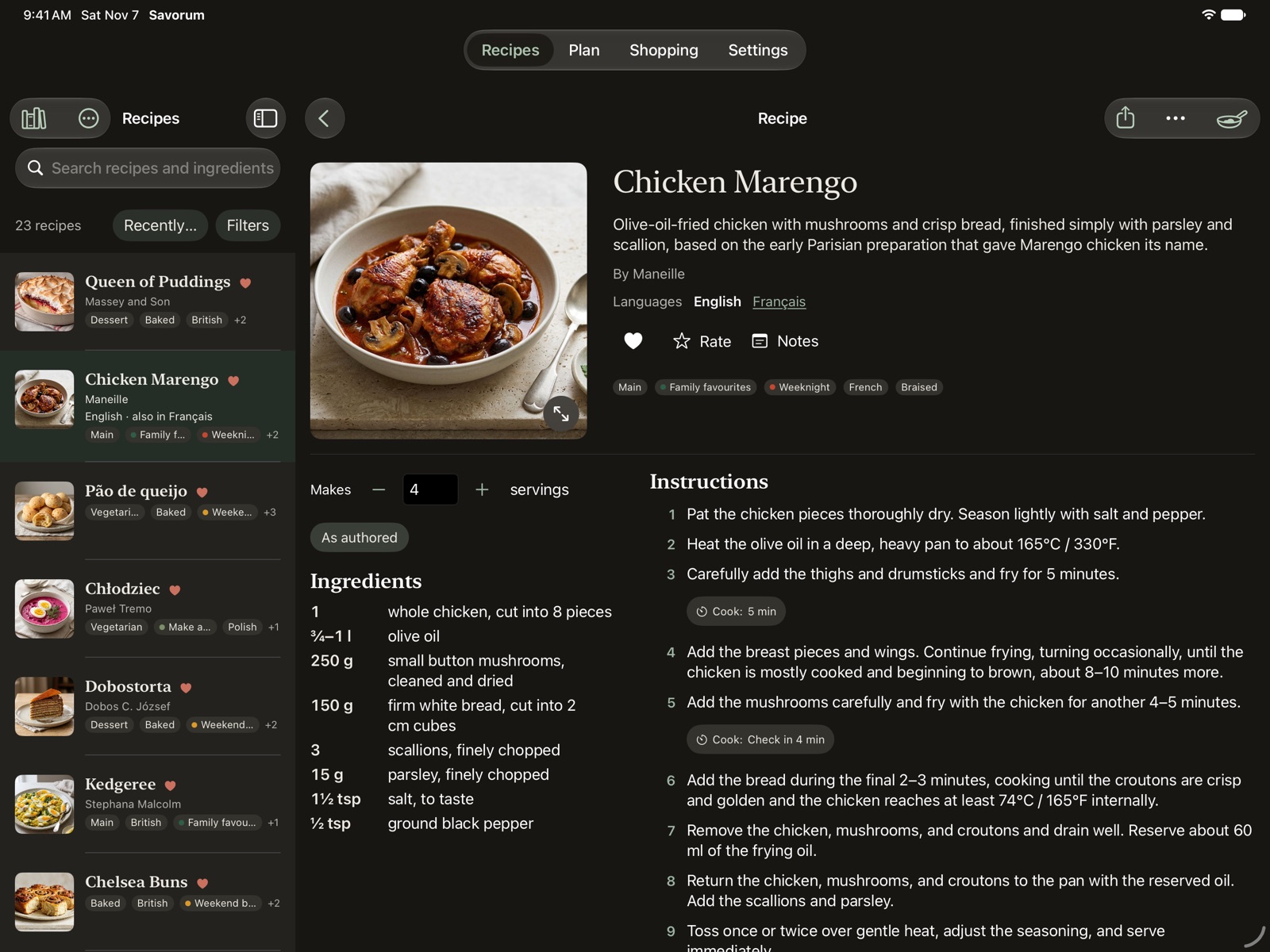
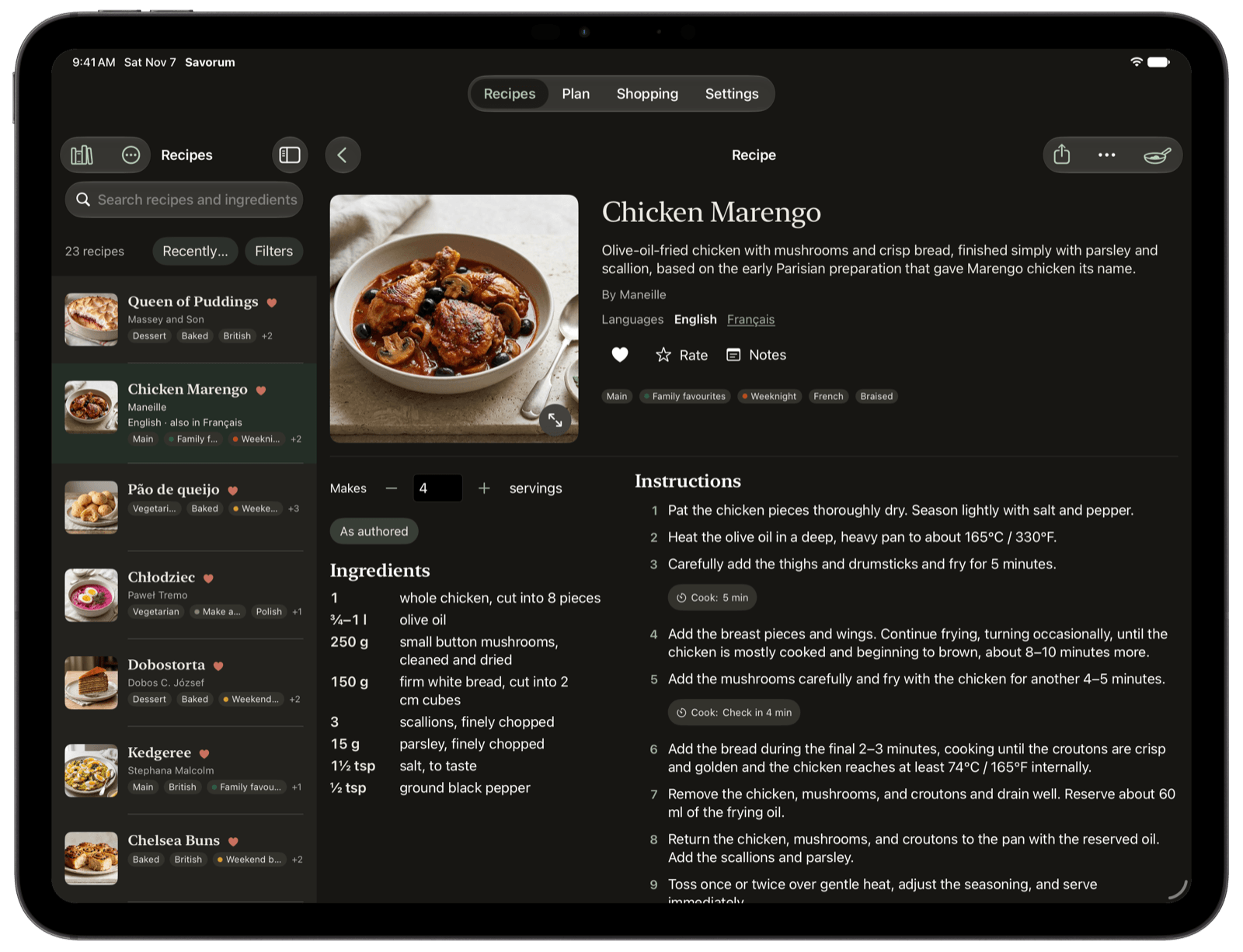
Chicken Marengo on iPad Pro in dark mode.
Chicken Marengo on iPad Pro in dark mode.PNG, 0.5 MB · Web size
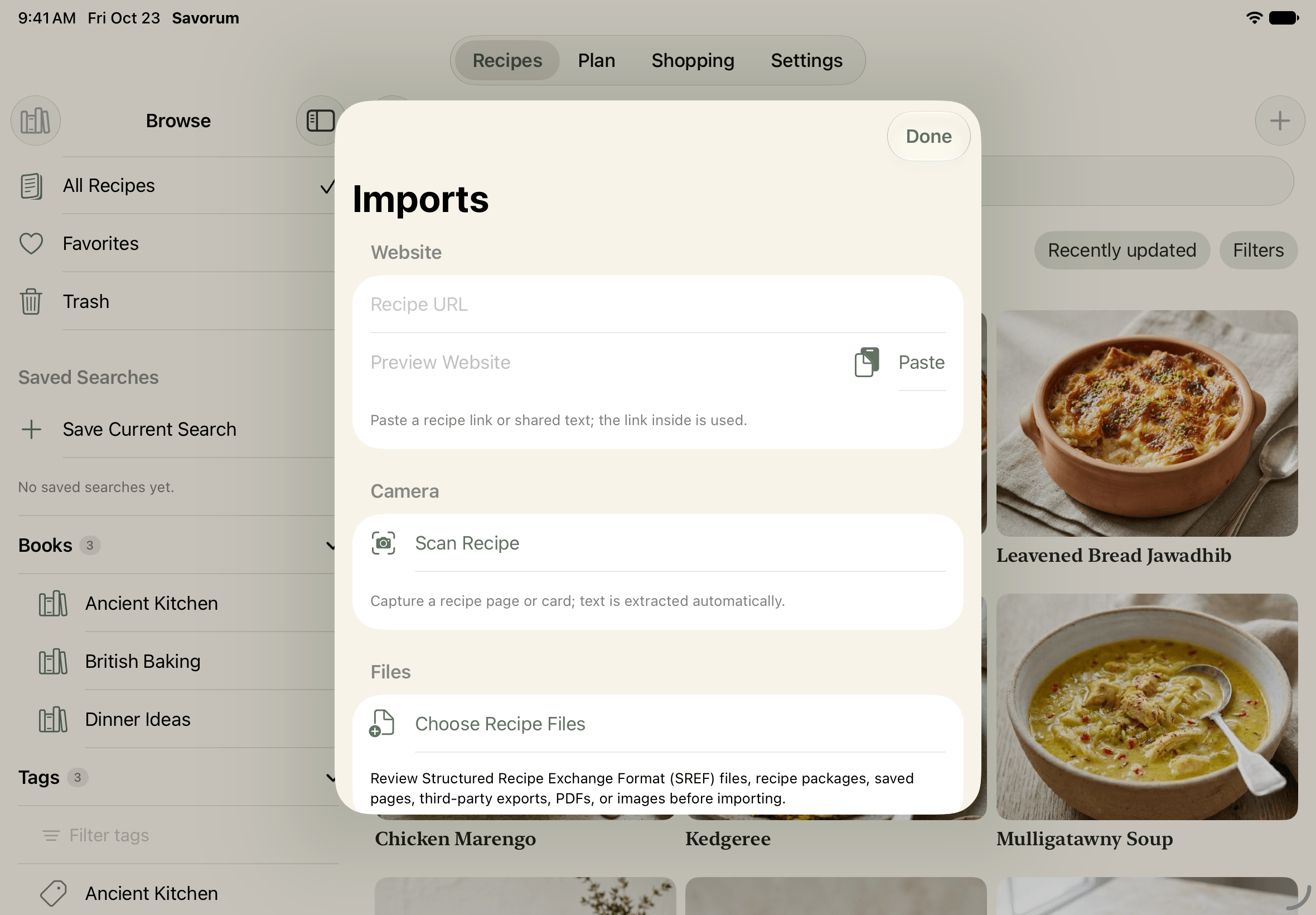
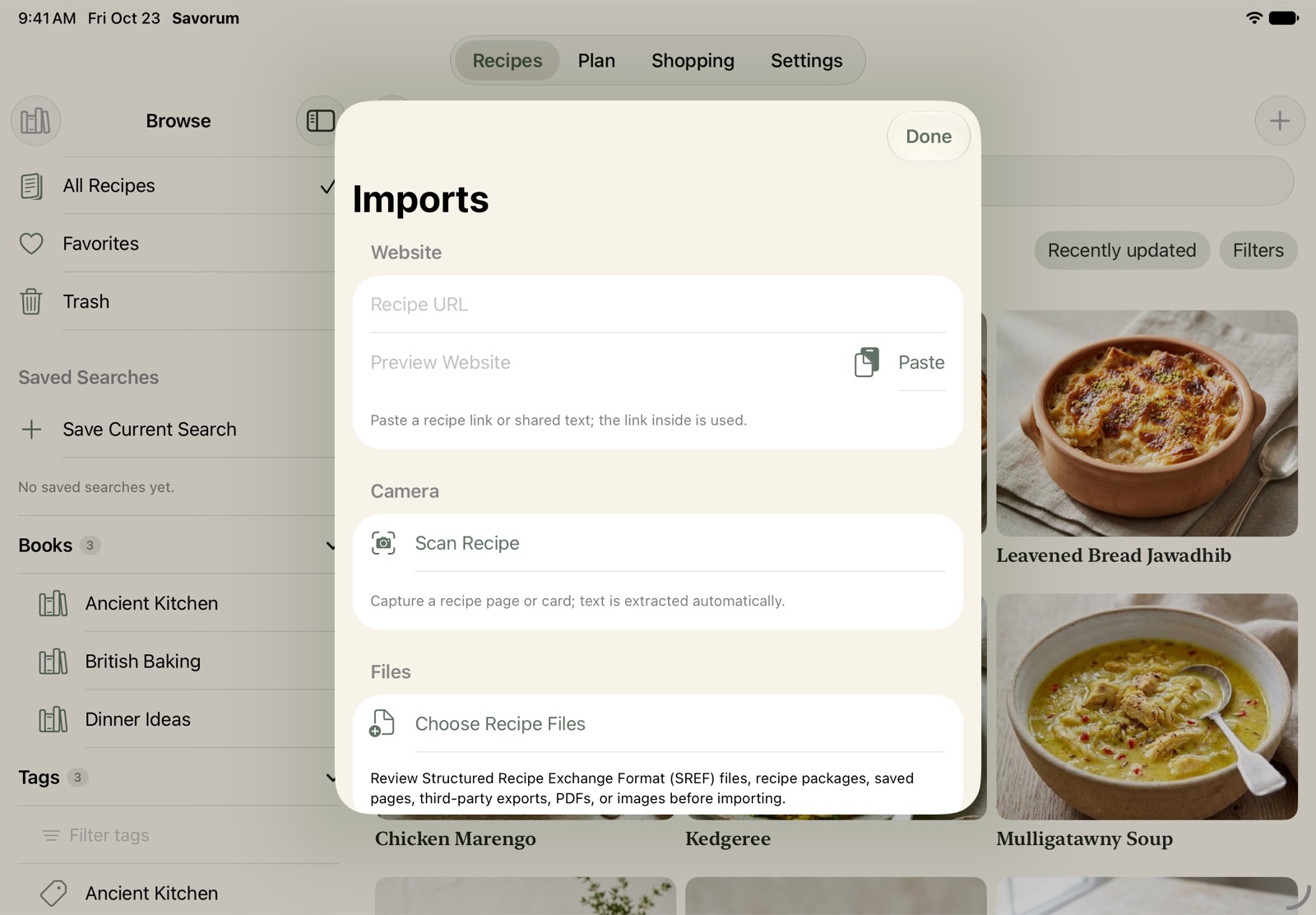
Import options: a website link, a camera scan of a printed page, or recipe files.
Import options: a website link, a camera scan of a printed page, or recipe files.PNG, 0.5 MB · Web size
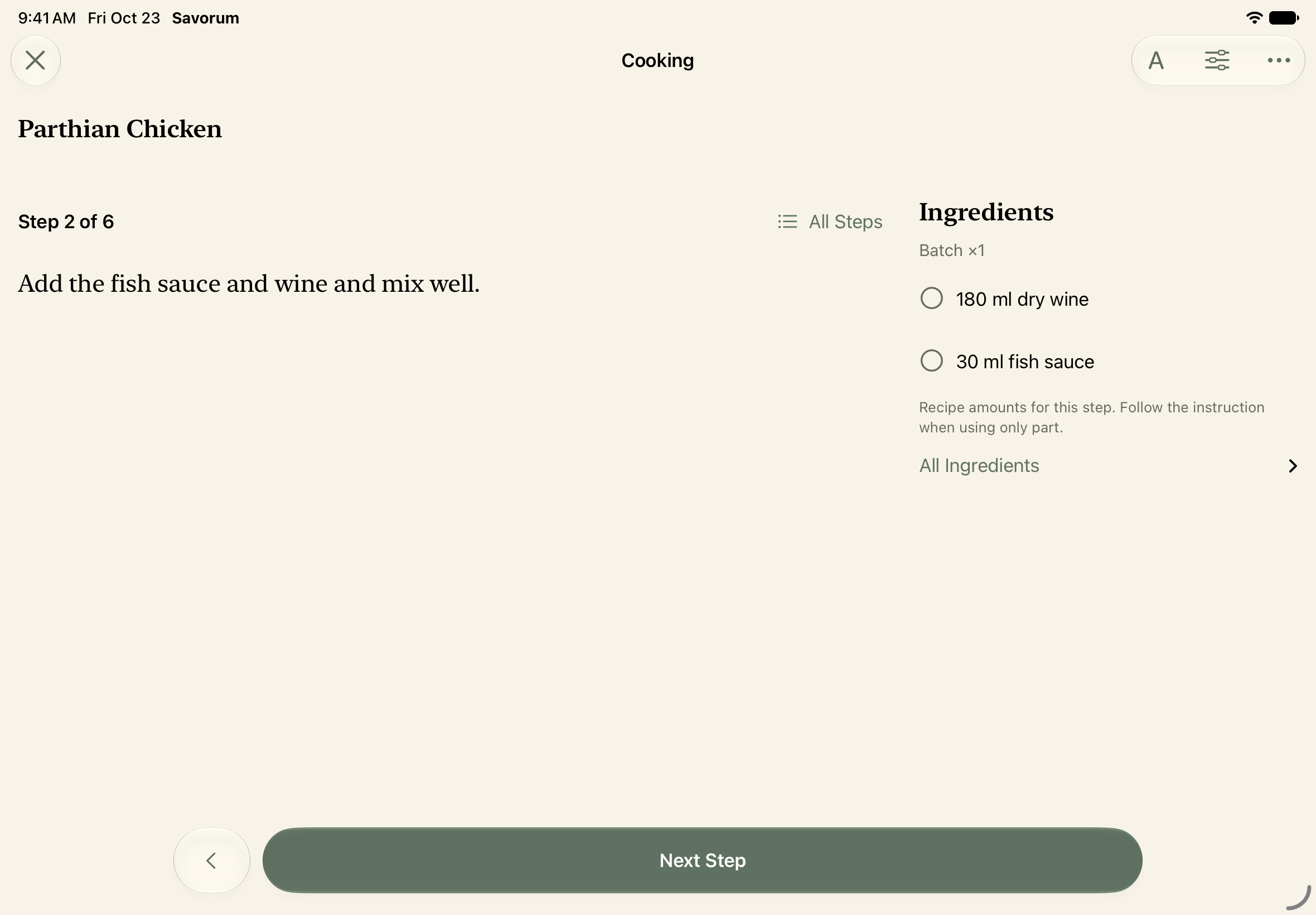
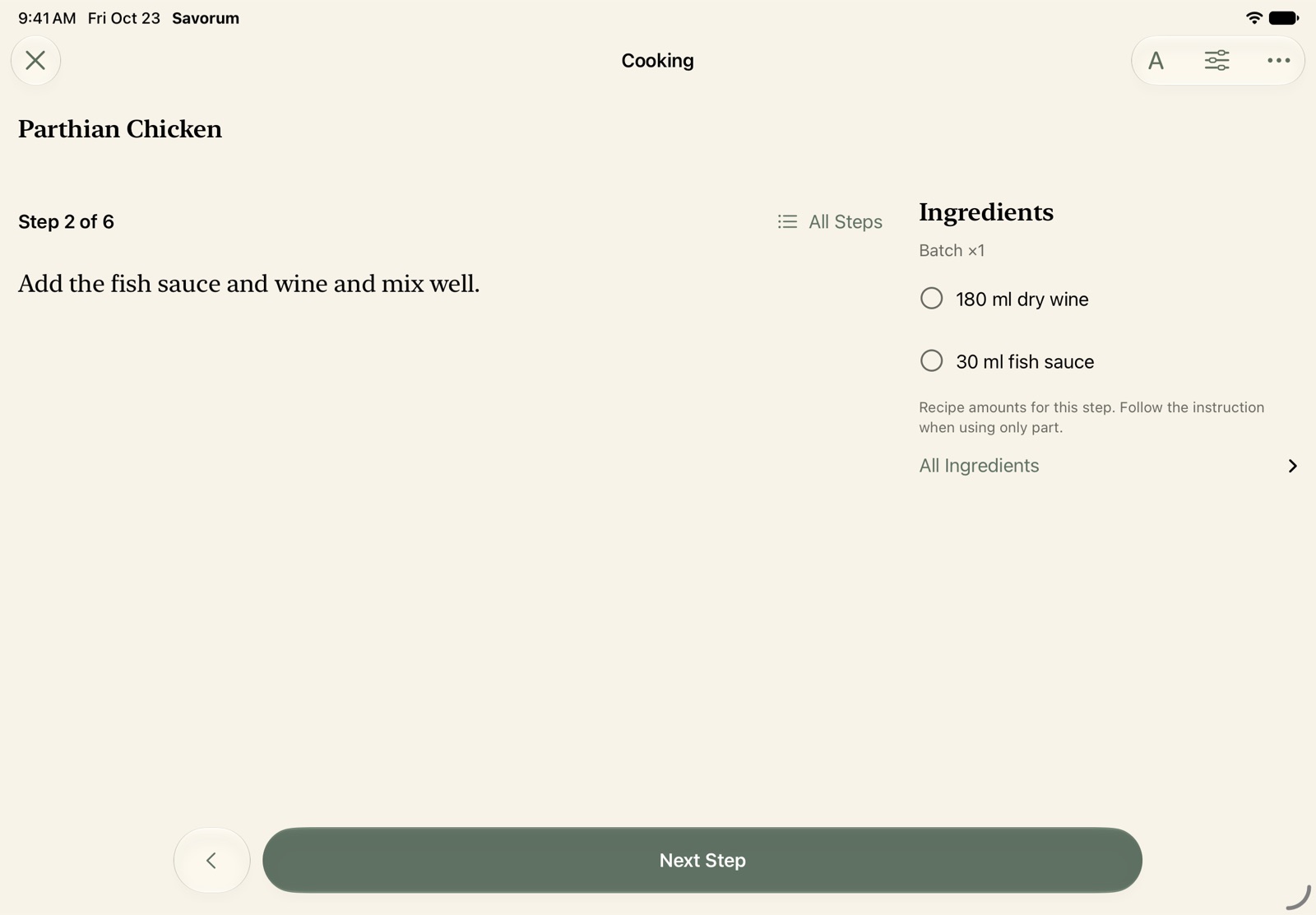
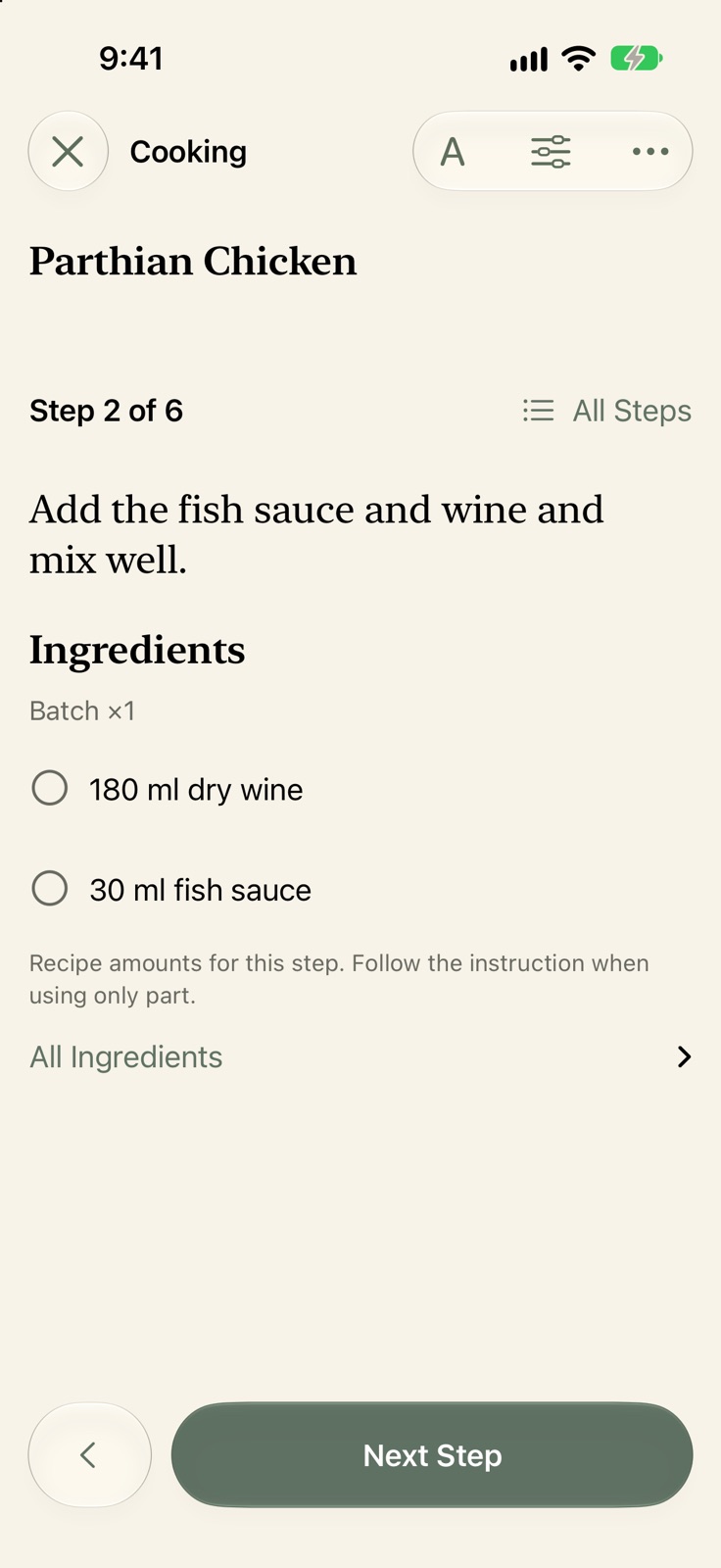
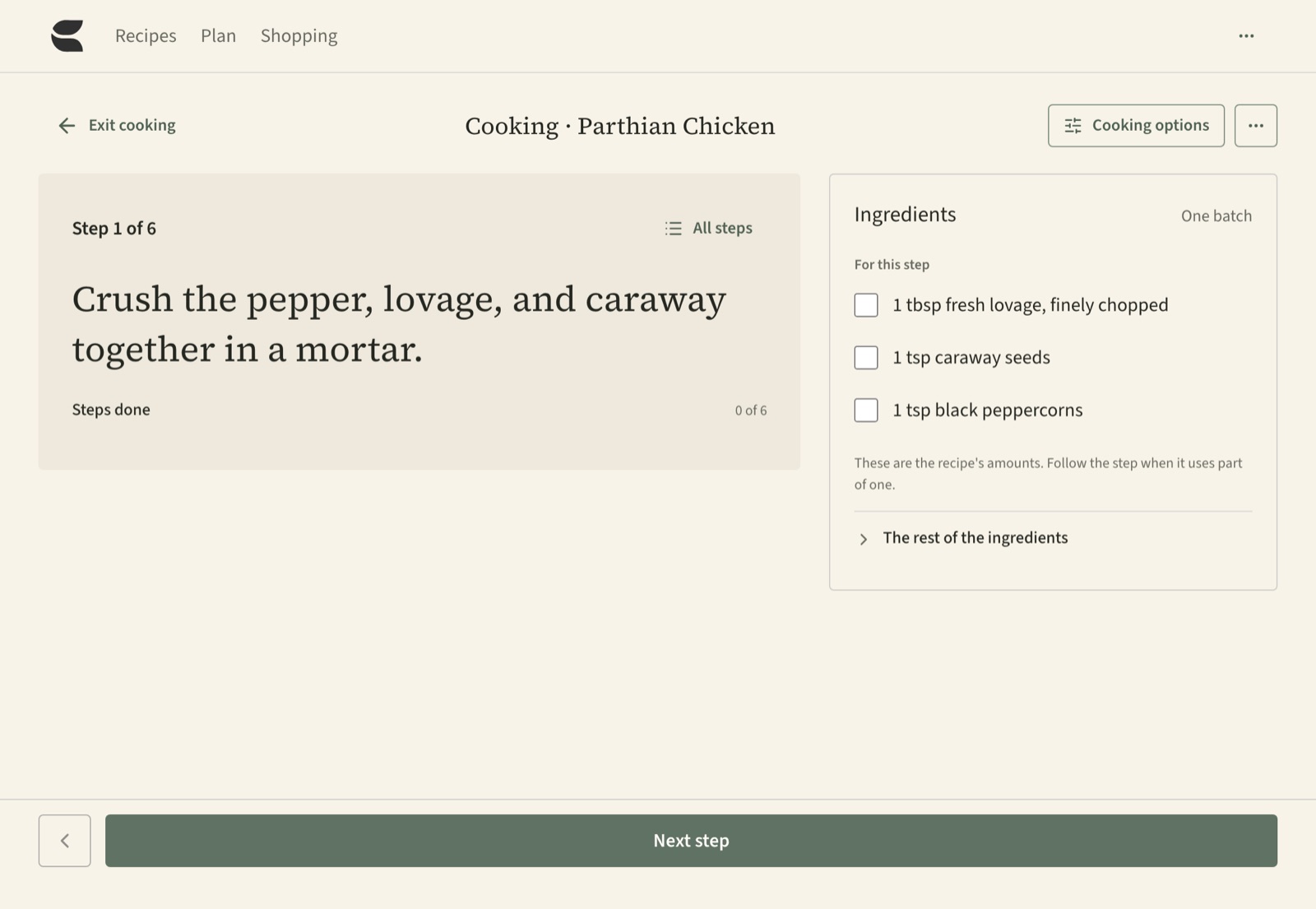
Cooking Parthian Chicken: the current step with only the ingredients it uses.
Cooking Parthian Chicken: the current step with only the ingredients it uses.PNG, 56 KB · Web size
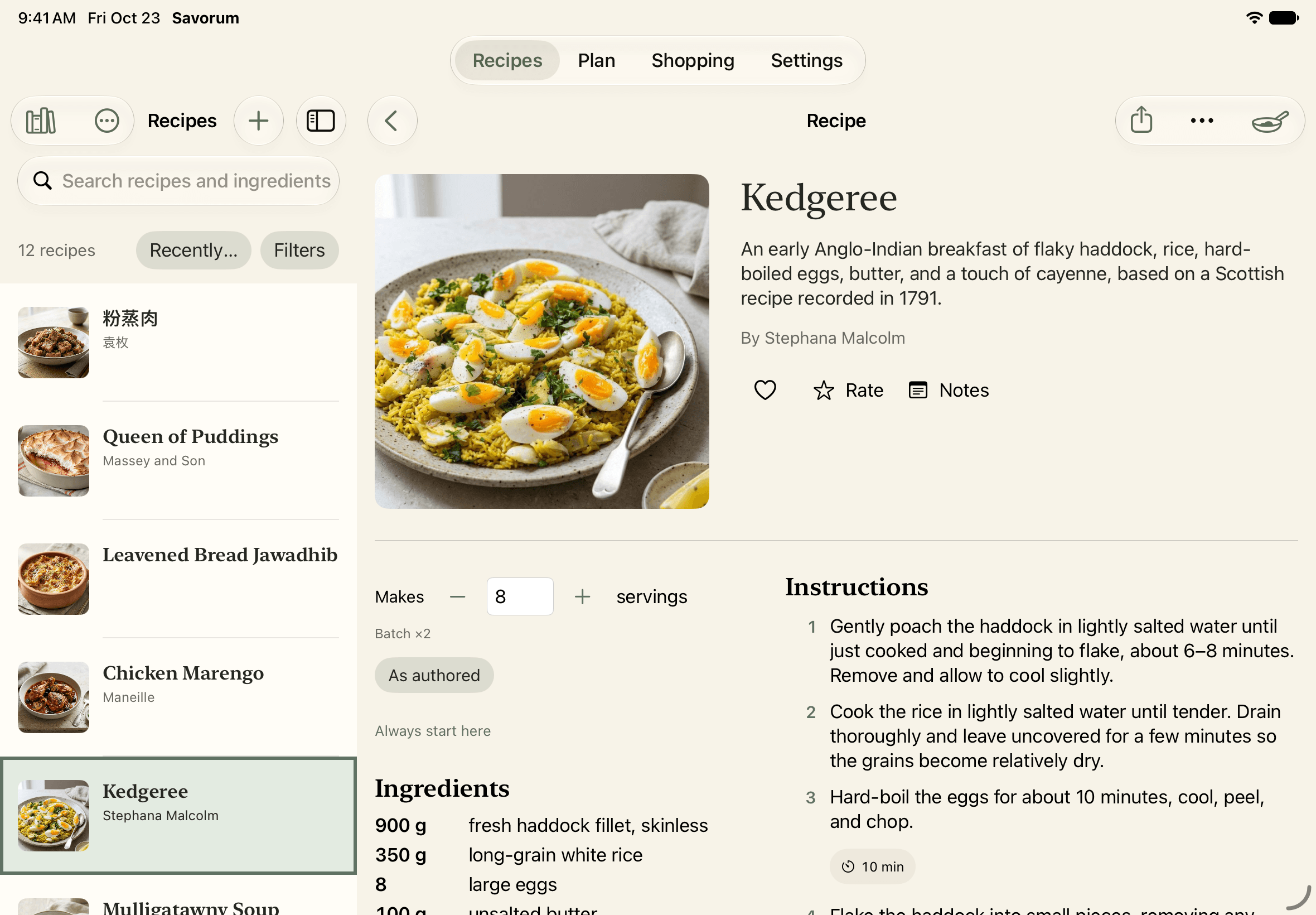
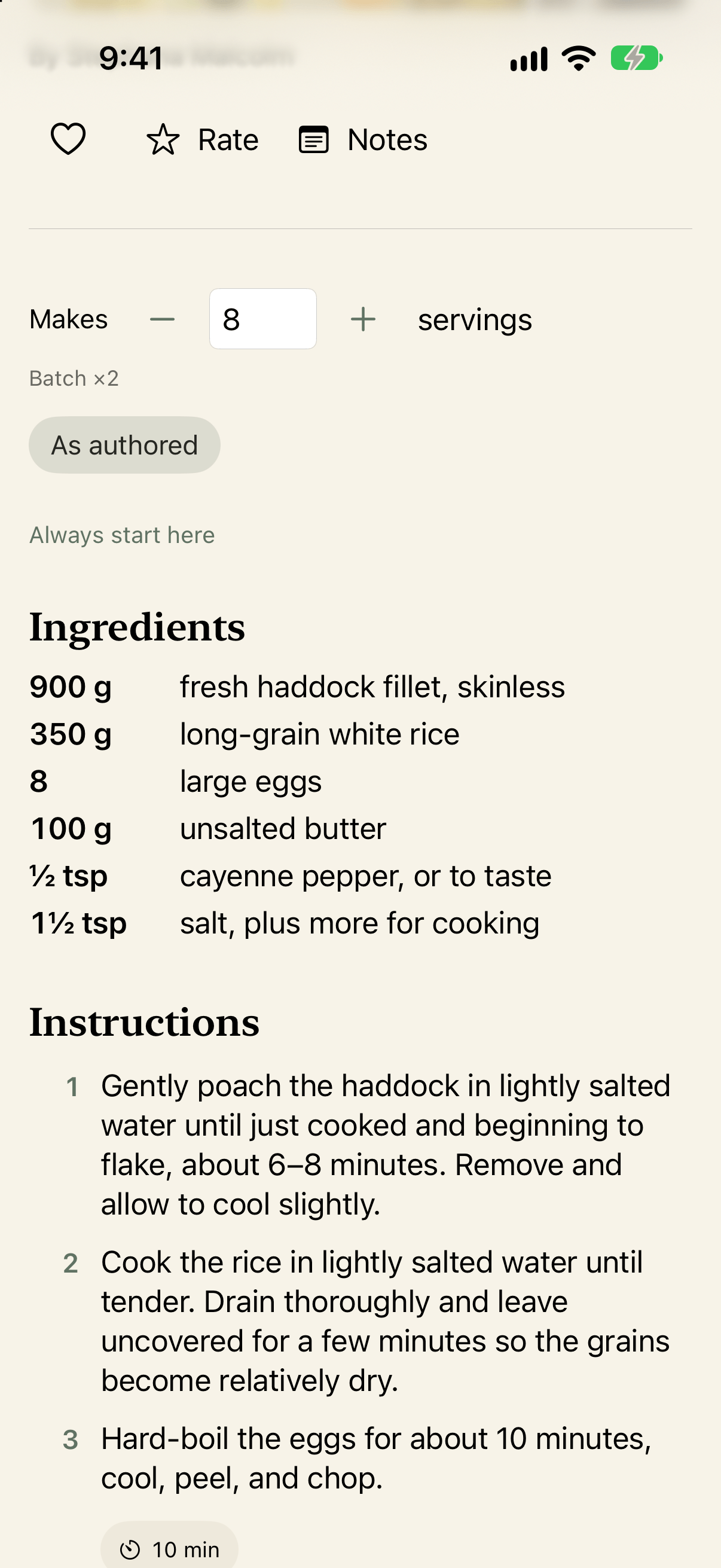
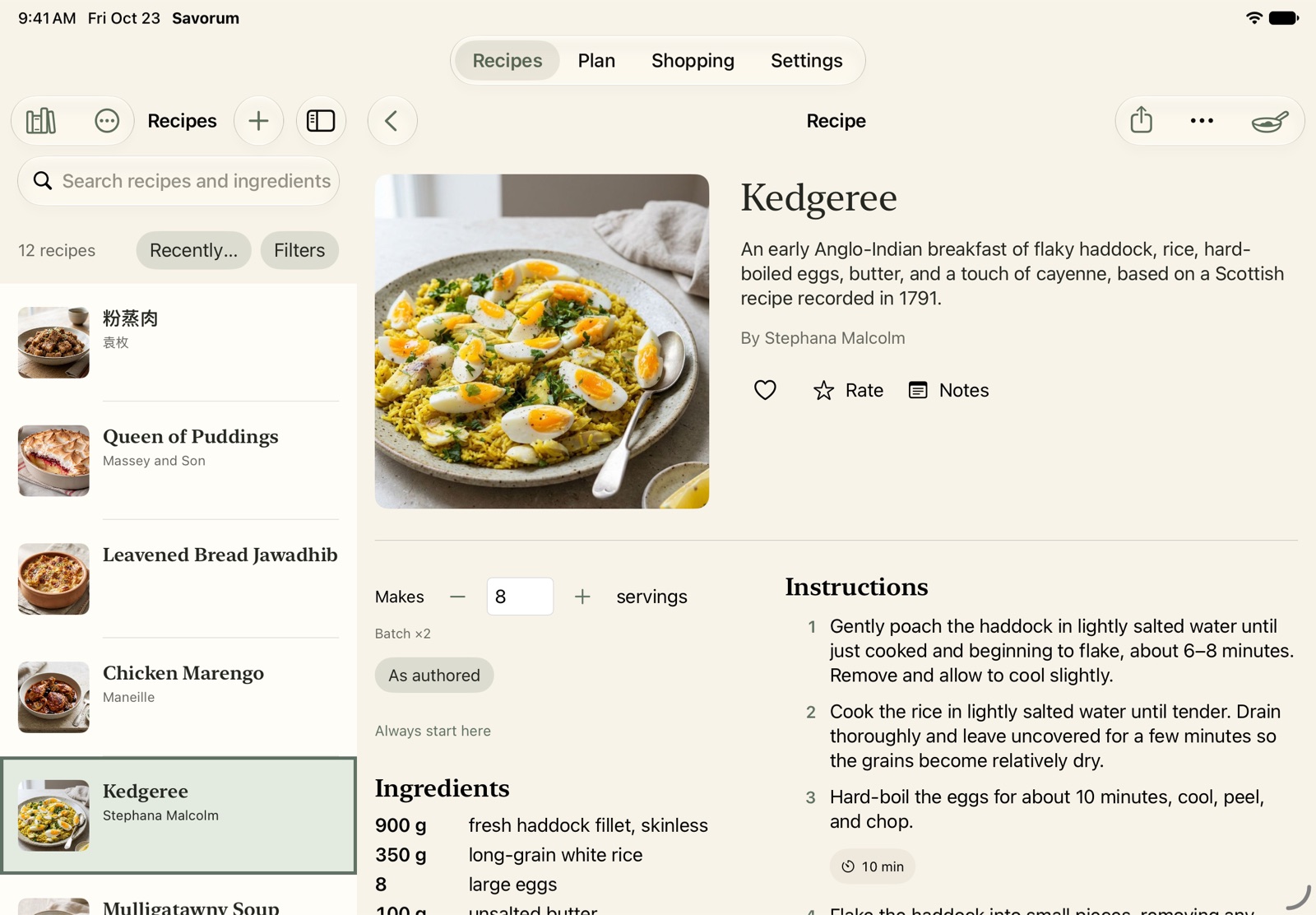
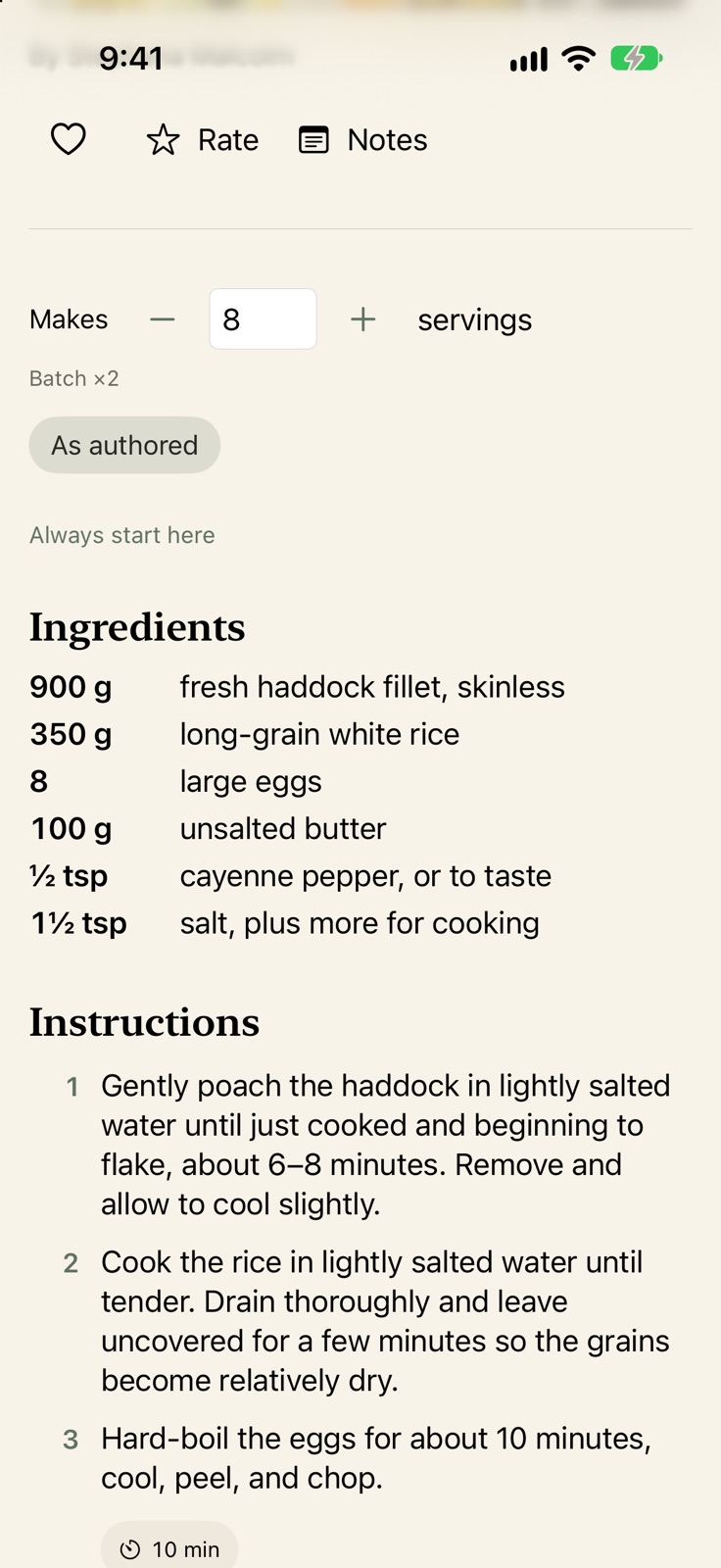
Kedgeree scaled to eight servings, beside the library.
Kedgeree scaled to eight servings, beside the library.PNG, 0.4 MB · Web size
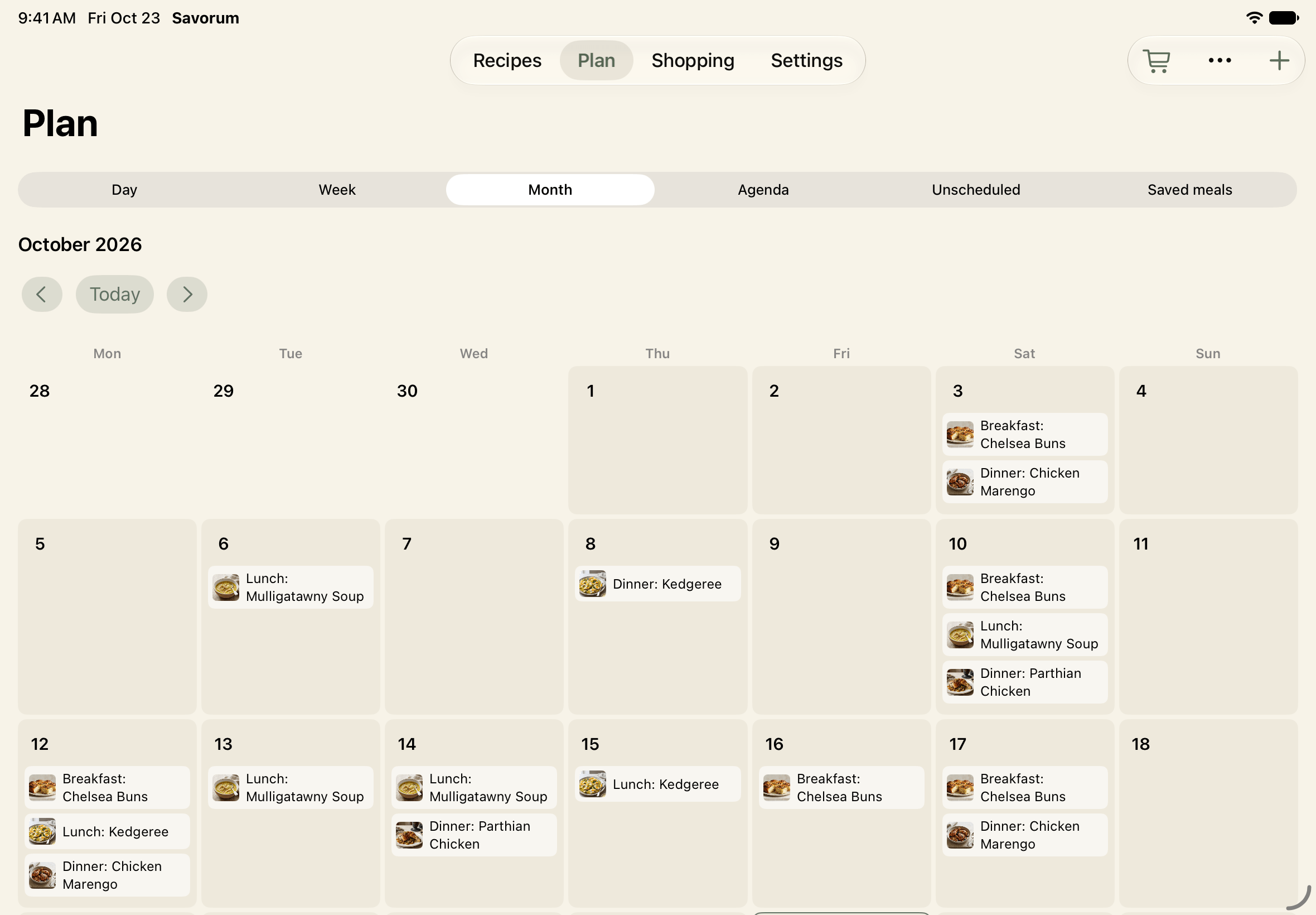
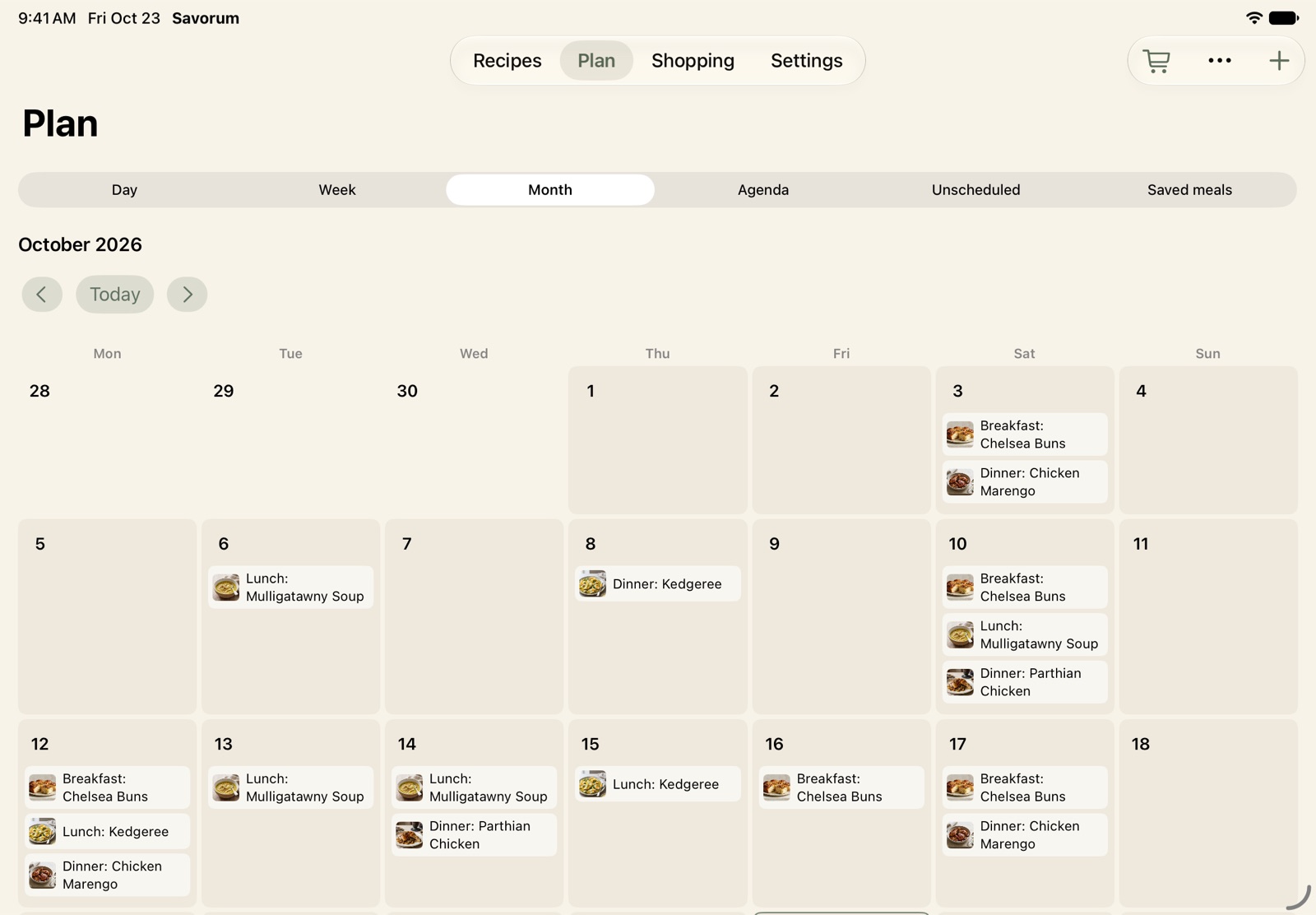
A month of planned meals.
A month of planned meals.PNG, 0.1 MB · Web size

iPhone

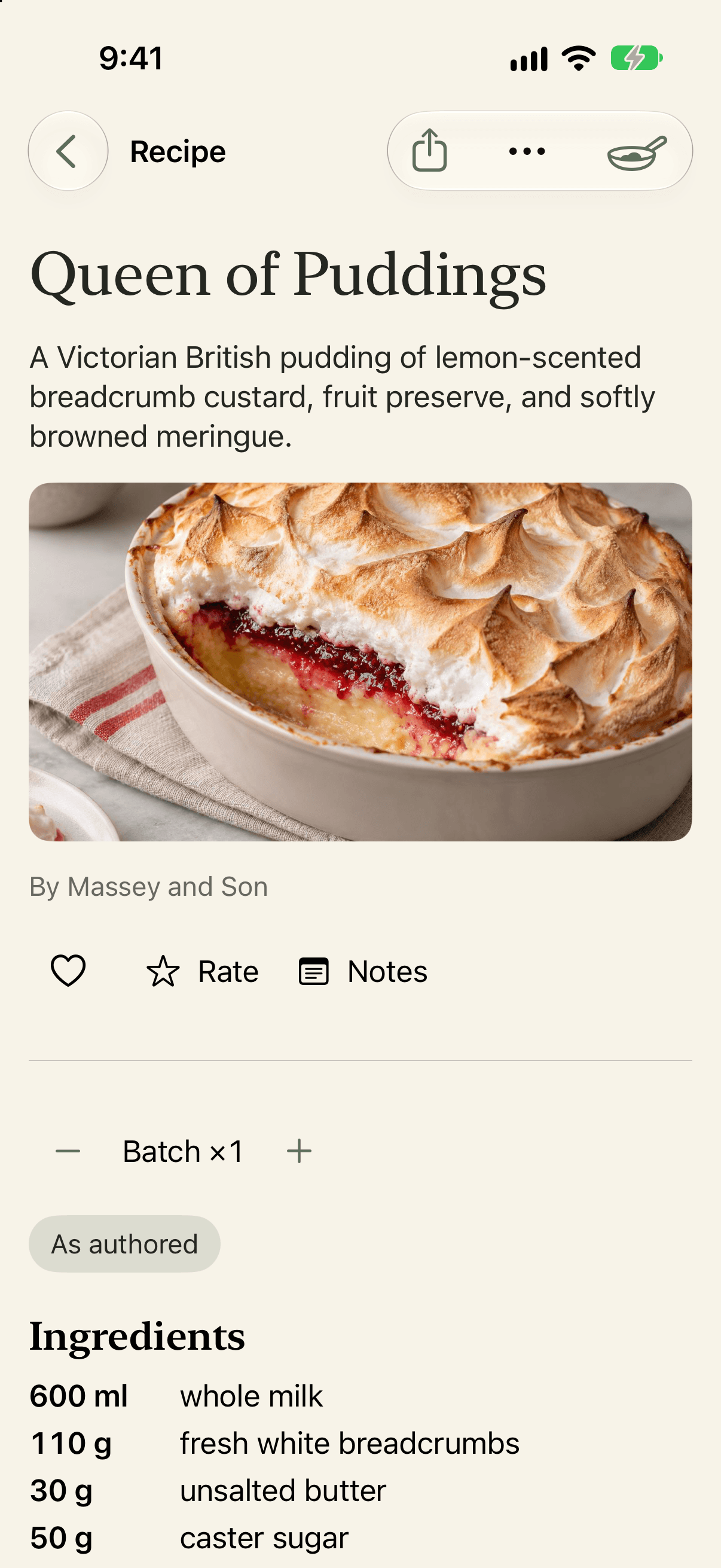
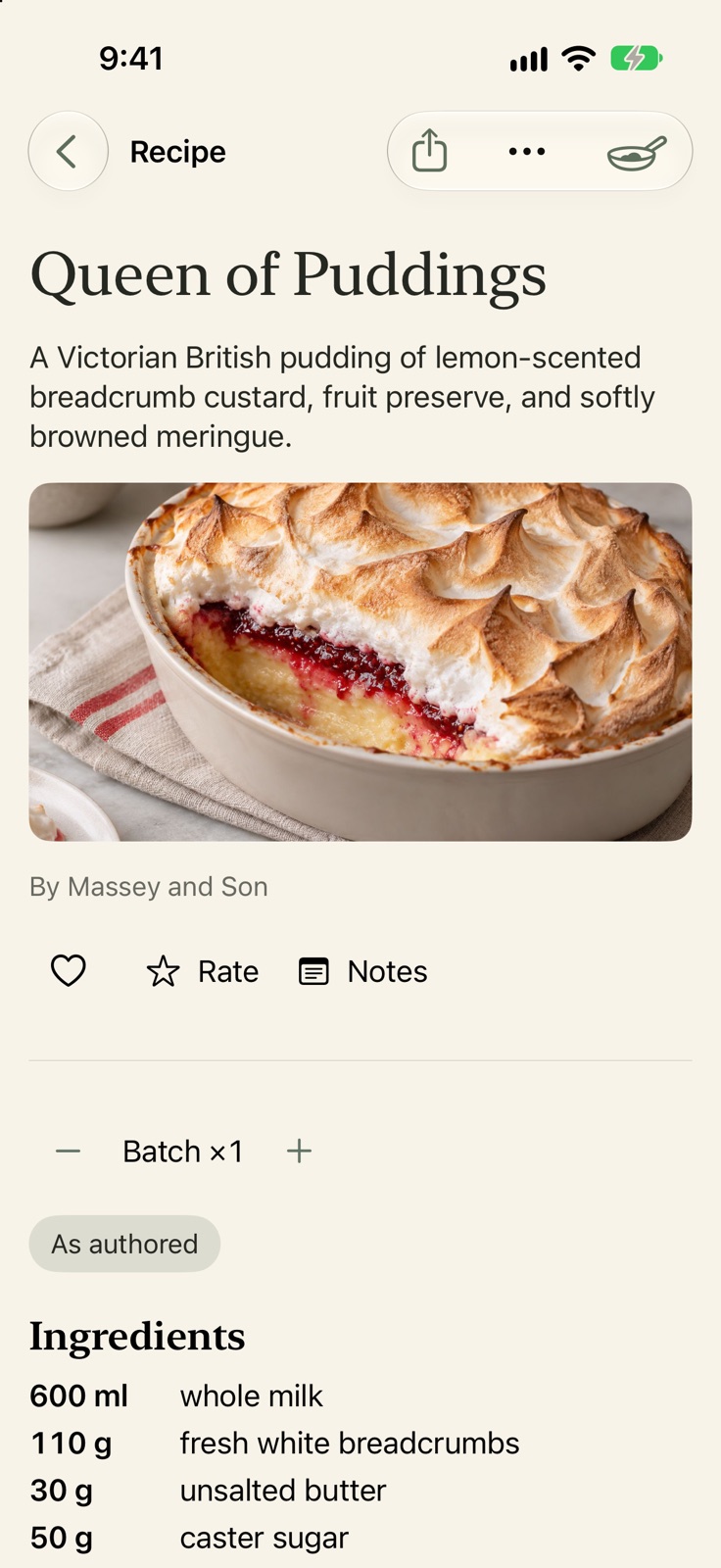
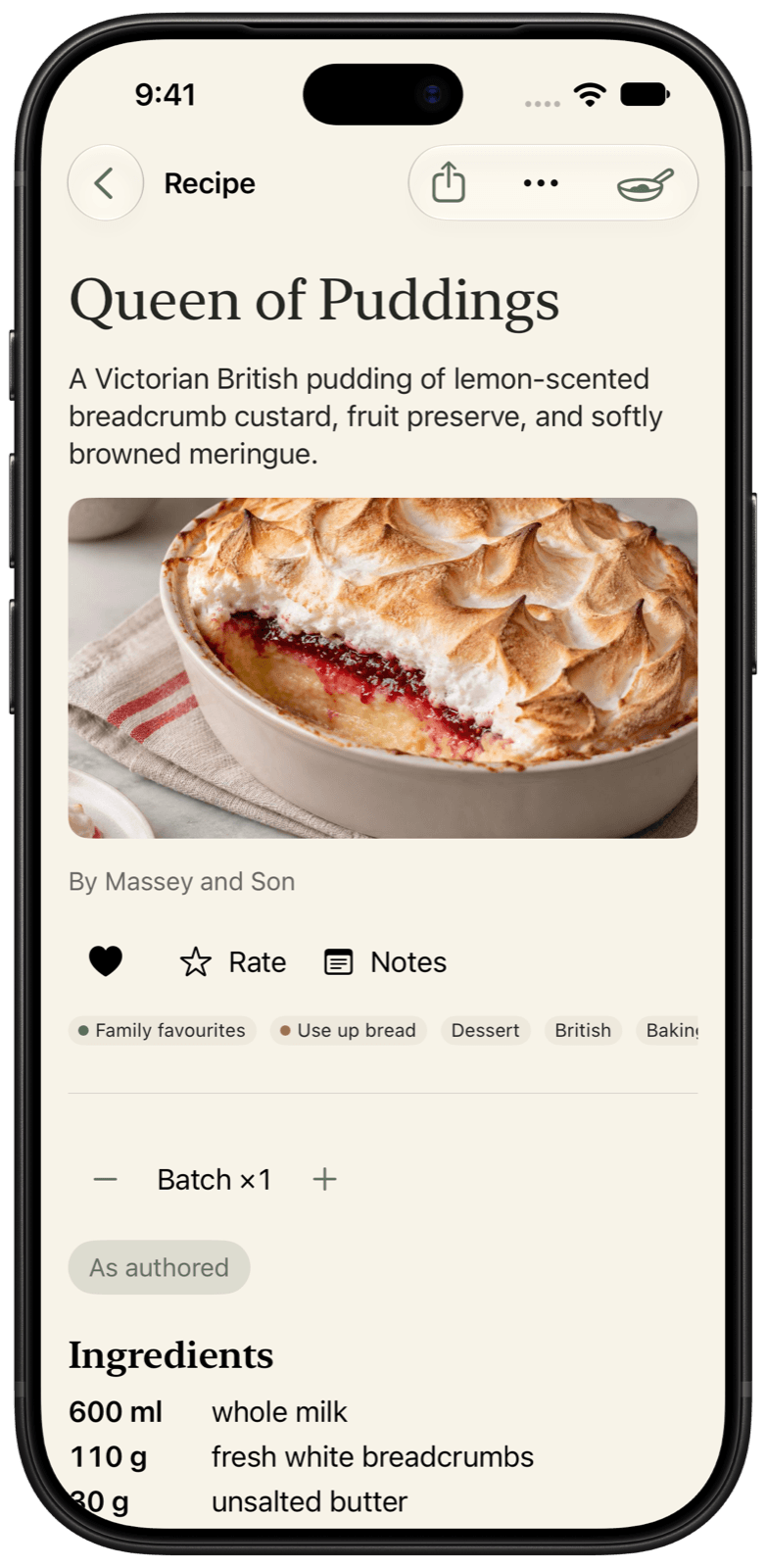
Queen of Puddings, a Victorian pudding, in the recipe view.
Queen of Puddings, a Victorian pudding, in the recipe view.PNG, 0.5 MB · Web size
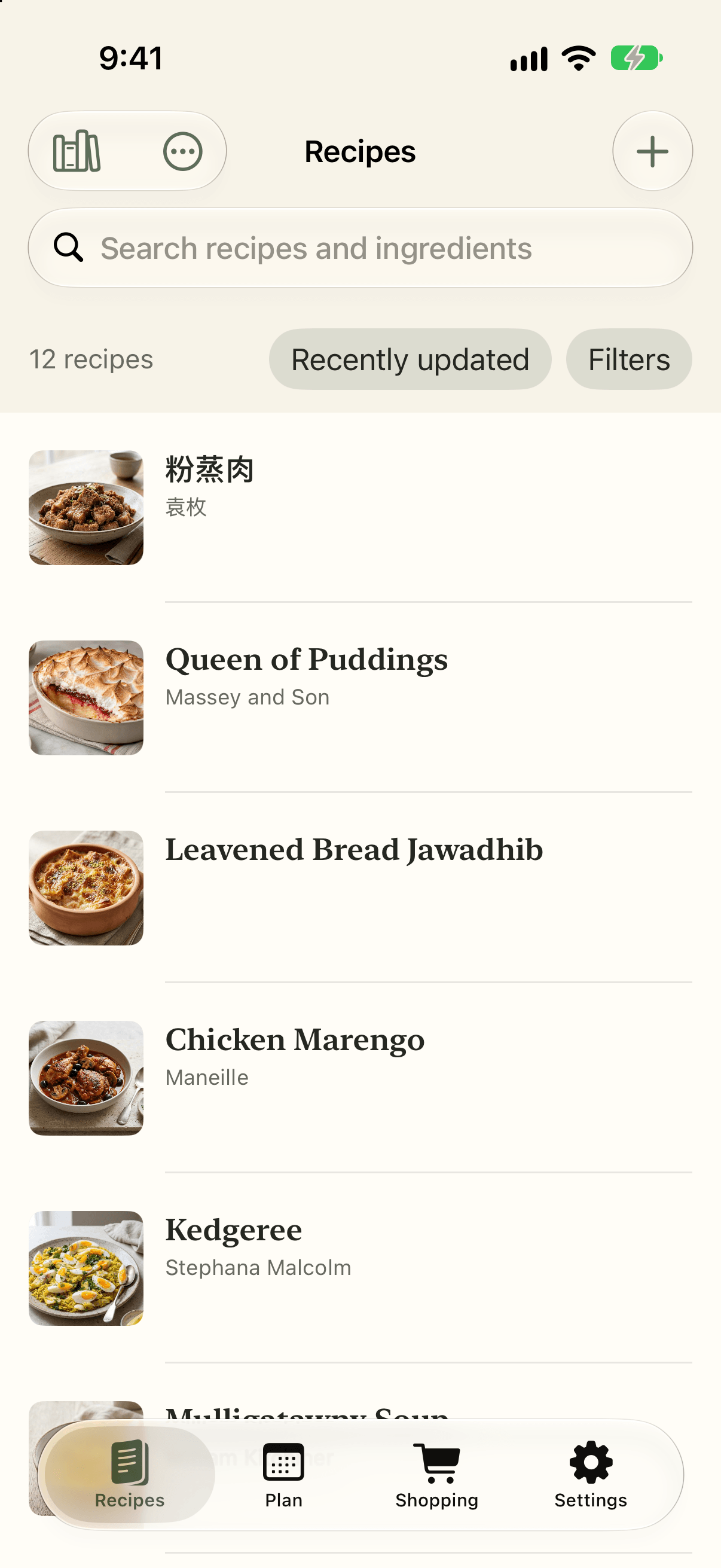
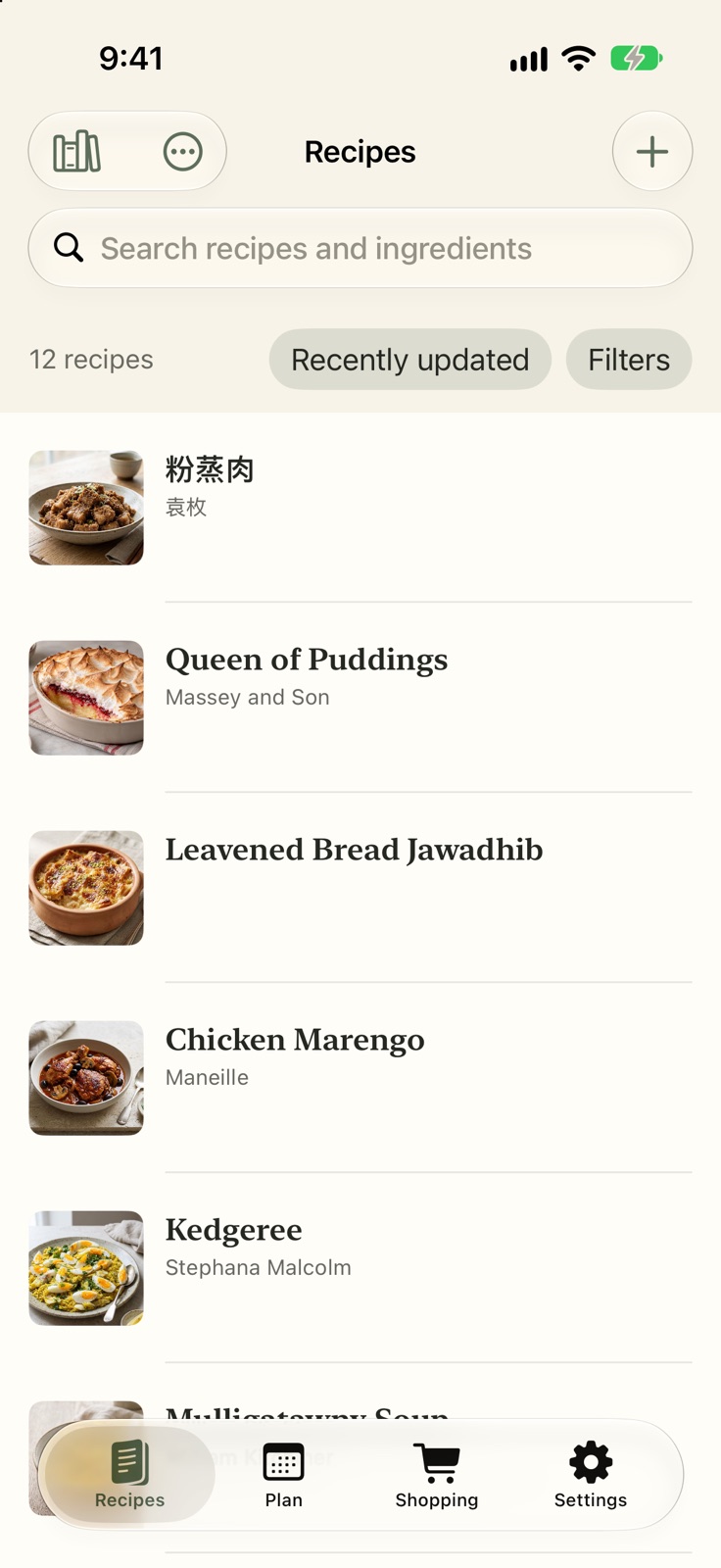
The recipe library, sorted by most recently updated.
The recipe library, sorted by most recently updated.PNG, 0.2 MB · Web size
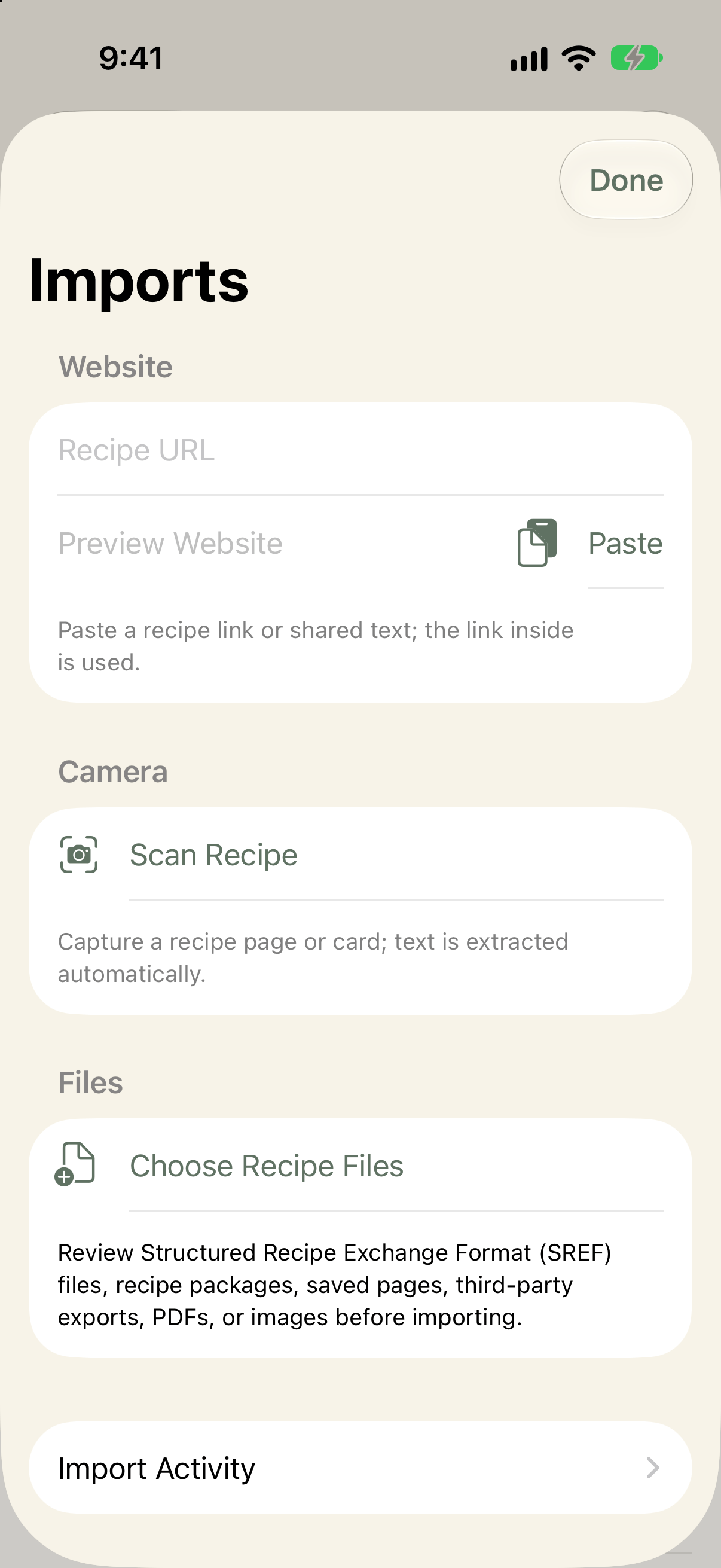
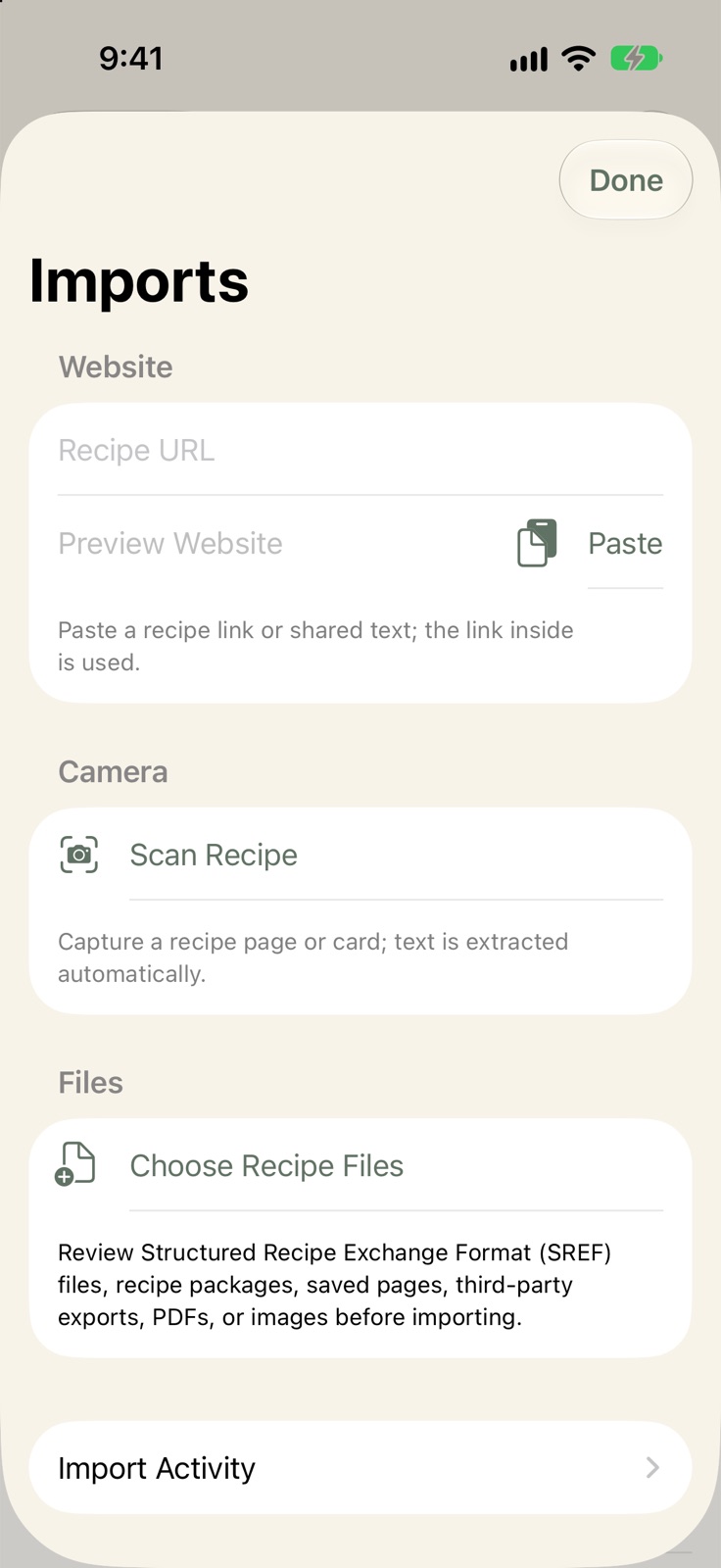
Import options: a website link, a camera scan or recipe files.
Import options: a website link, a camera scan or recipe files.PNG, 81 KB · Web size
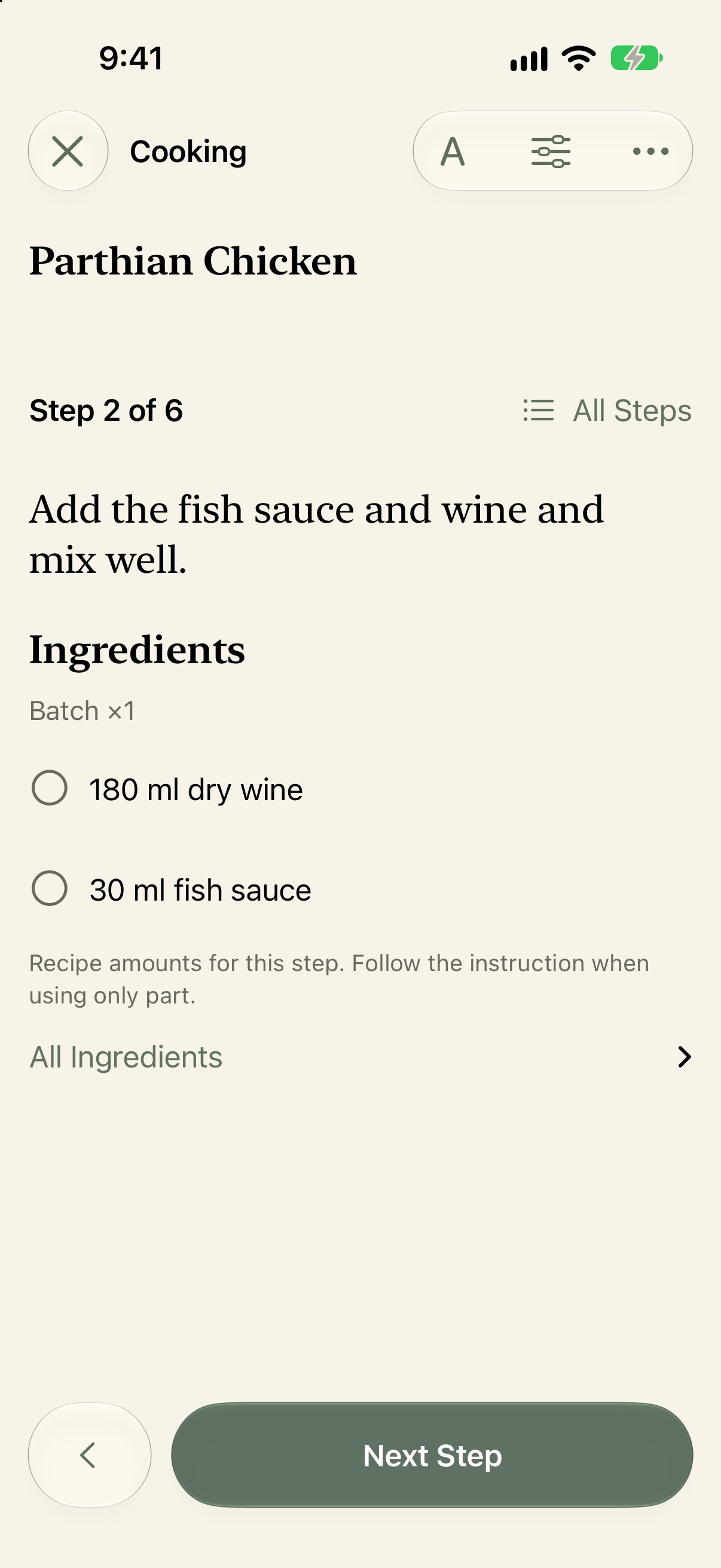
Cooking Parthian Chicken, one step at a time.
Cooking Parthian Chicken, one step at a time.PNG, 82 KB · Web size
Kedgeree scaled to eight servings.
Kedgeree scaled to eight servings.PNG, 0.2 MB · Web size
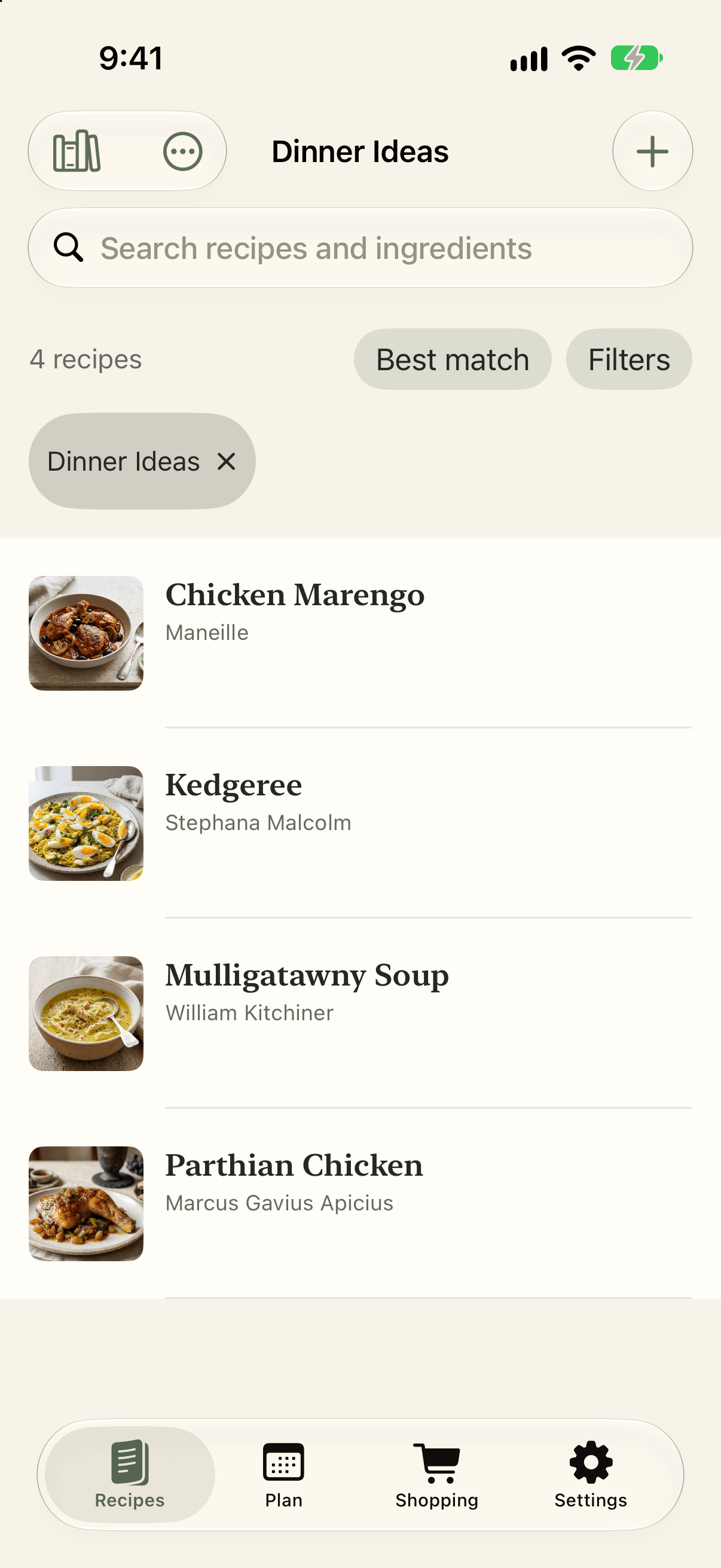
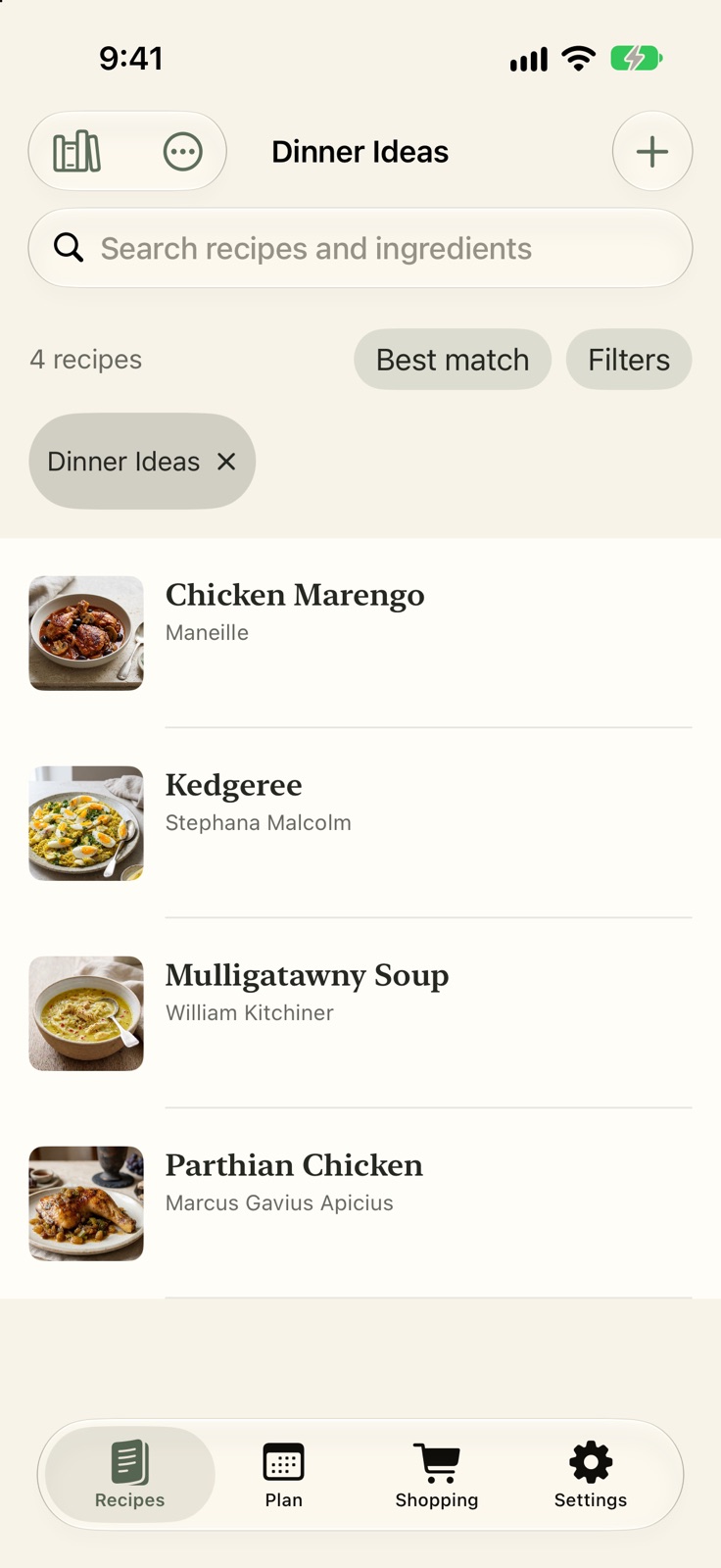
Dinner Ideas, a personal recipe book.
Dinner Ideas, a personal recipe book.PNG, 0.2 MB · Web size
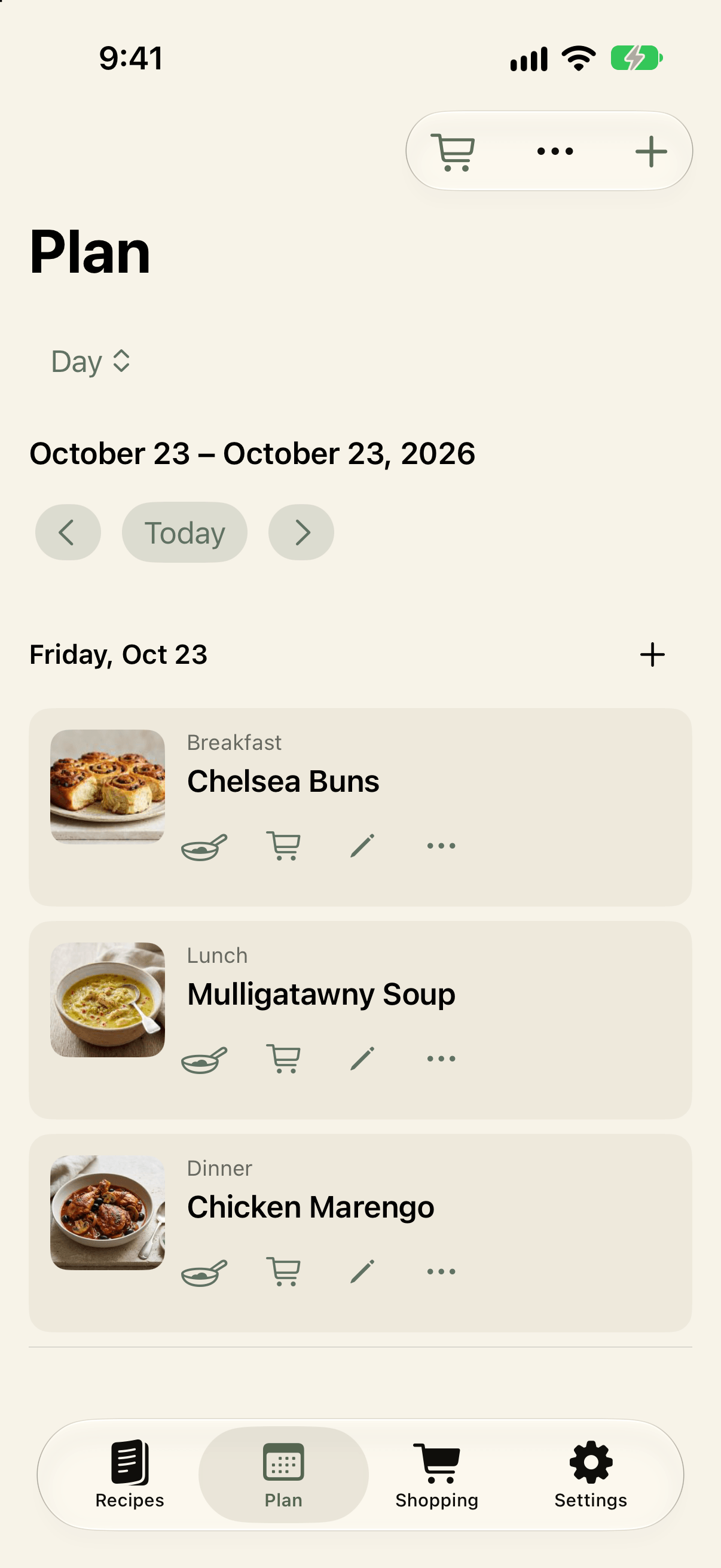
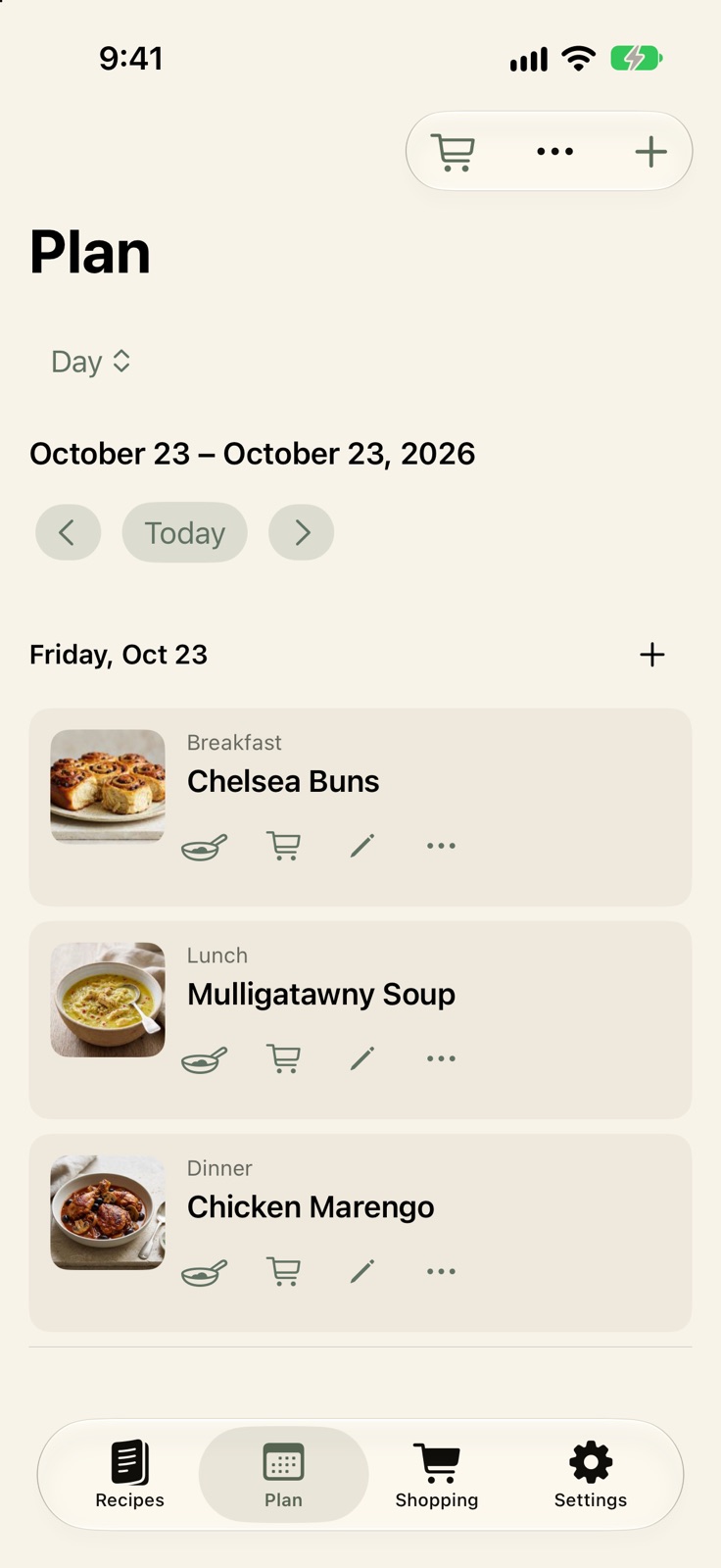
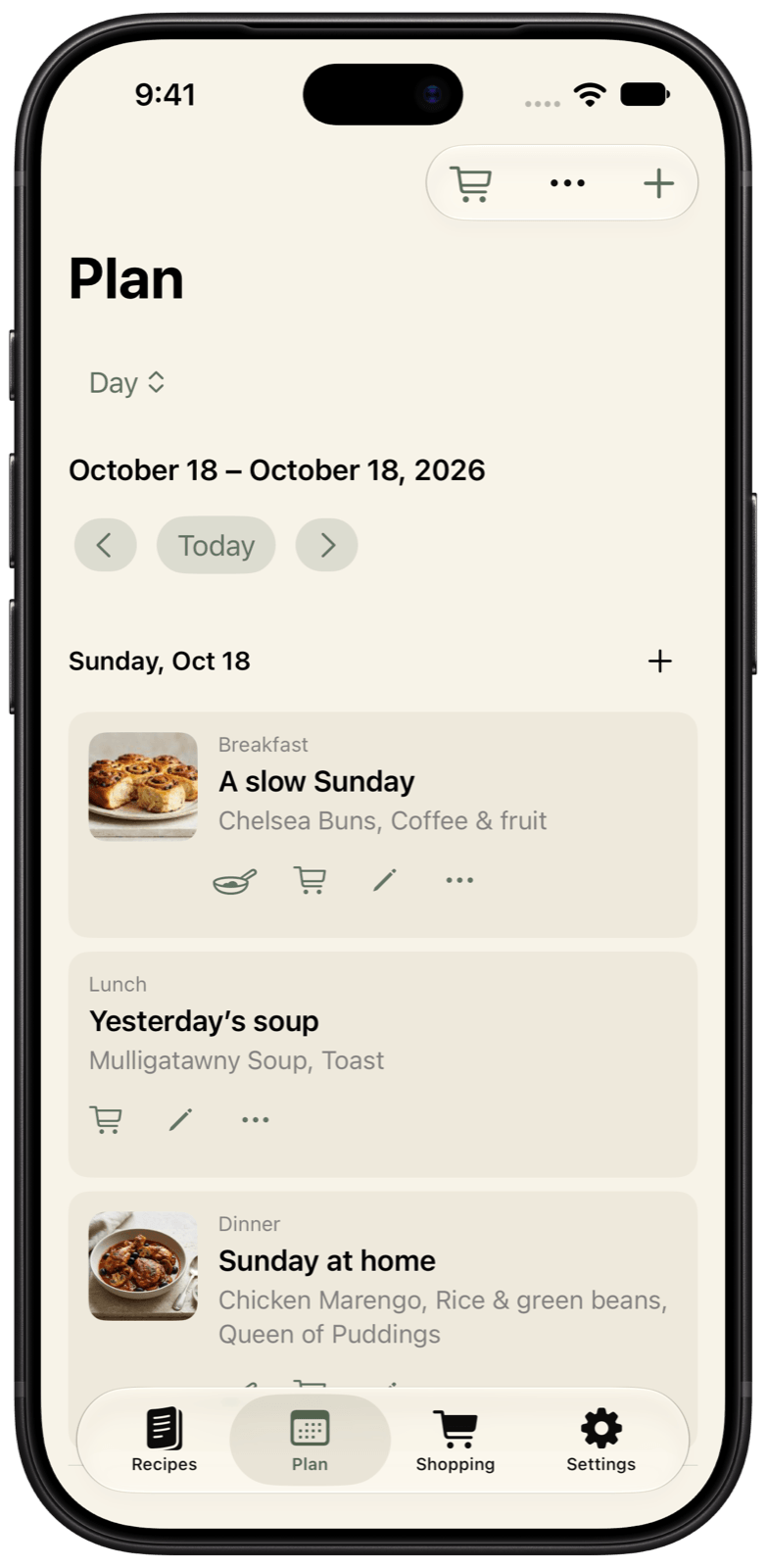
One day's meals: breakfast, lunch and dinner.
One day's meals: breakfast, lunch and dinner.PNG, 0.1 MB · Web size
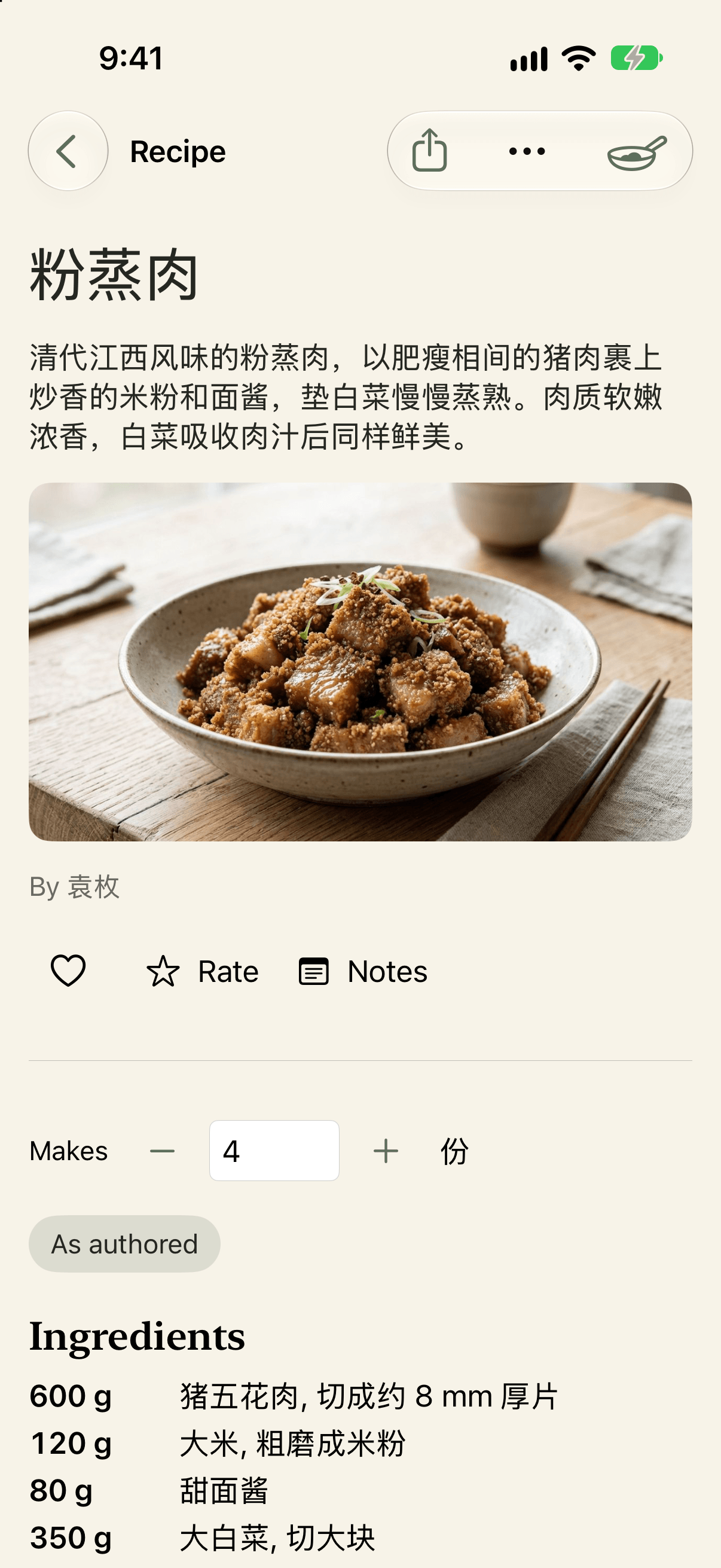
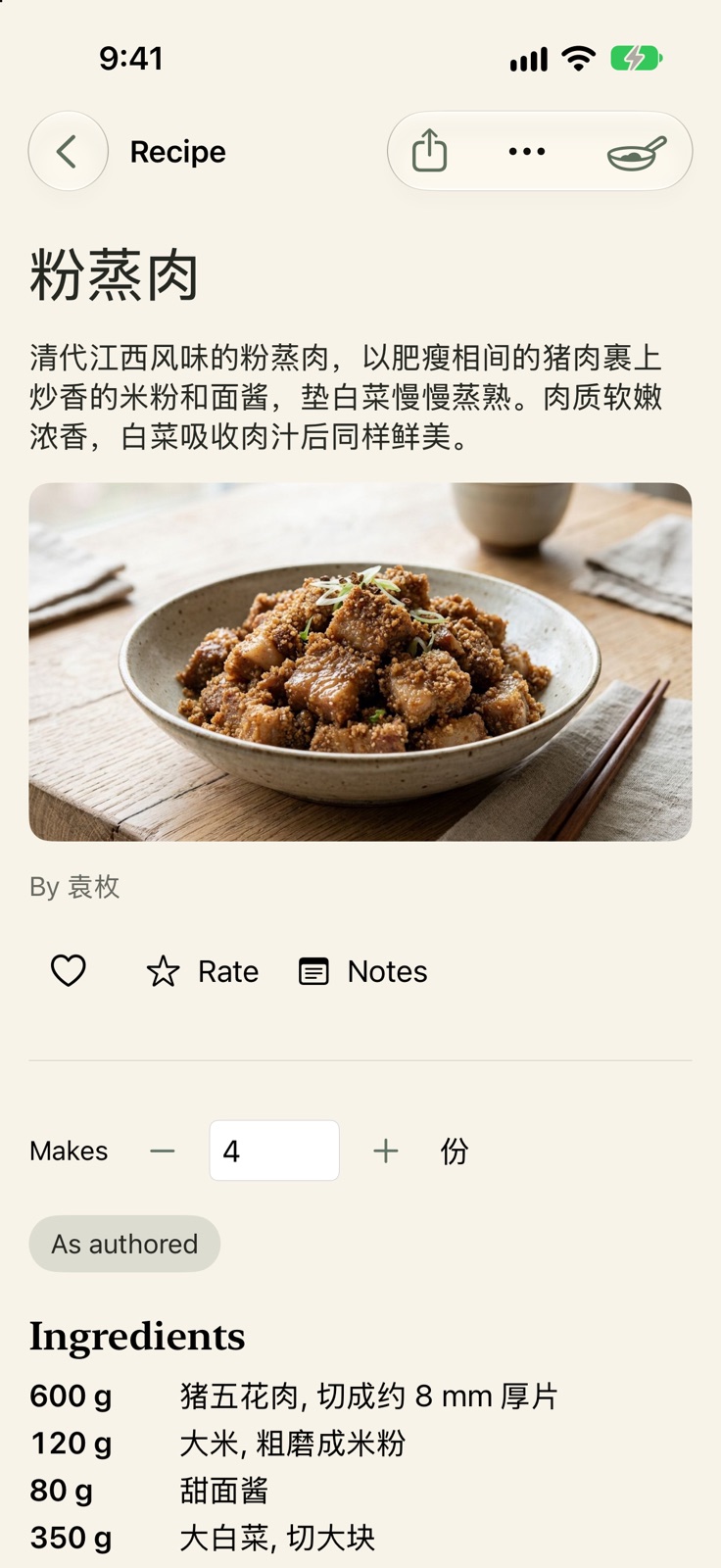
粉蒸肉 (steamed pork with rice powder), kept in its original Chinese.
粉蒸肉 (steamed pork with rice powder), kept in its original Chinese.PNG, 0.5 MB · Web size

Apple Watch

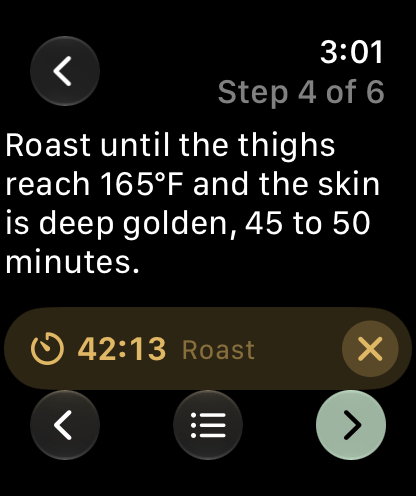
A roast chicken's fourth step on Apple Watch, with its roast timer running.
A roast chicken's fourth step on Apple Watch, with its roast timer running.PNG, 20 KB
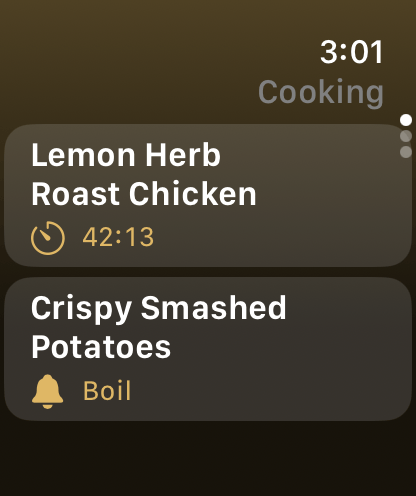
Two dishes cooking at once, each with its own timer.
Two dishes cooking at once, each with its own timer.PNG, 29 KB
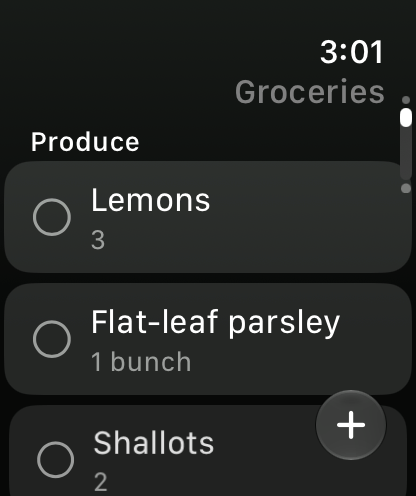
The shopping list on Apple Watch, sorted by aisle.
The shopping list on Apple Watch, sorted by aisle.PNG, 24 KB
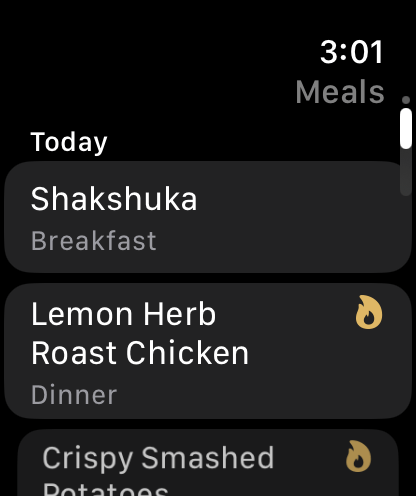
Today's planned meals on Apple Watch.
Today's planned meals on Apple Watch.PNG, 17 KB
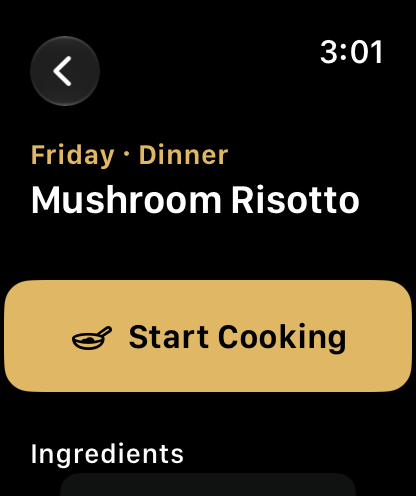
A planned dinner, ready to start cooking from the watch.
A planned dinner, ready to start cooking from the watch.PNG, 12 KB

Web

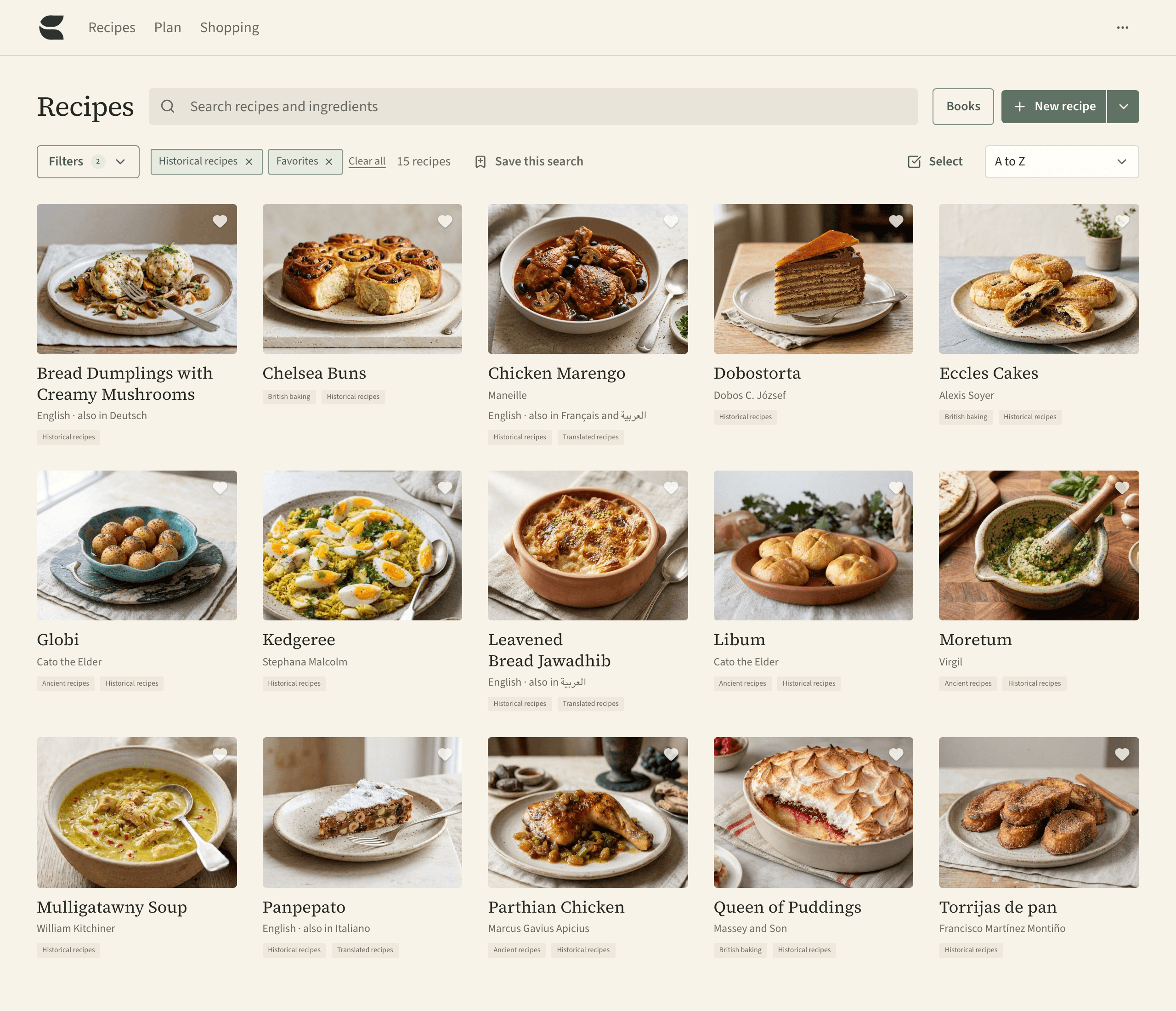
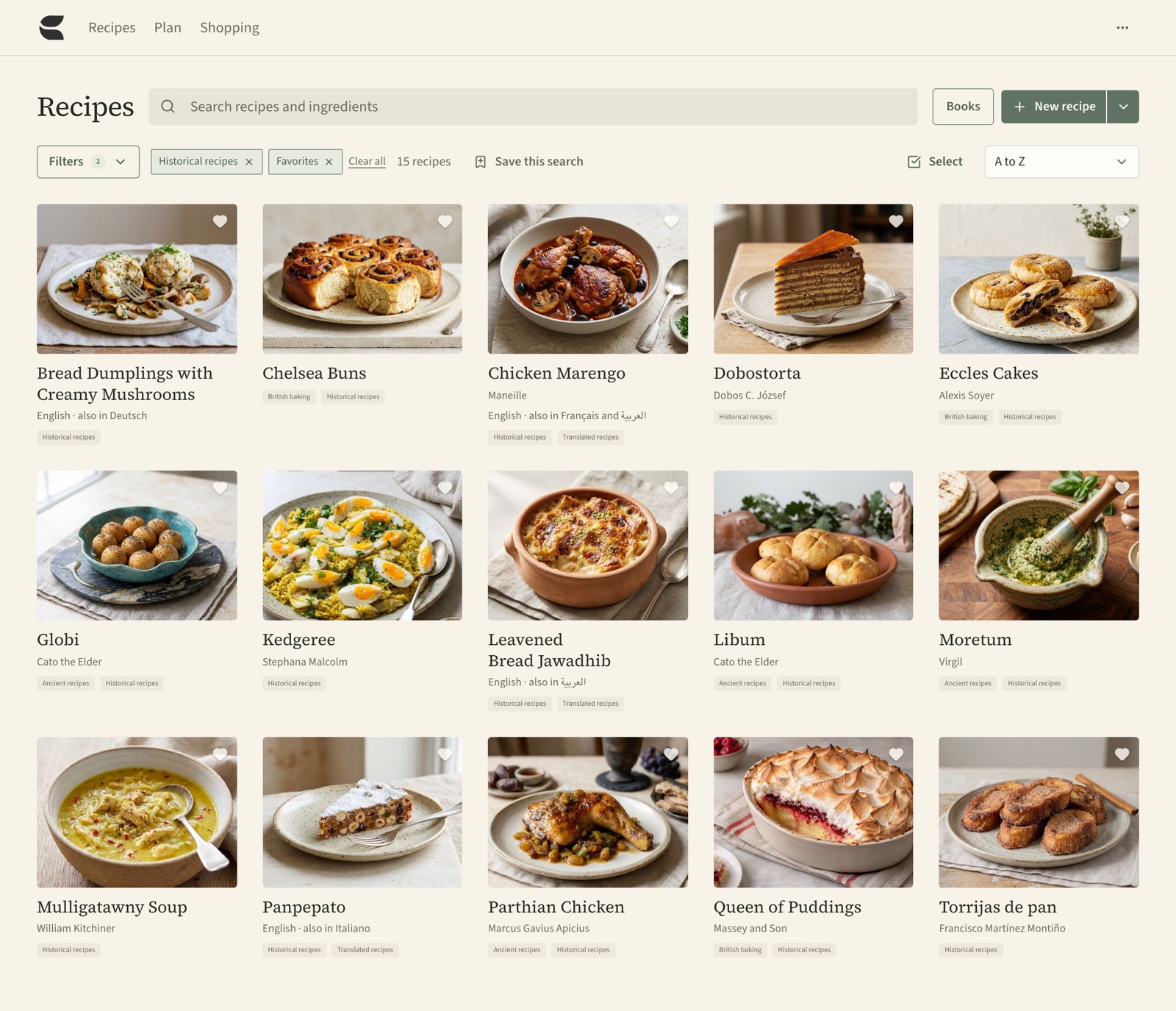
The recipe library in a web browser, filtered to historical recipes and favorites.
The recipe library in a web browser, filtered to historical recipes and favorites.PNG, 1.5 MB · Web size
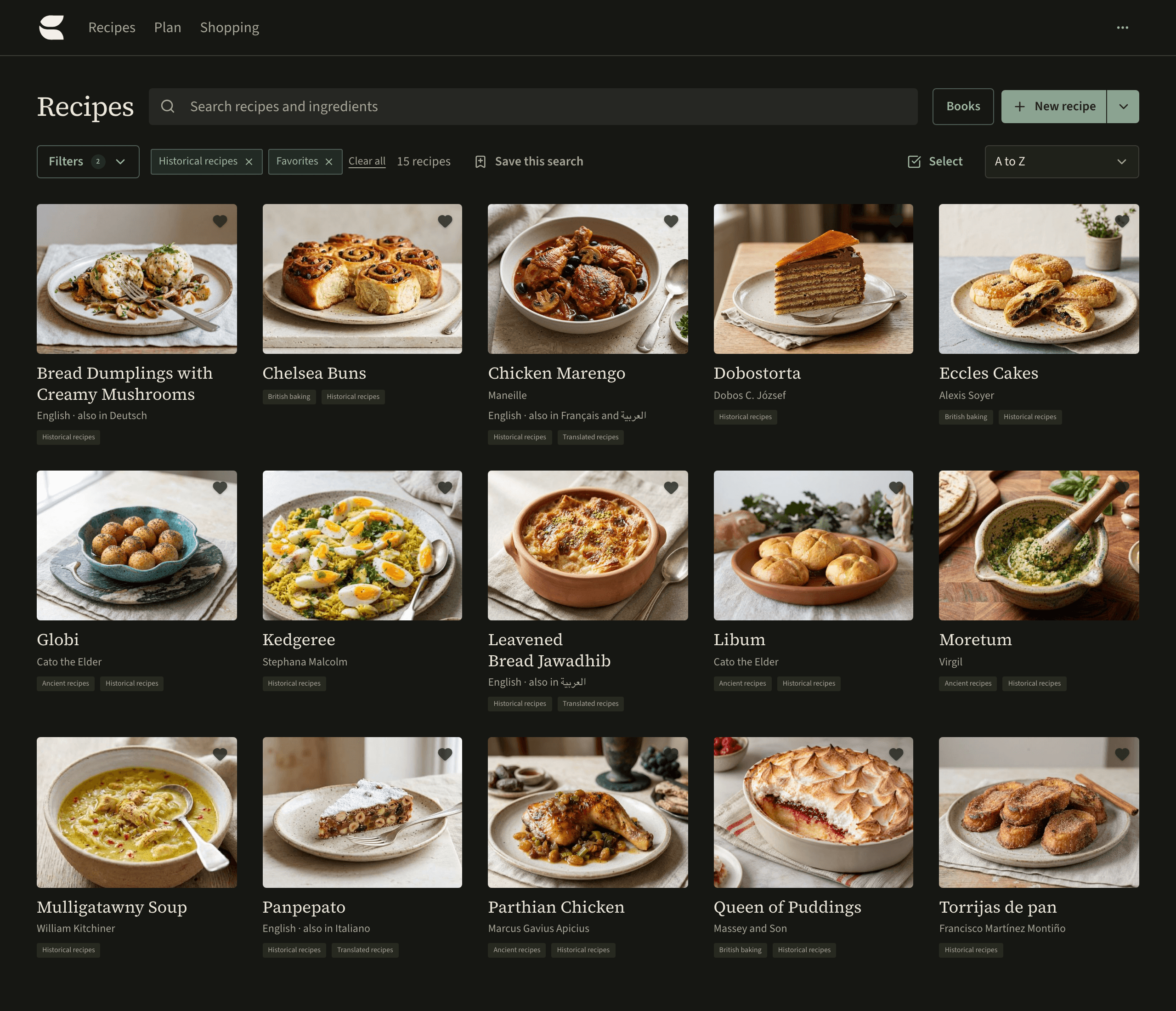
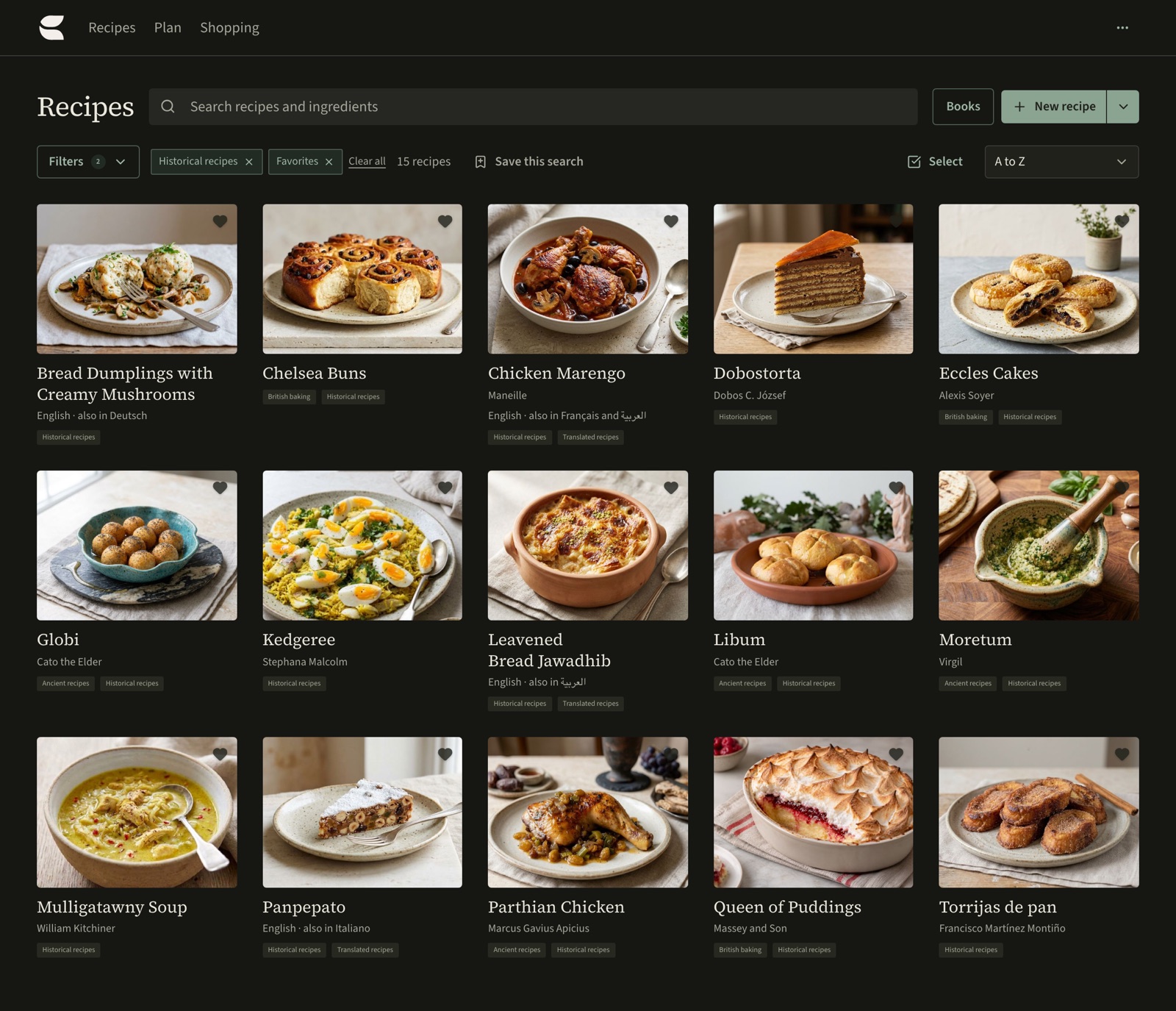
The recipe library on the web in dark mode.
The recipe library on the web in dark mode.PNG, 1.5 MB · Web size
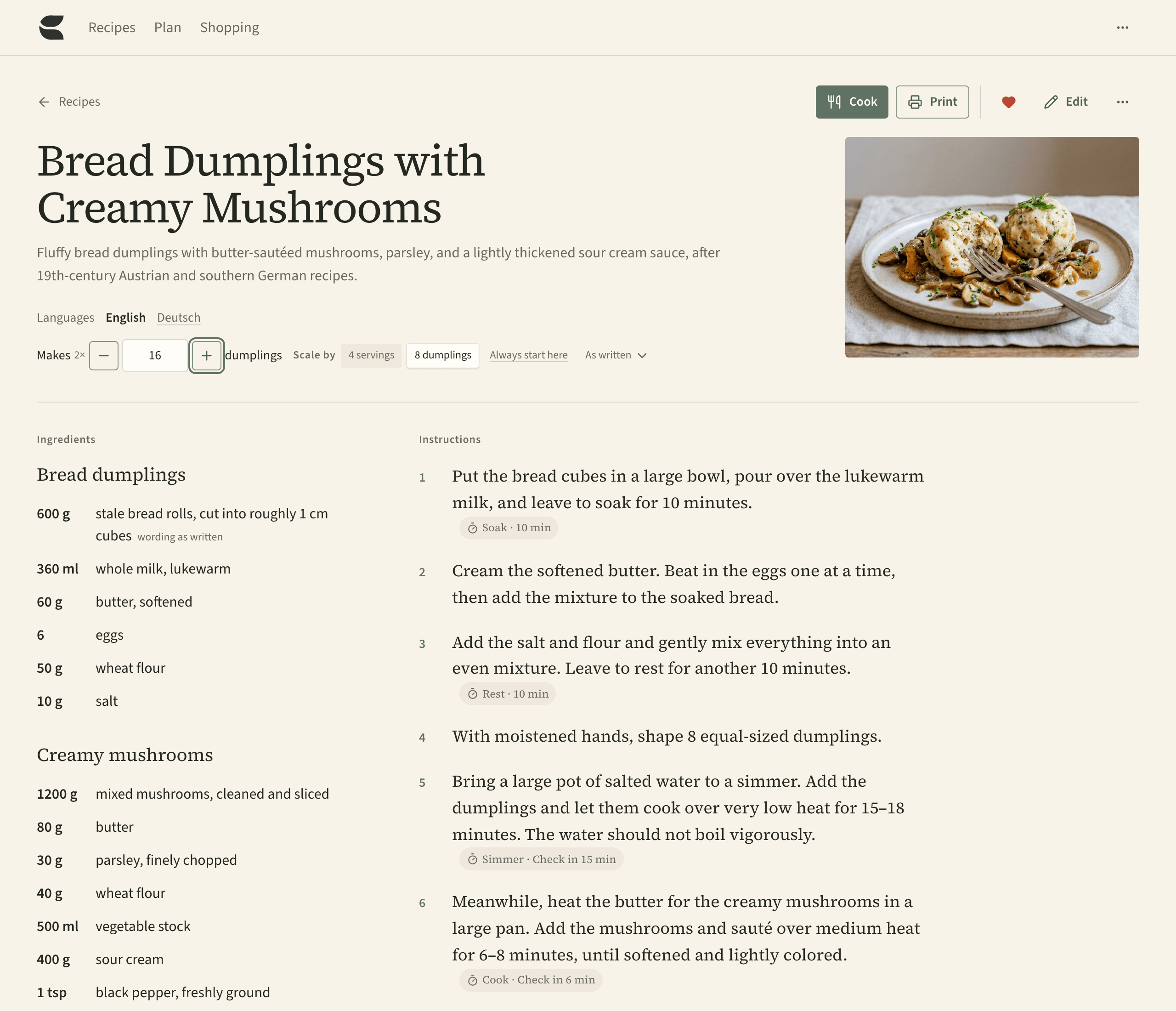
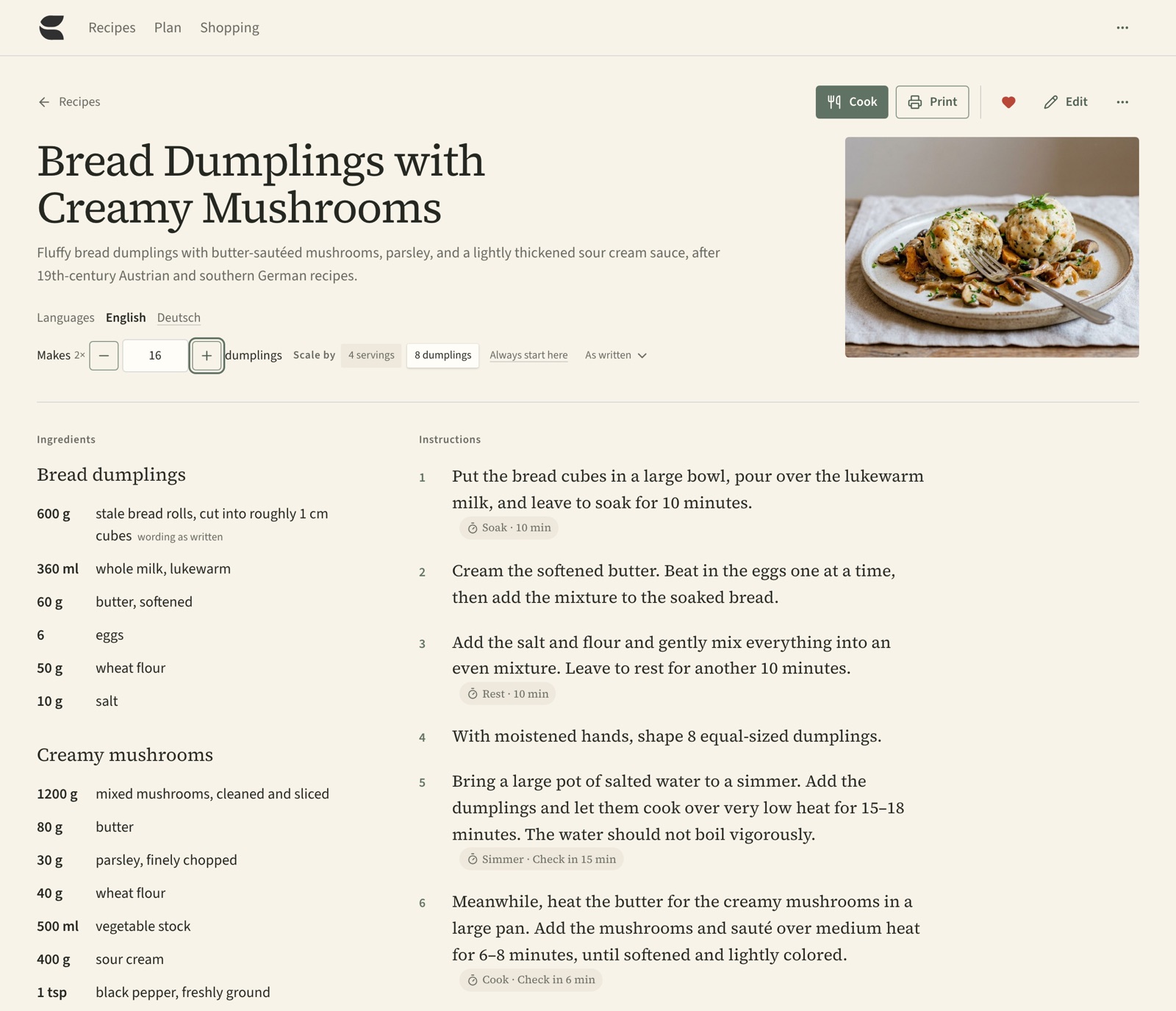
Bread Dumplings with Creamy Mushrooms scaled to 16 dumplings, with timed steps.
Bread Dumplings with Creamy Mushrooms scaled to 16 dumplings, with timed steps.PNG, 0.4 MB · Web size
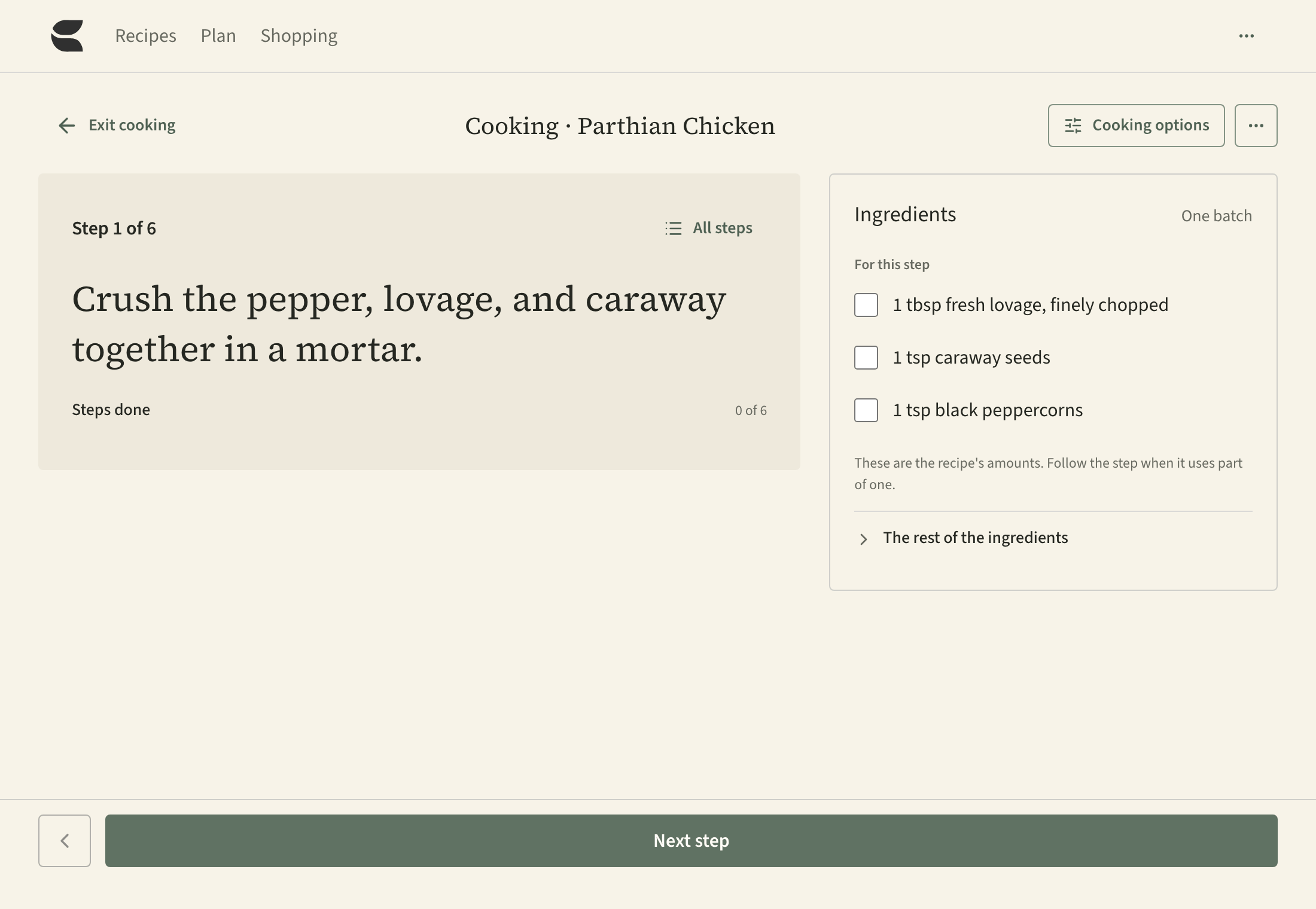
Cooking Parthian Chicken: the current step with only the ingredients it uses.
Cooking Parthian Chicken: the current step with only the ingredients it uses.PNG, 62 KB · Web size
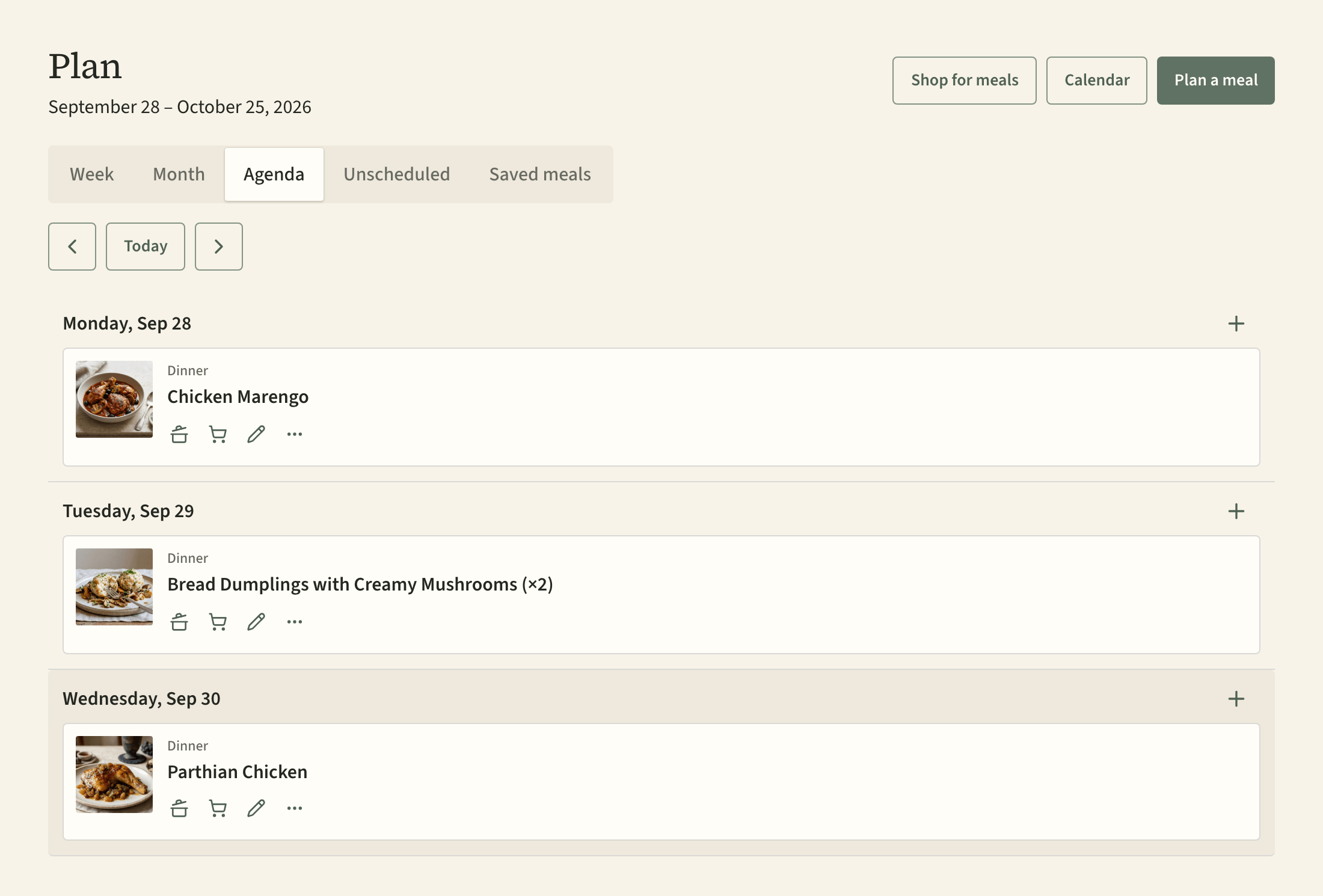
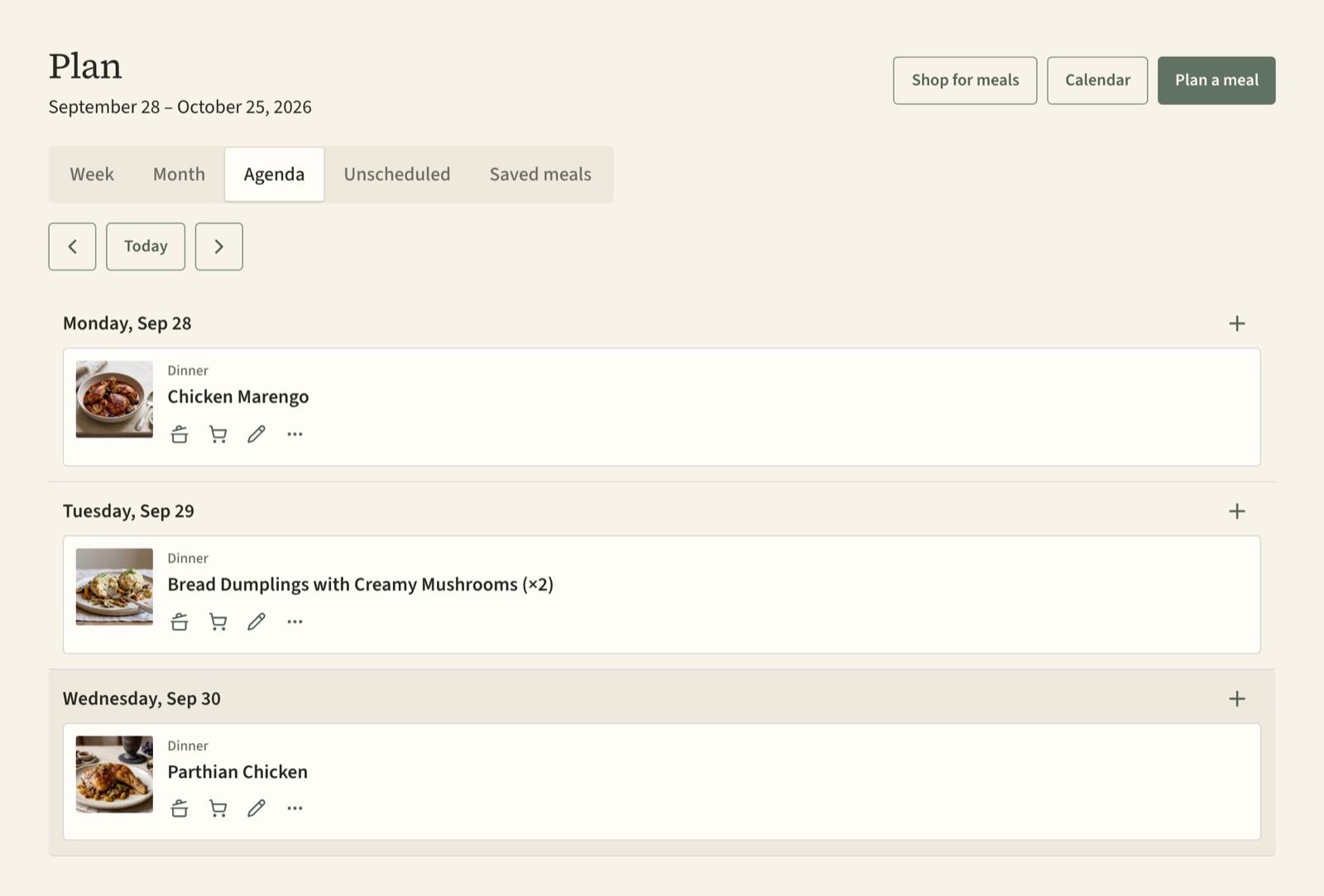
The meal plan's agenda view.
The meal plan's agenda view.PNG, 85 KB · Web size
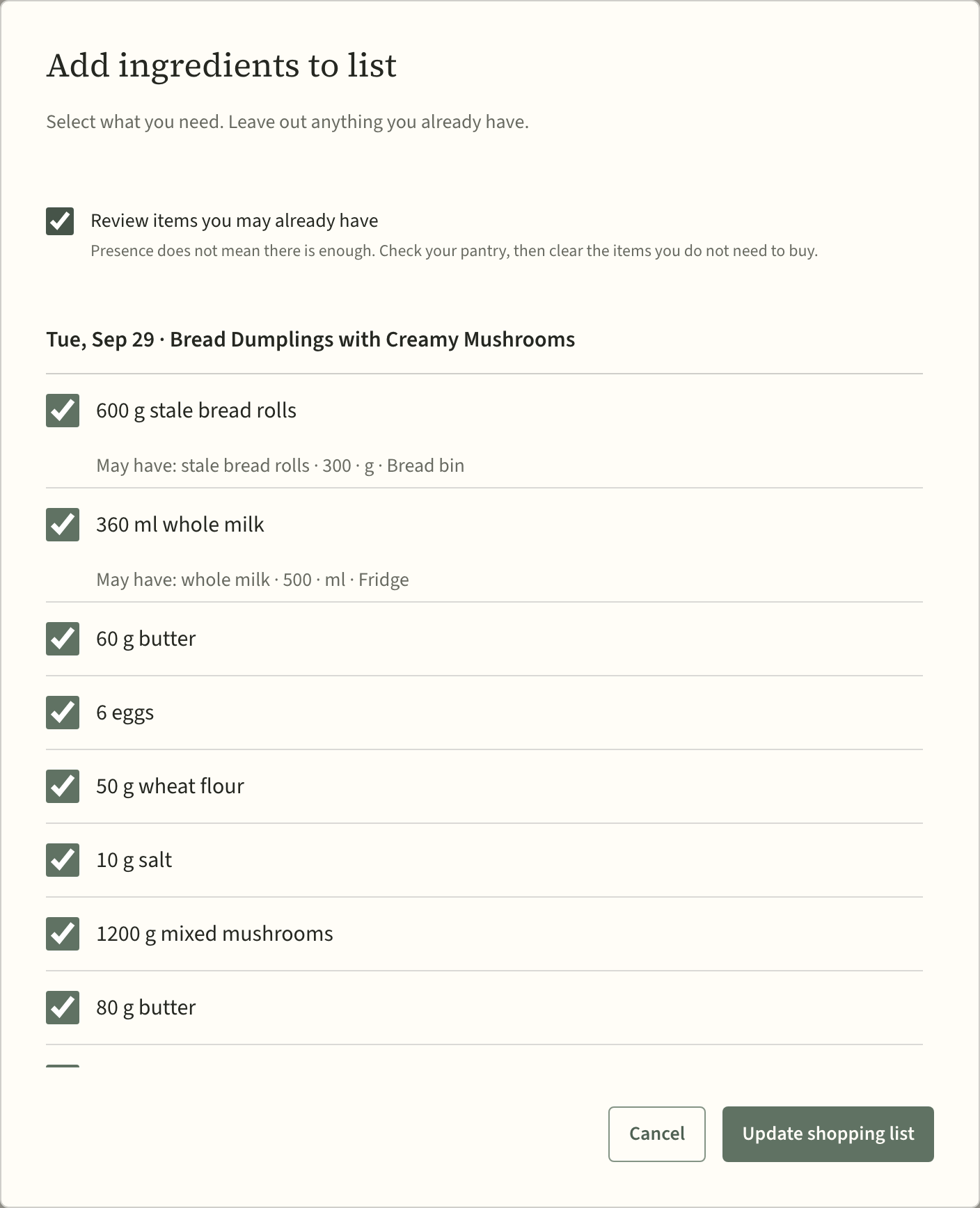
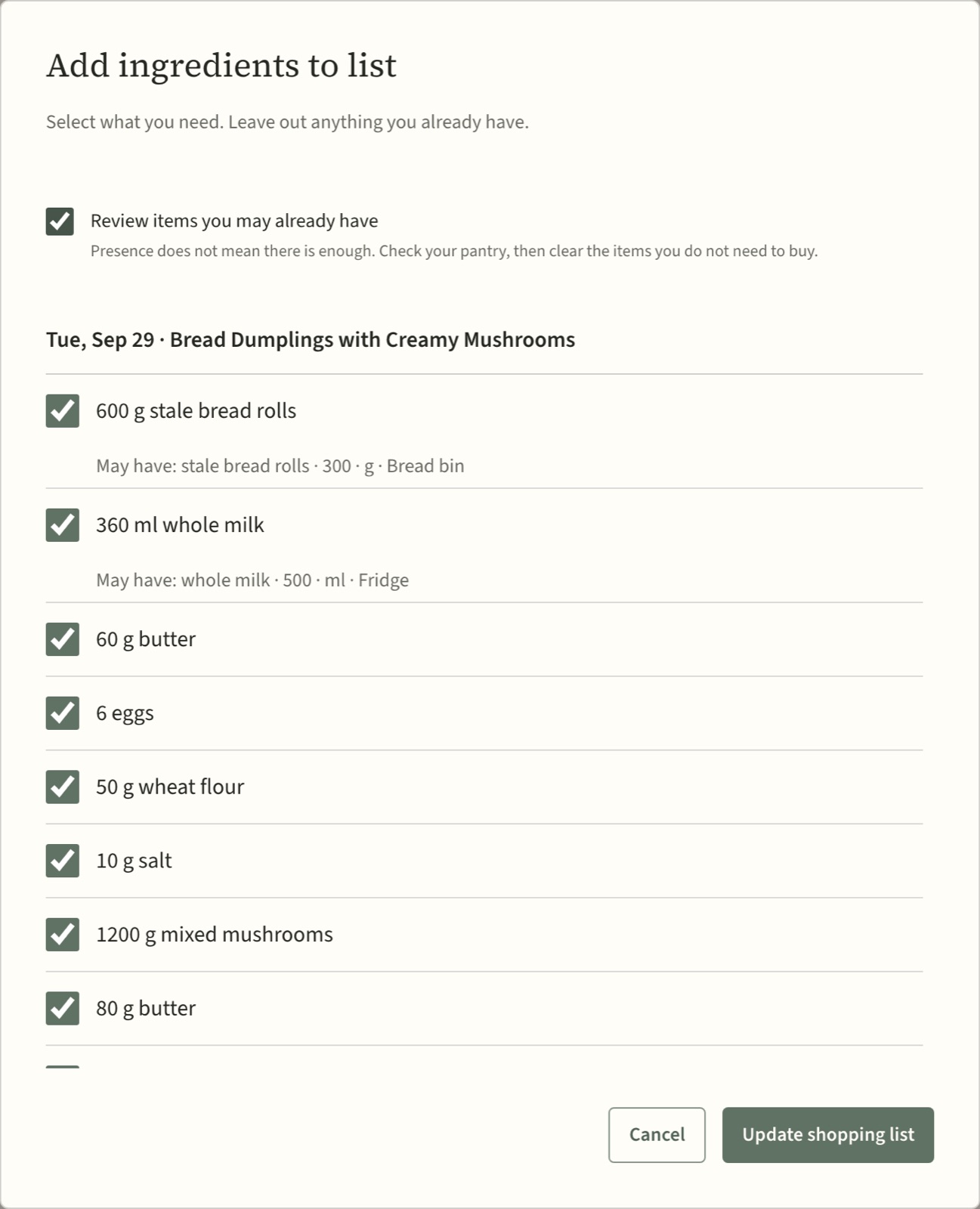
Adding a recipe's ingredients to the shopping list, with pantry items to check.
Adding a recipe's ingredients to the shopping list, with pantry items to check.PNG, 59 KB · Web size
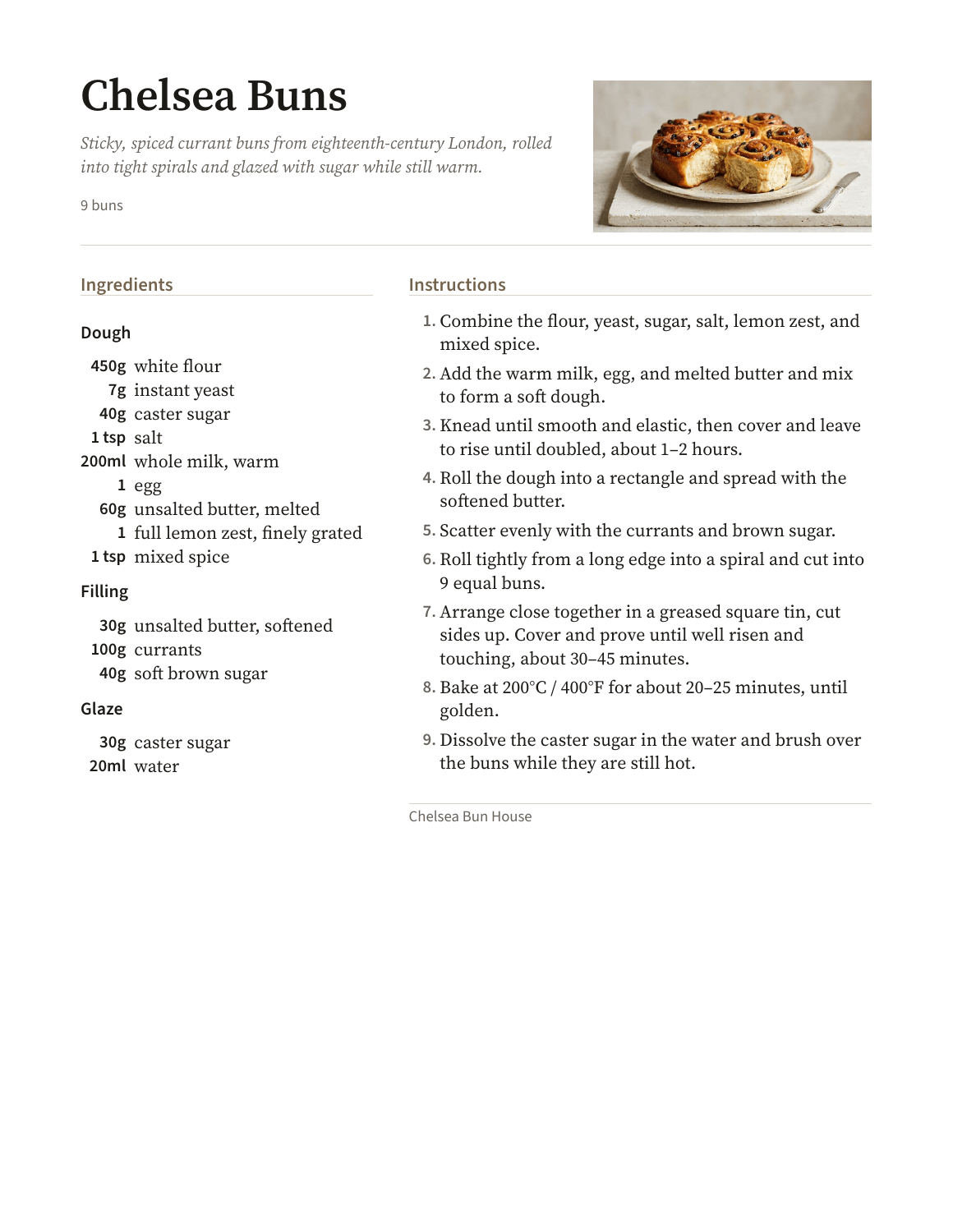
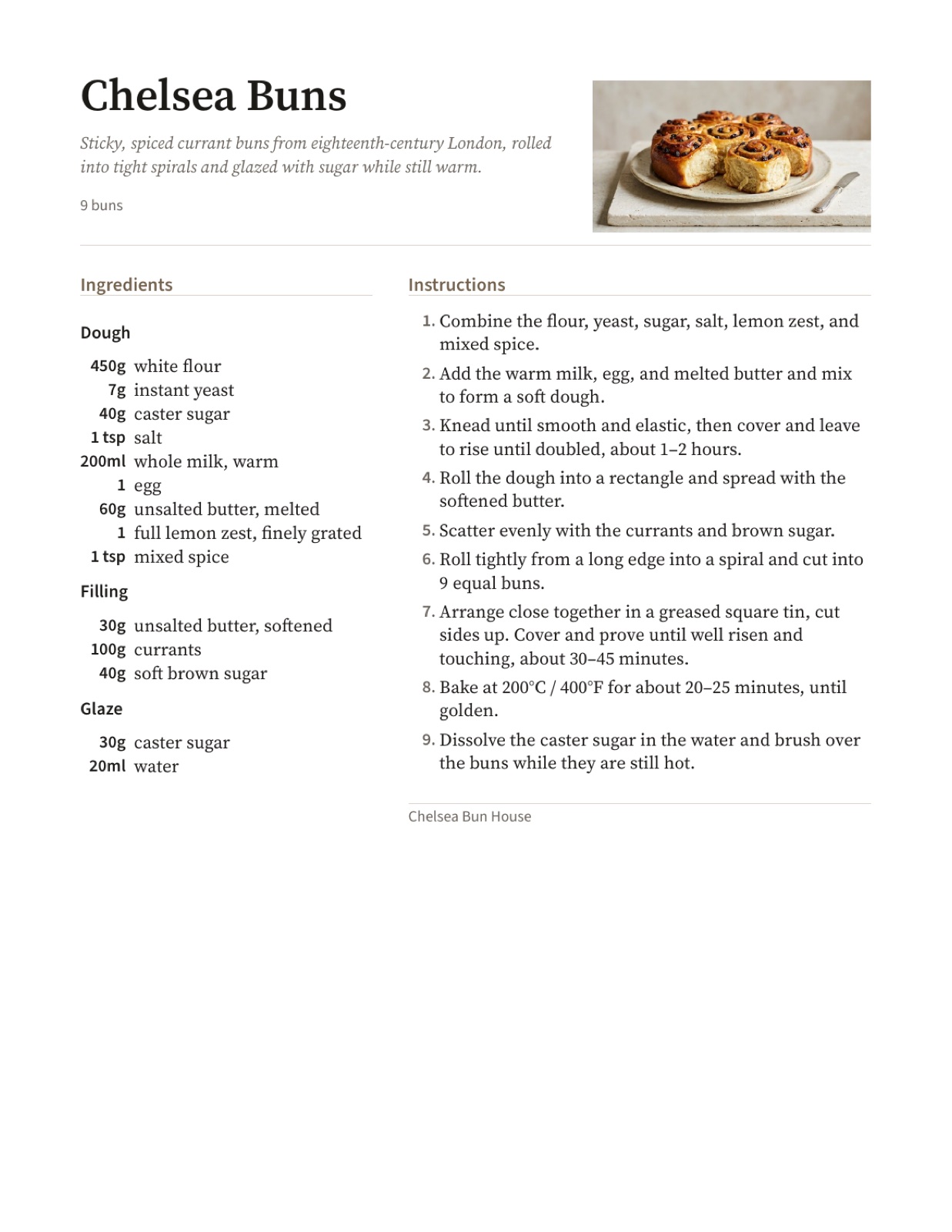
Chelsea Buns as a printed recipe page.
Chelsea Buns as a printed recipe page.PNG, 0.1 MB · Web size
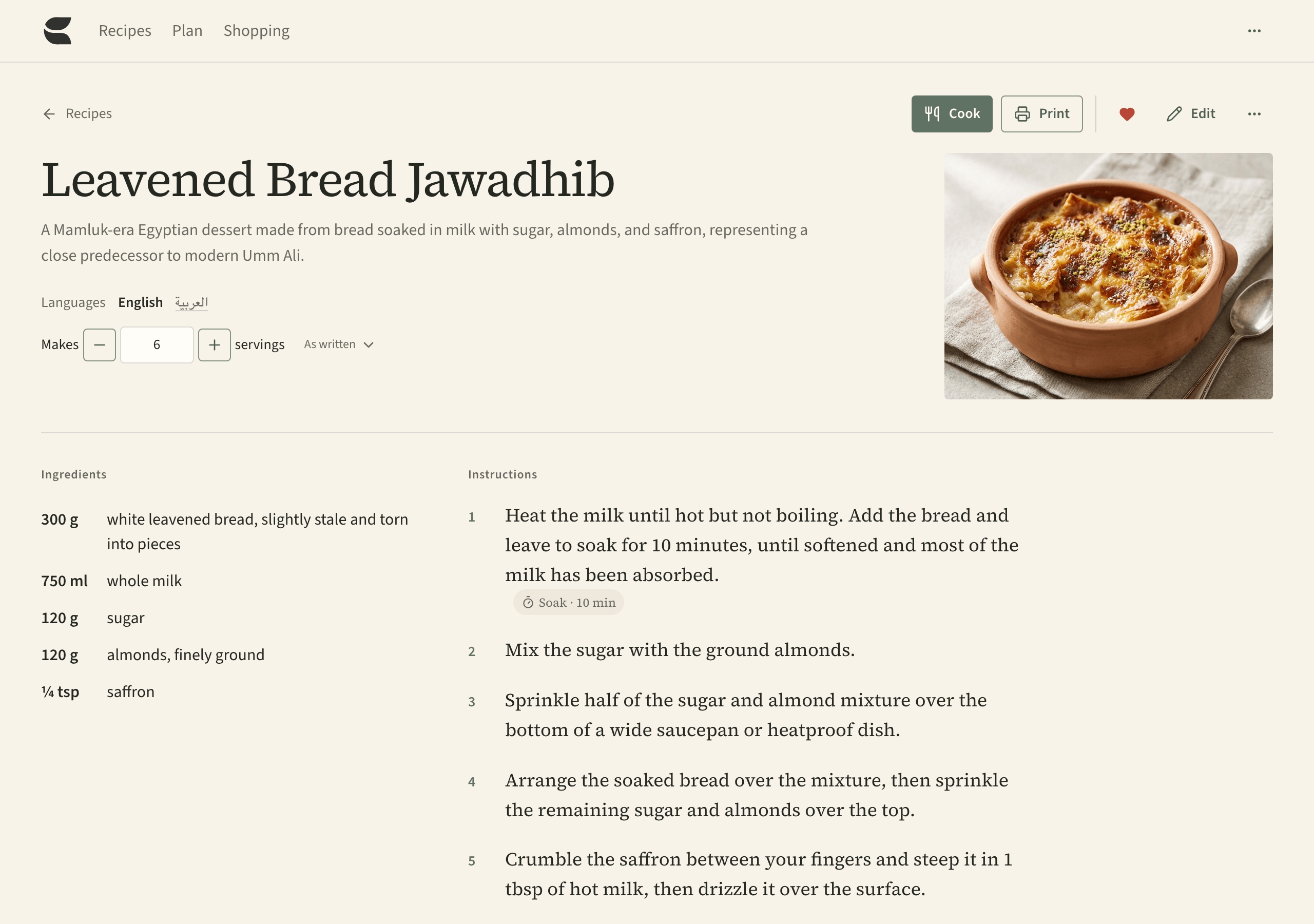
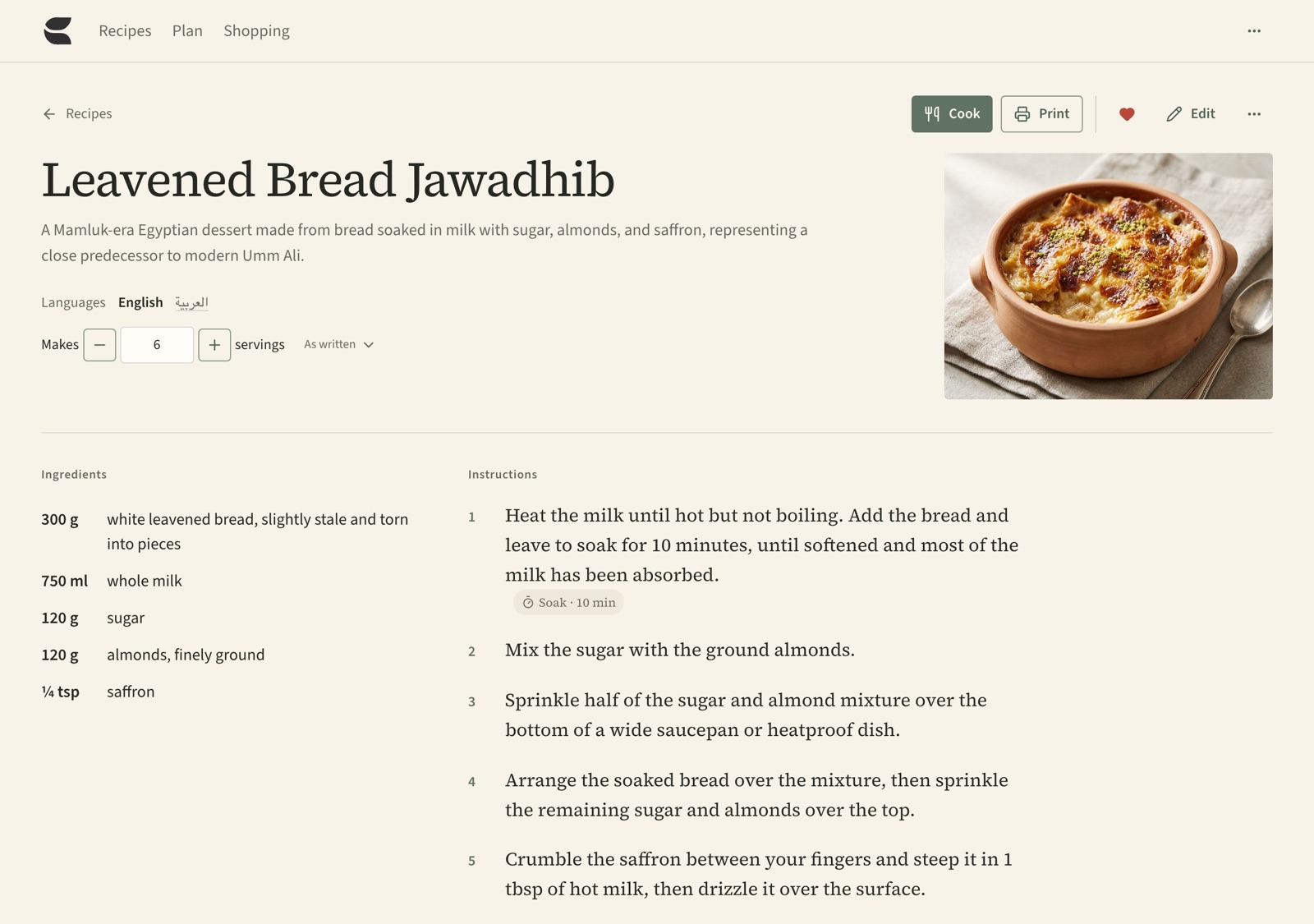
Leavened Bread Jawadhib, with its Arabic original linked.
Leavened Bread Jawadhib, with its Arabic original linked.PNG, 0.3 MB · Web size

Device images

The recipe library on iPad Pro, framed, on a transparent background.
The recipe library on iPad Pro, framed, on a transparent background.PNG, 1.6 MB · Web size
The recipe library on iPad Pro in dark mode, framed.
The recipe library on iPad Pro in dark mode, framed.PNG, 1.6 MB · Web size
Chicken Marengo on iPad Pro, framed.
Chicken Marengo on iPad Pro, framed.PNG, 0.6 MB · Web size
Chicken Marengo on iPad Pro in dark mode, framed.
Chicken Marengo on iPad Pro in dark mode, framed.PNG, 0.6 MB · Web size
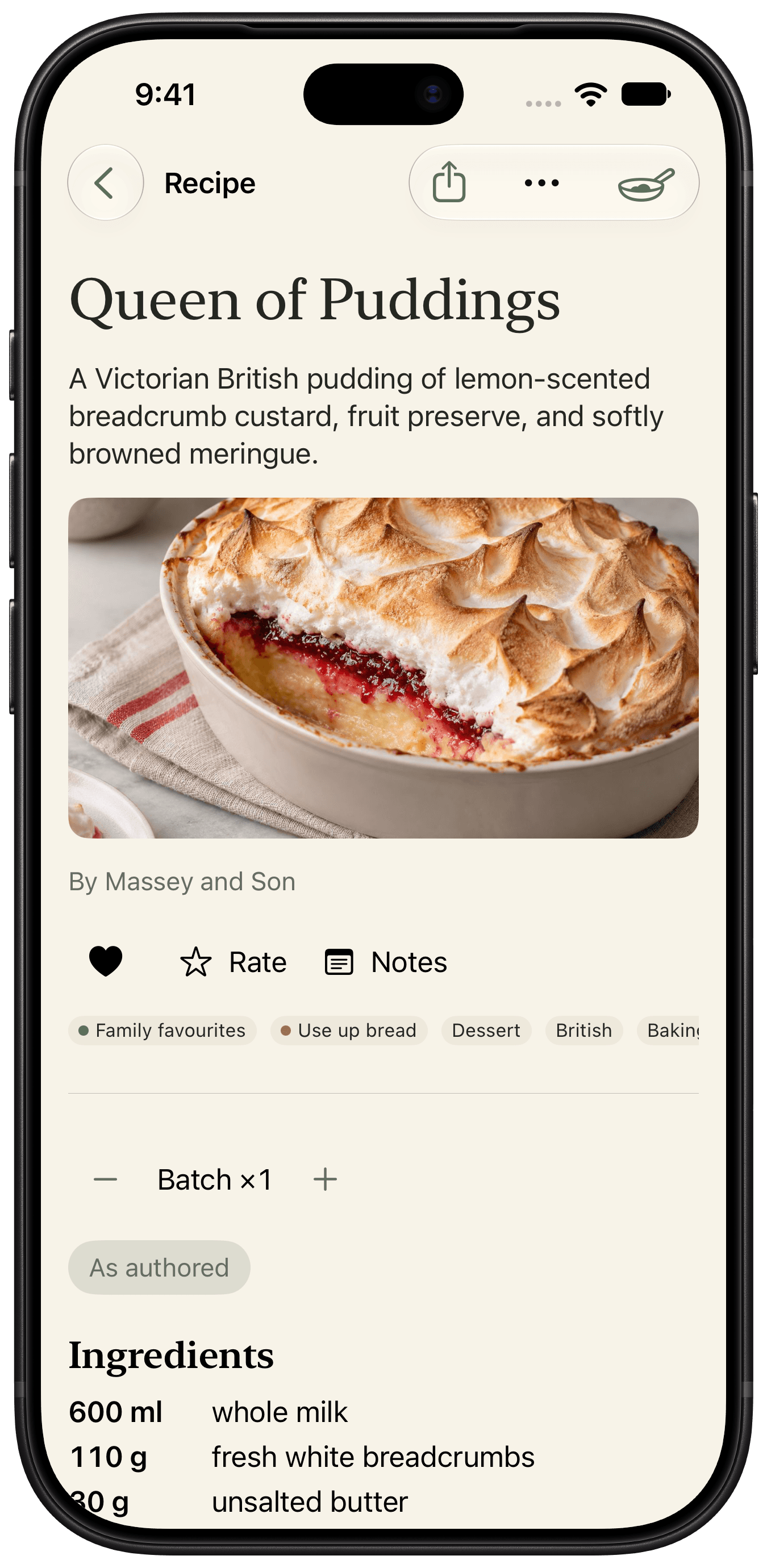
Queen of Puddings on iPhone, framed.
Queen of Puddings on iPhone, framed.PNG, 0.6 MB · Web size
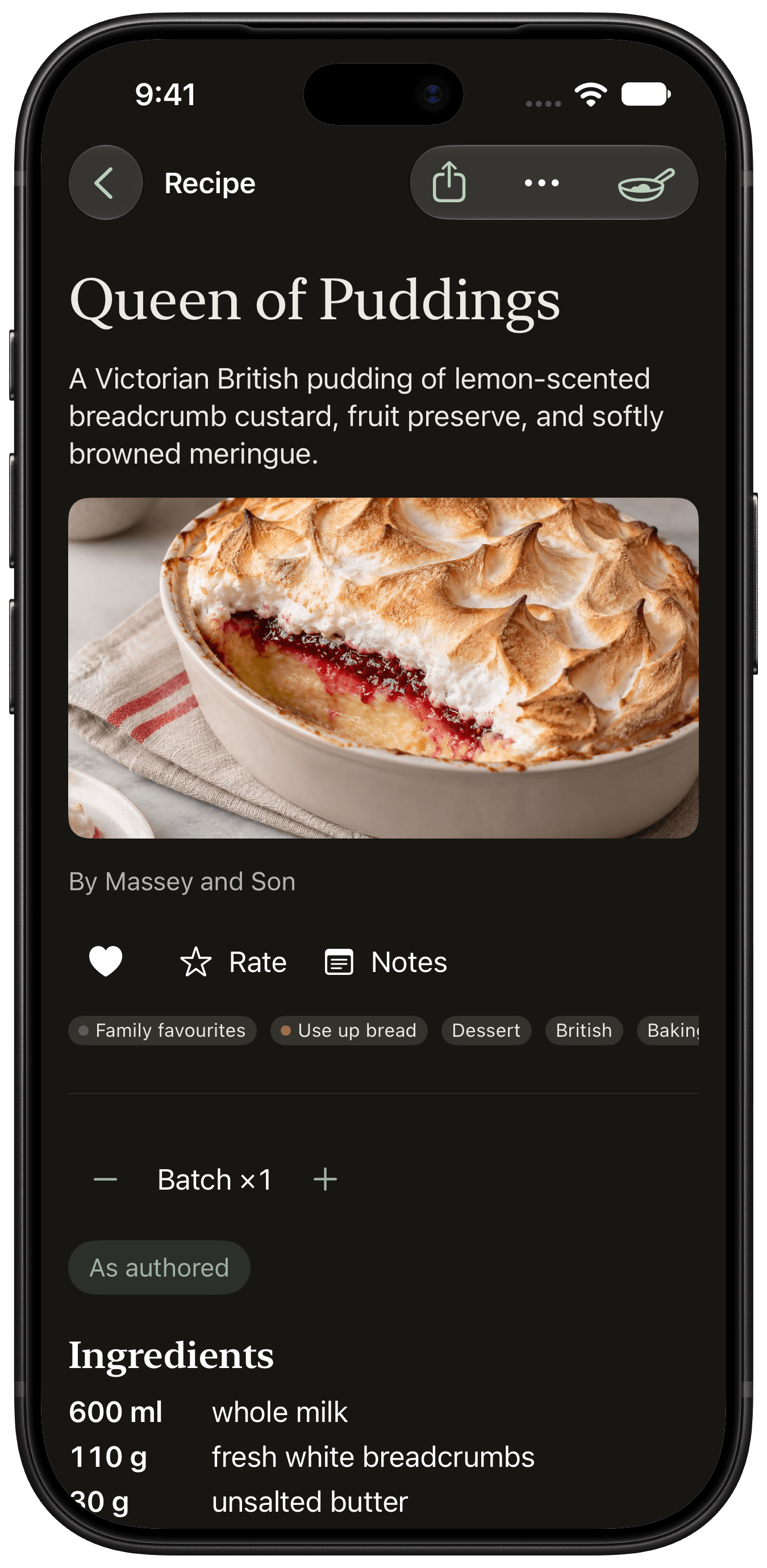
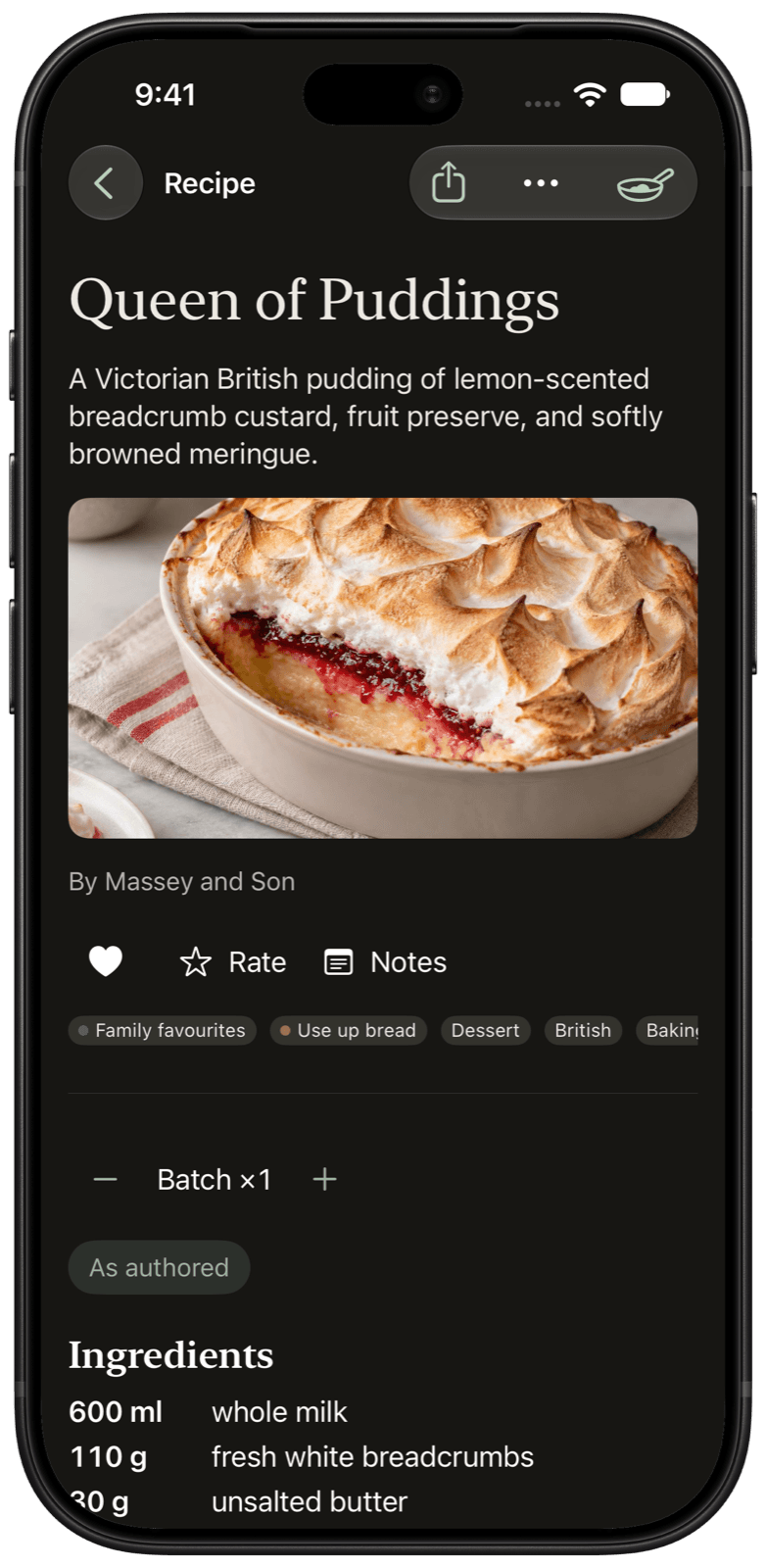
Queen of Puddings on iPhone in dark mode, framed.
Queen of Puddings on iPhone in dark mode, framed.PNG, 0.7 MB · Web size
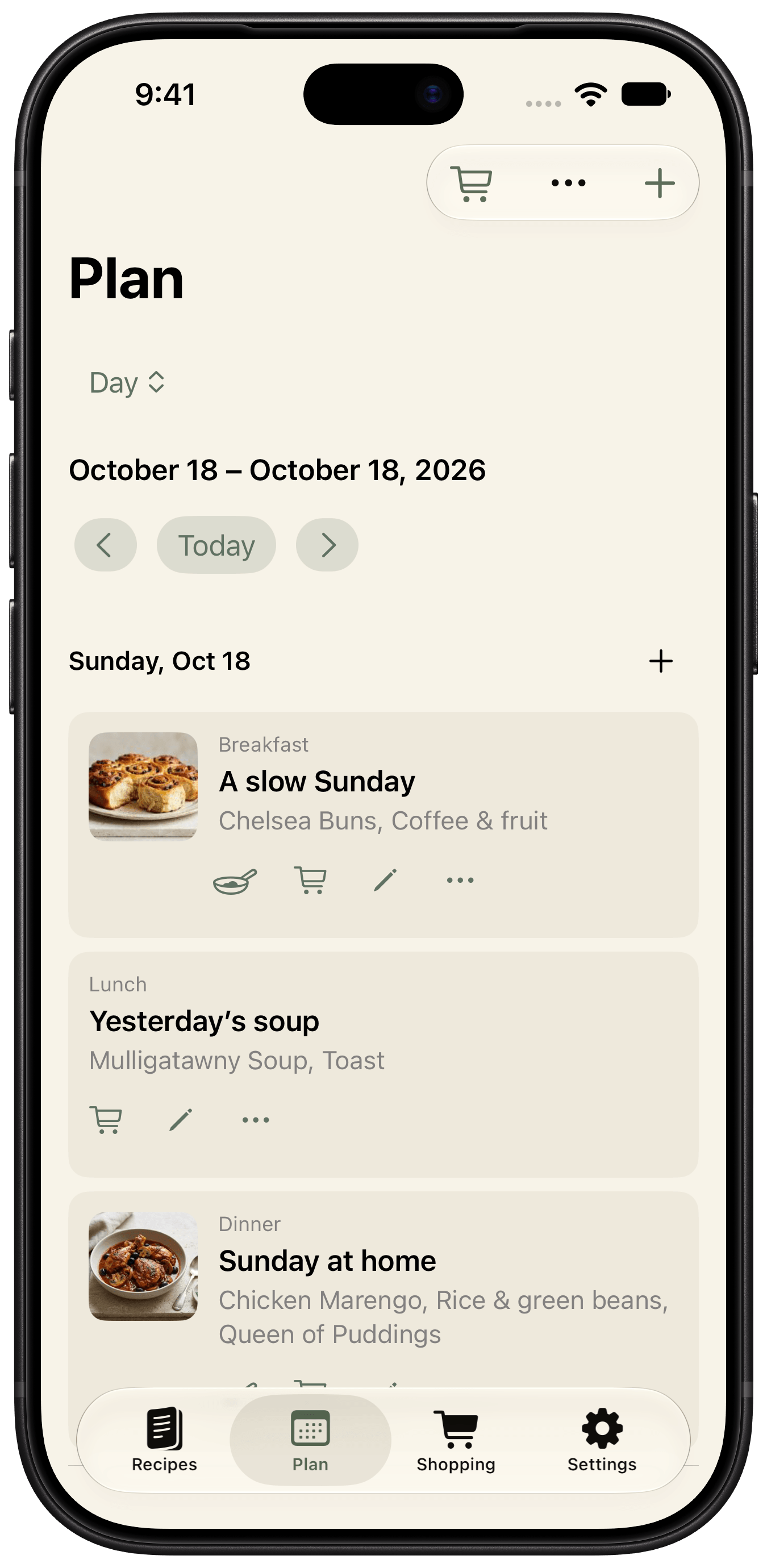
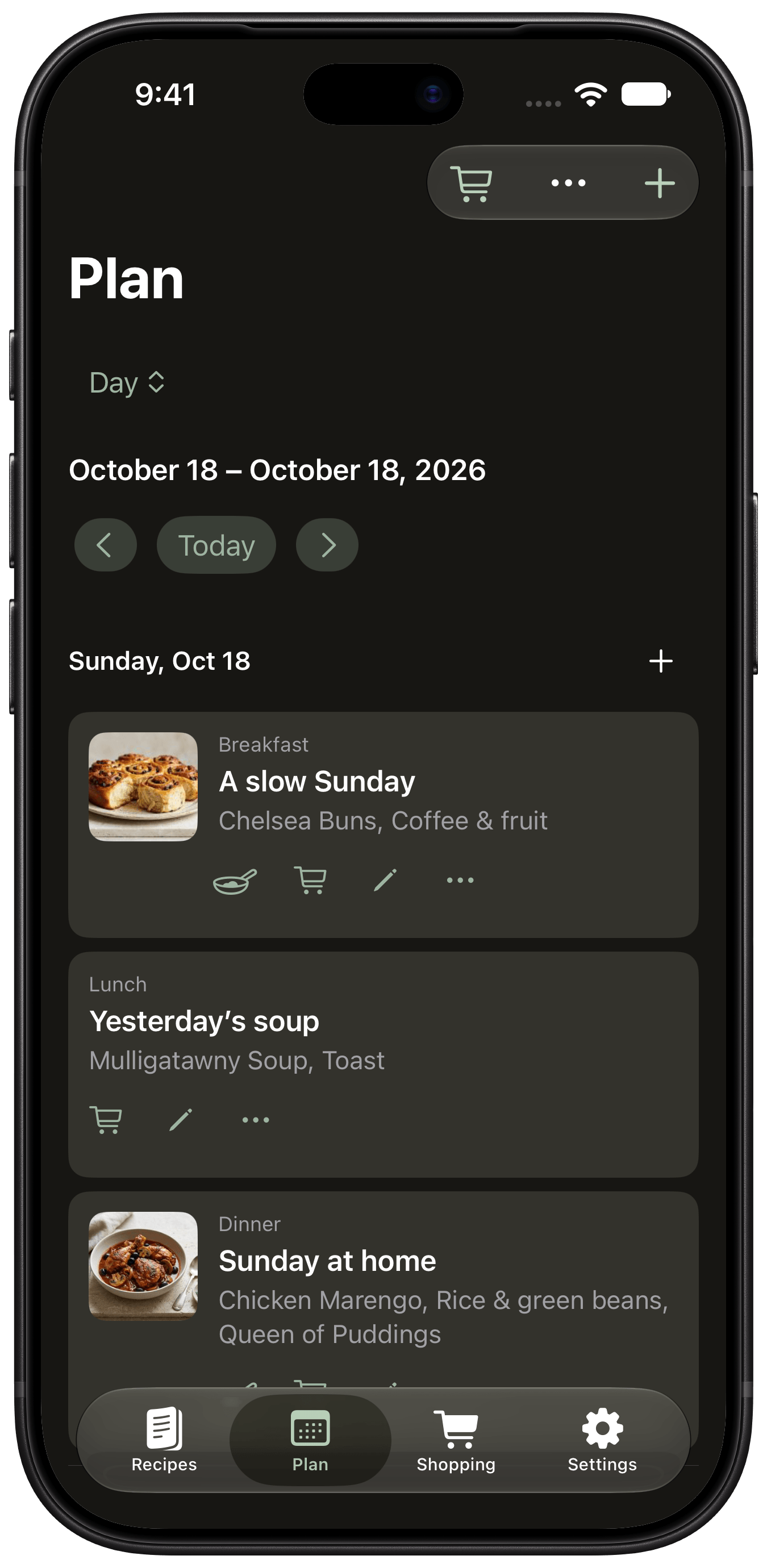
A day of planned meals on iPhone, framed.
A day of planned meals on iPhone, framed.PNG, 0.3 MB · Web size
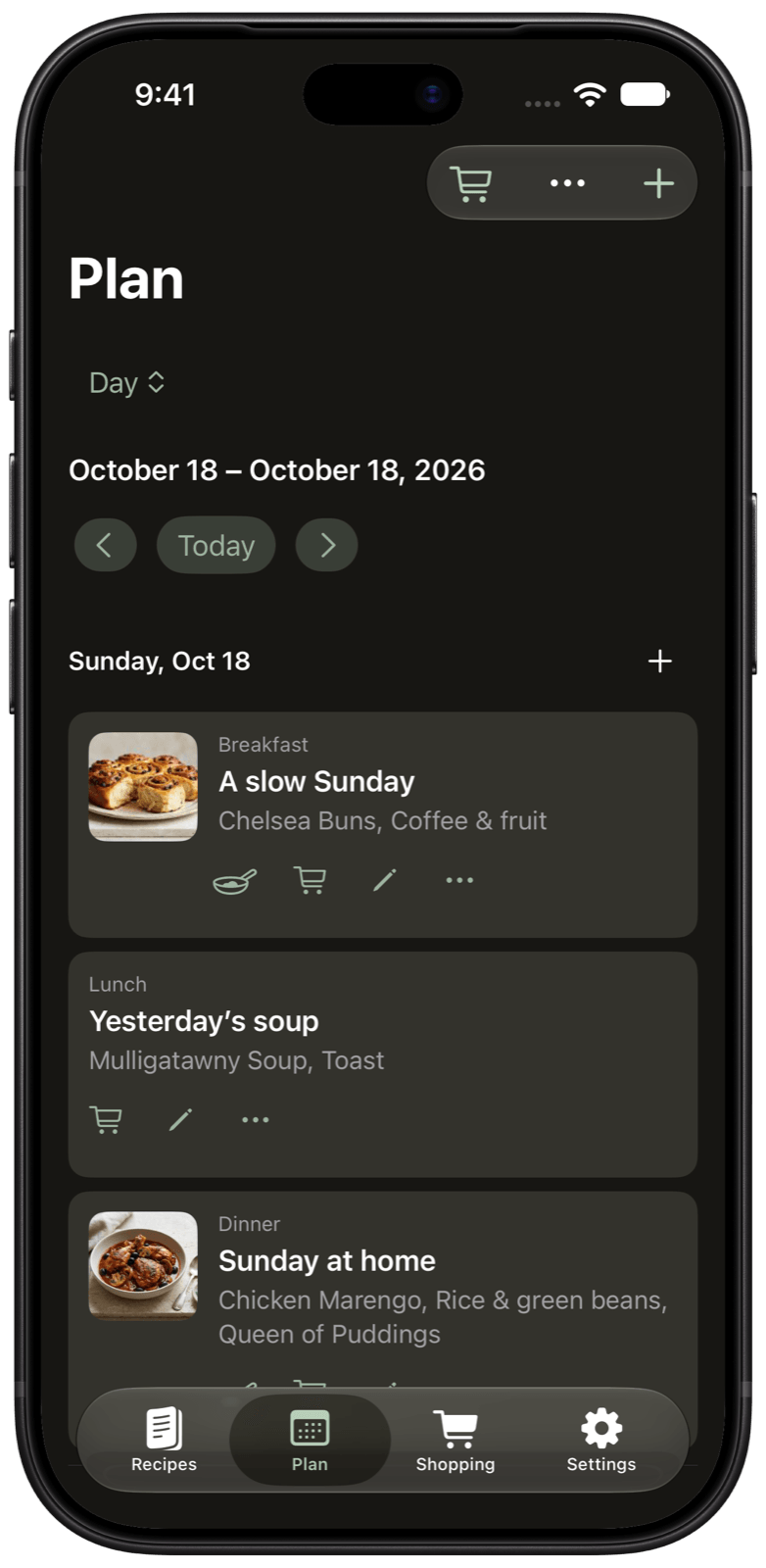
A day of planned meals on iPhone in dark mode, framed.
A day of planned meals on iPhone in dark mode, framed.PNG, 0.3 MB · Web size
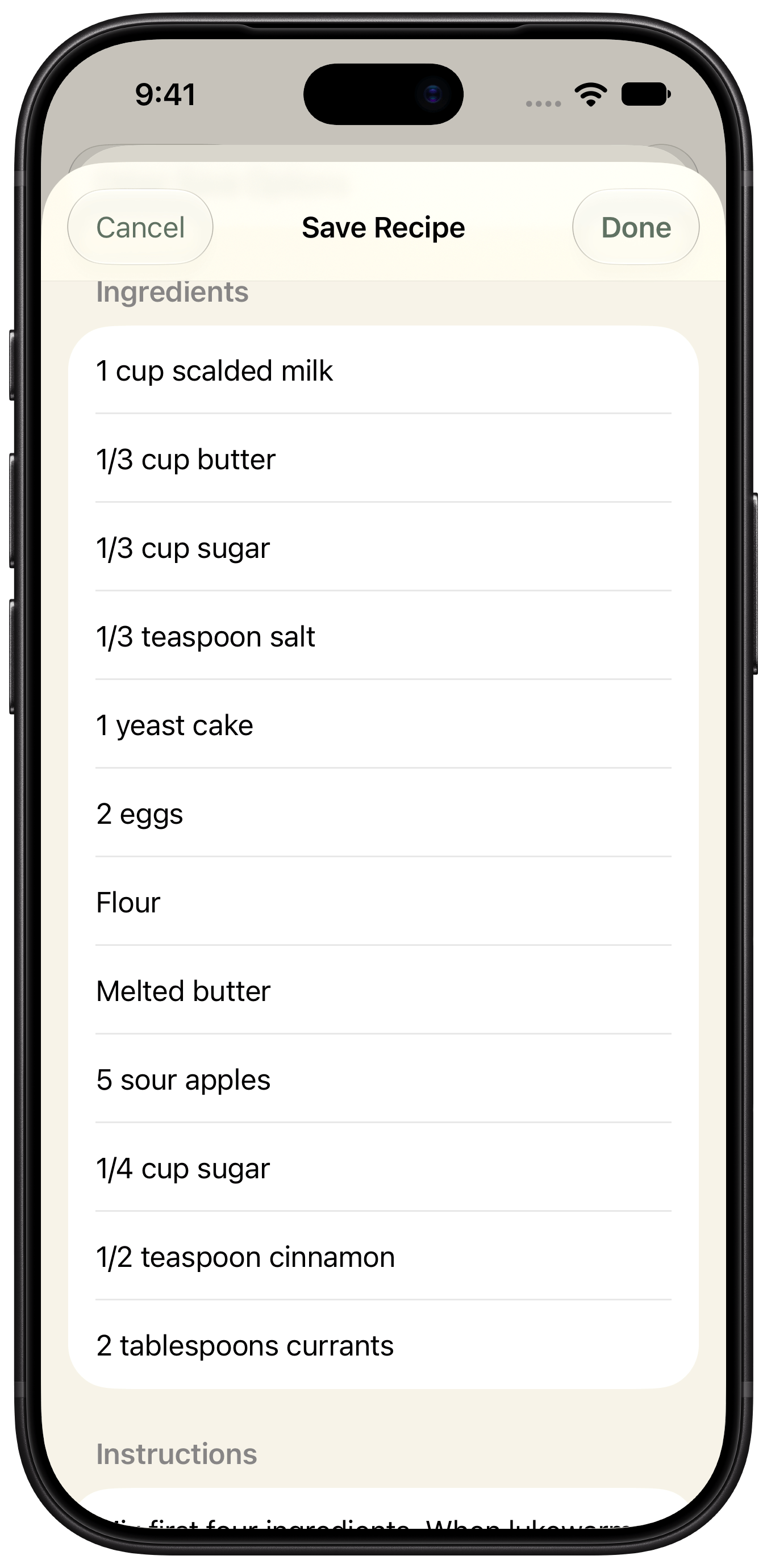
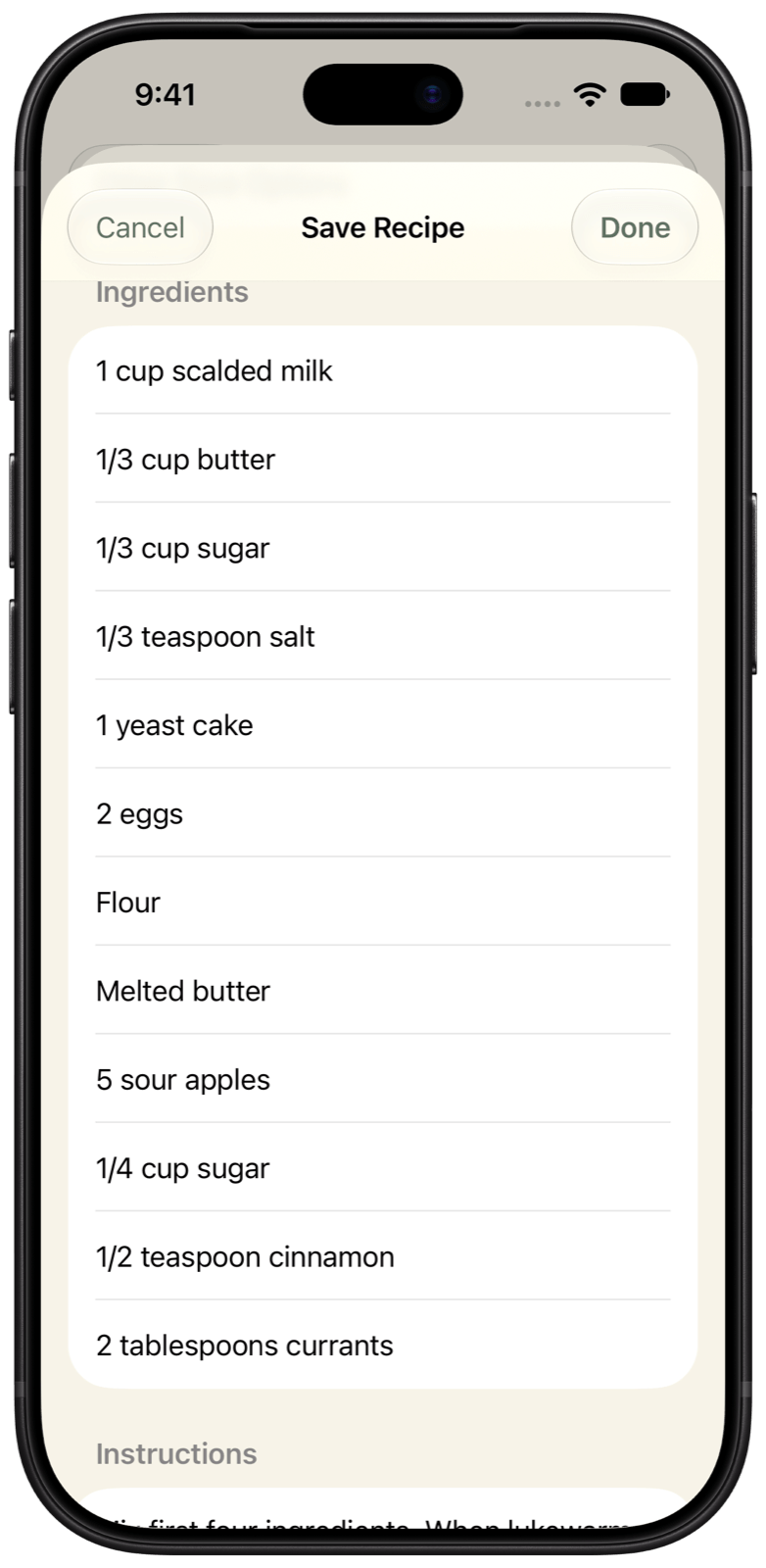
A scanned recipe card for Dutch Apple Cake, ready to check before saving.
A scanned recipe card for Dutch Apple Cake, ready to check before saving.PNG, 0.3 MB · Web size
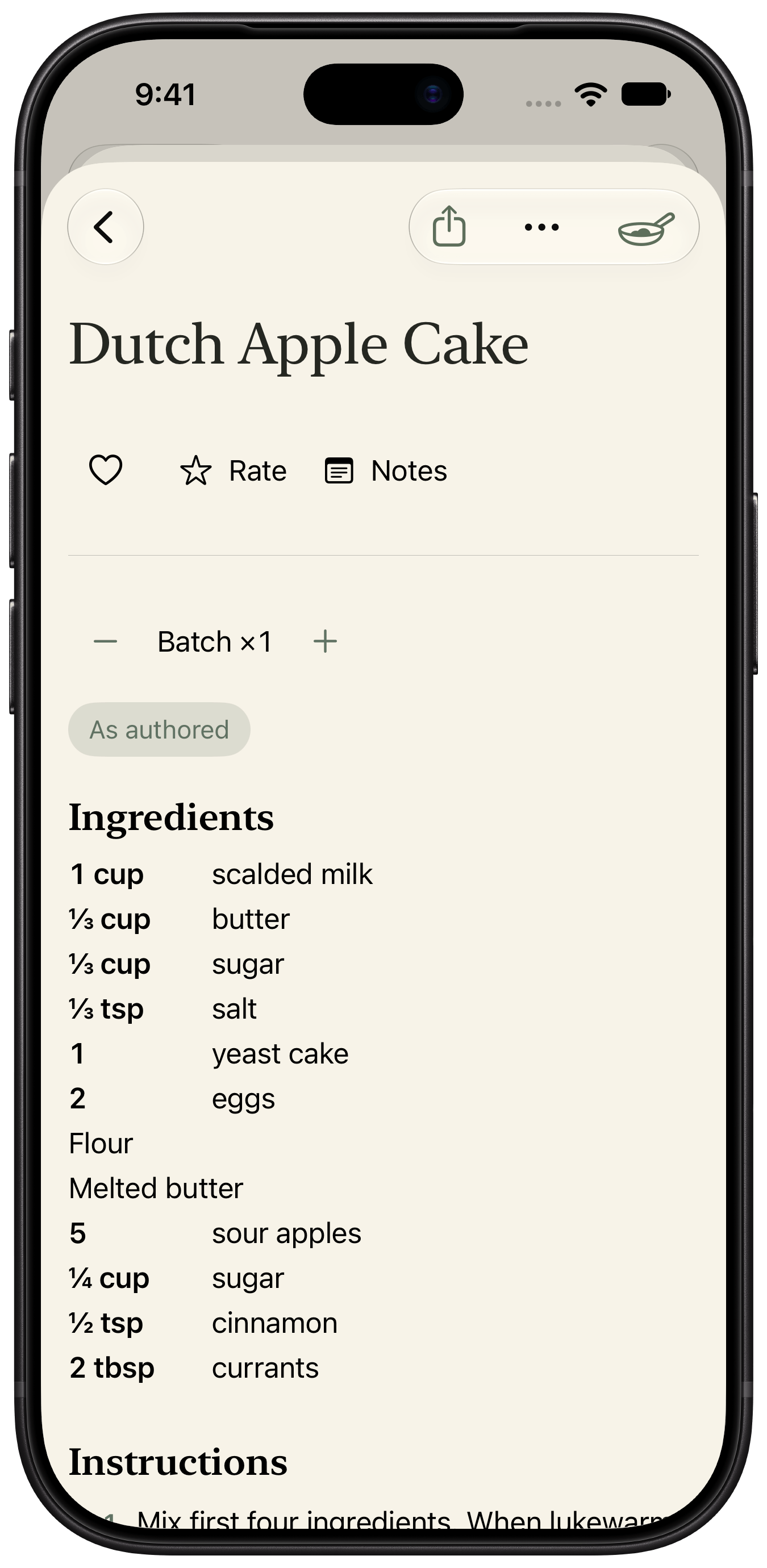
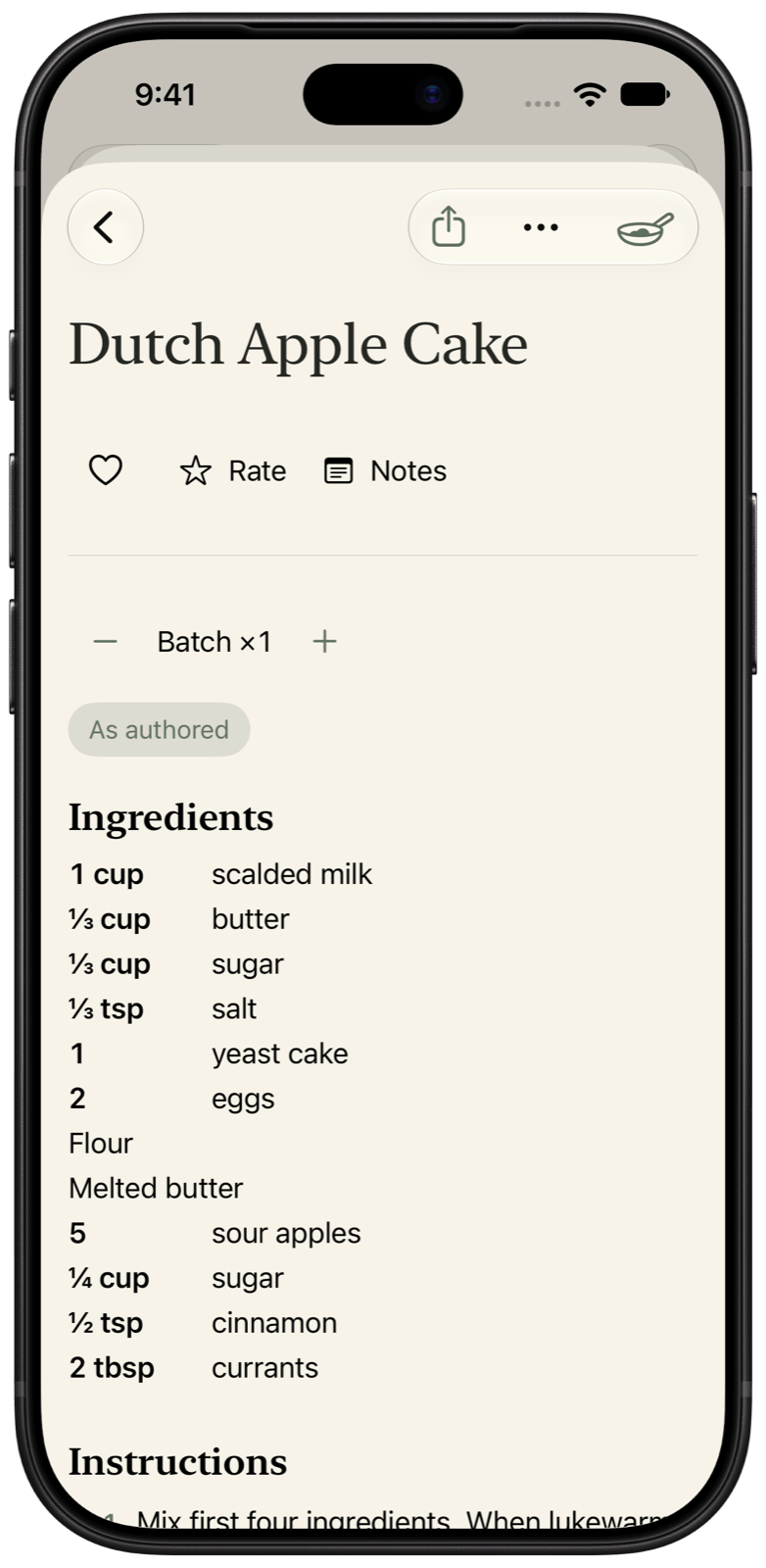
Dutch Apple Cake saved, with its cups and spoons ready to scale.
Dutch Apple Cake saved, with its cups and spoons ready to scale.PNG, 0.3 MB · Web size

Food photography

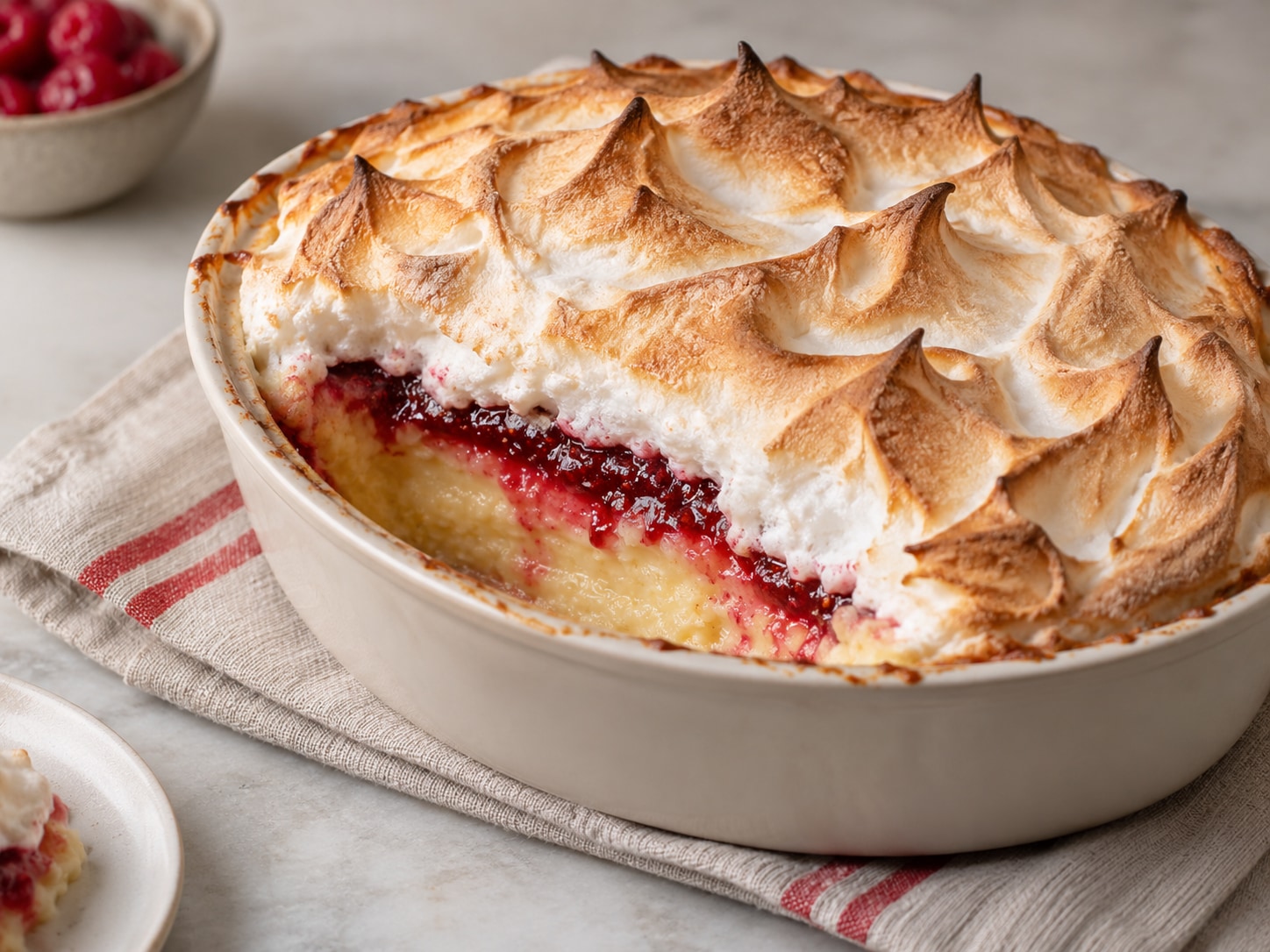
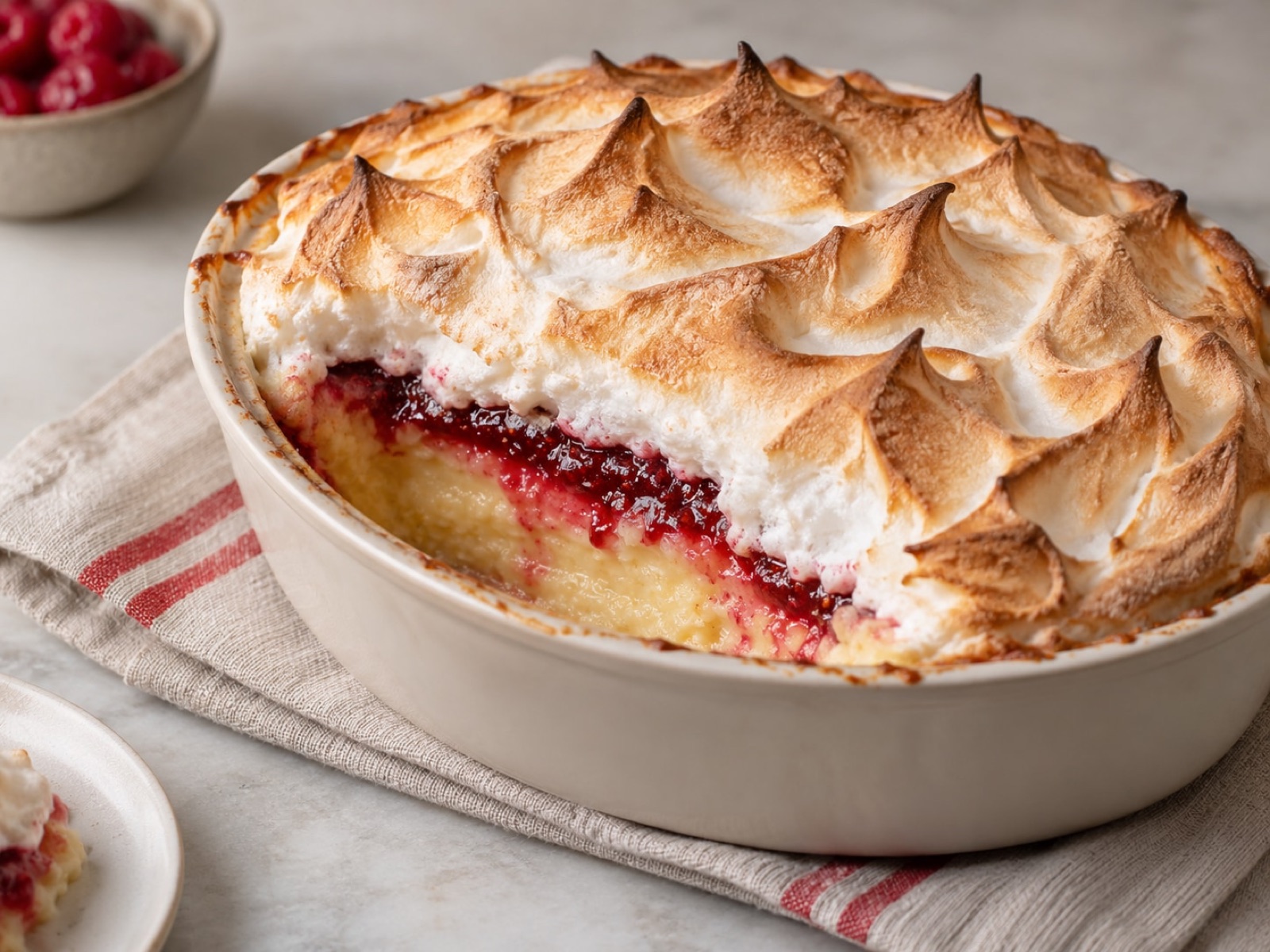
Queen of Puddings.
Queen of Puddings.JPG, 0.3 MB · Web size
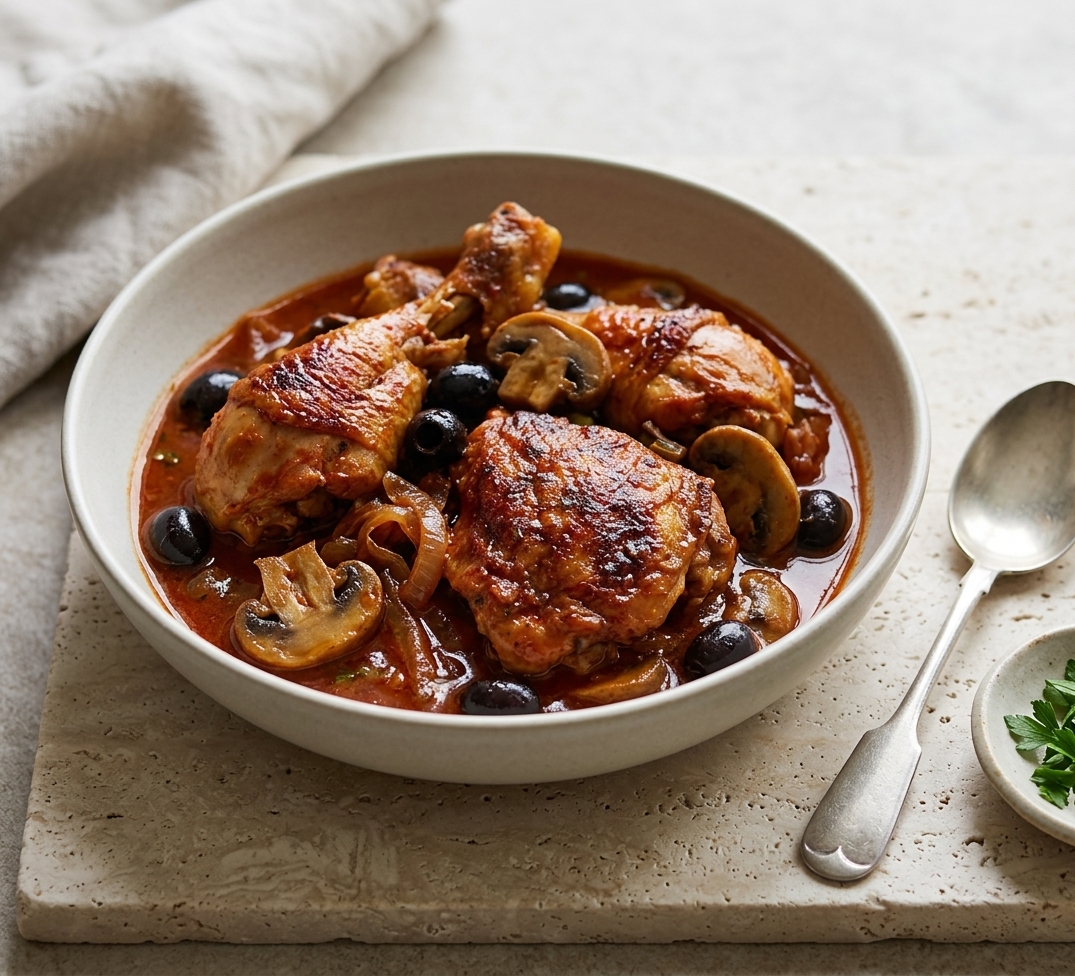
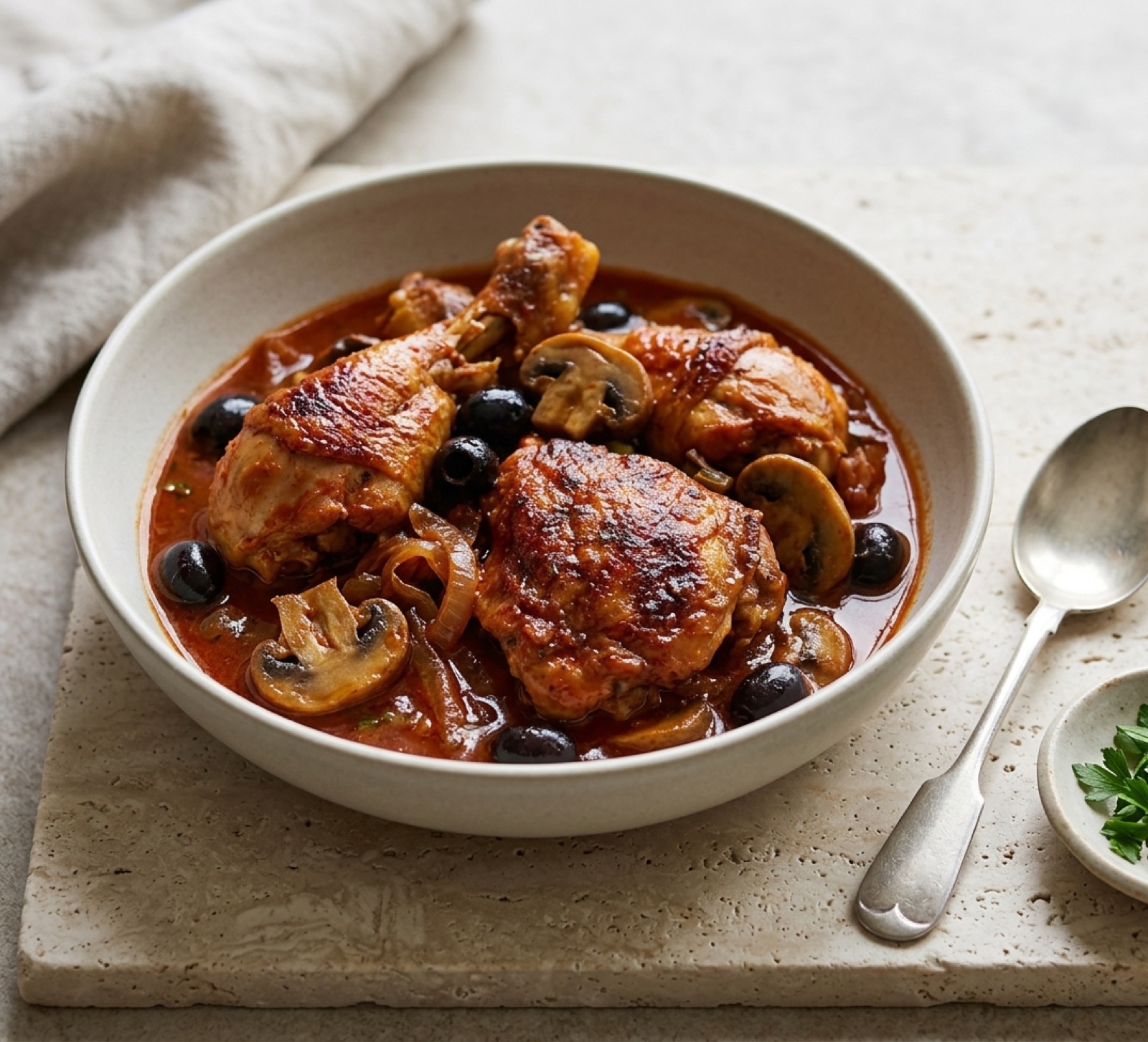
Chicken Marengo.
Chicken Marengo.JPG, 0.7 MB · Web size
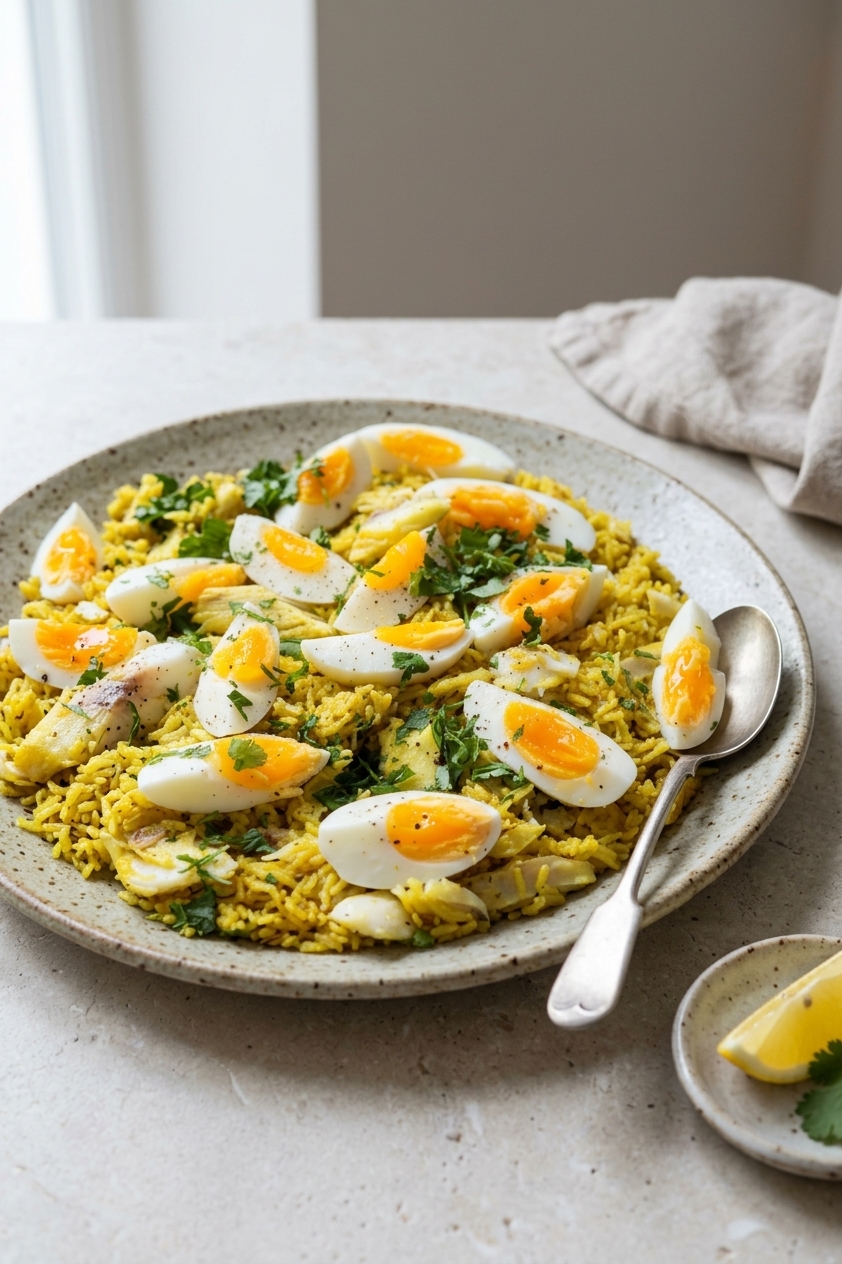
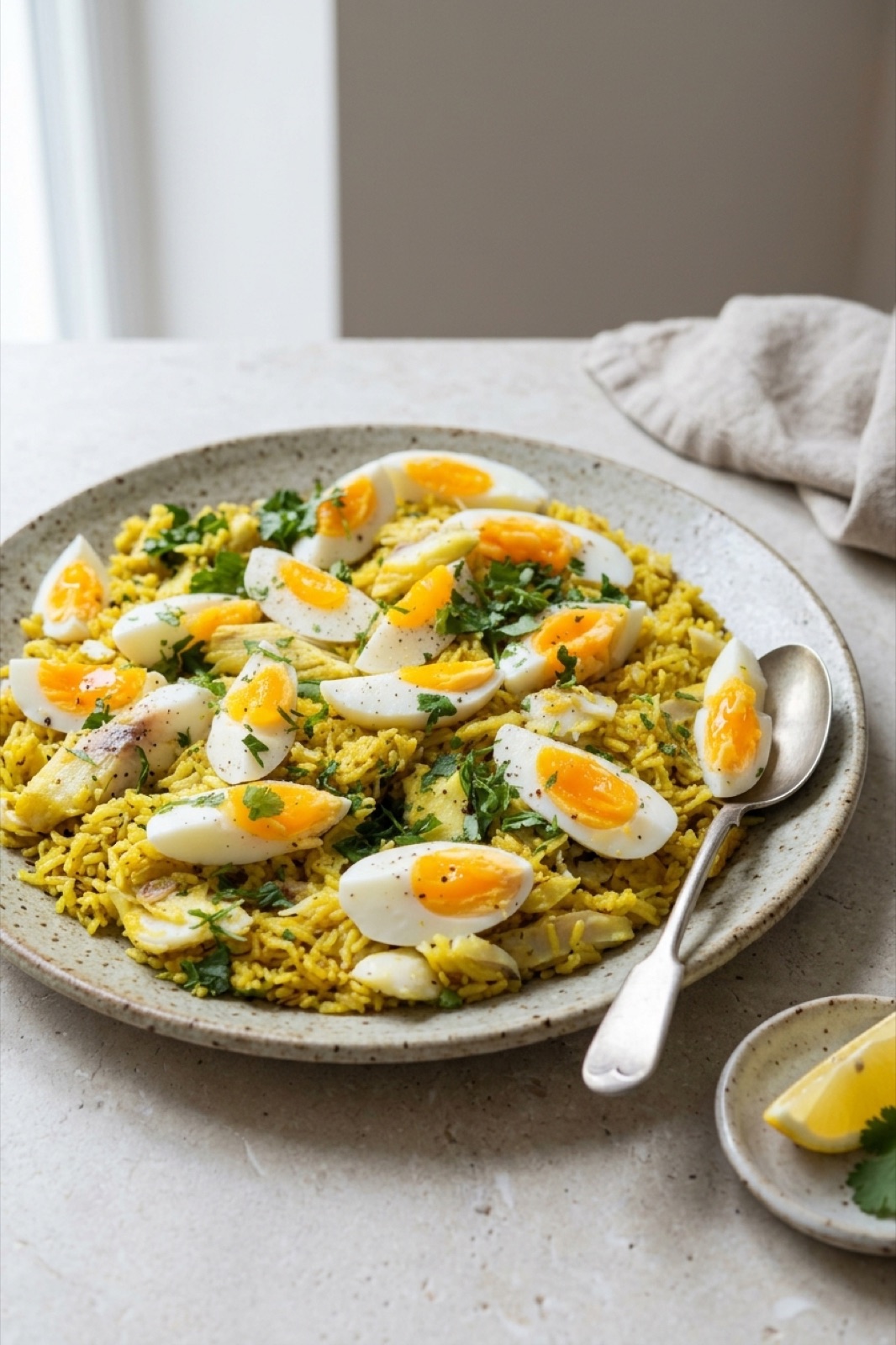
Kedgeree.
Kedgeree.JPG, 0.7 MB · Web size
Chelsea buns.
Chelsea buns.JPG, 0.7 MB · Web size
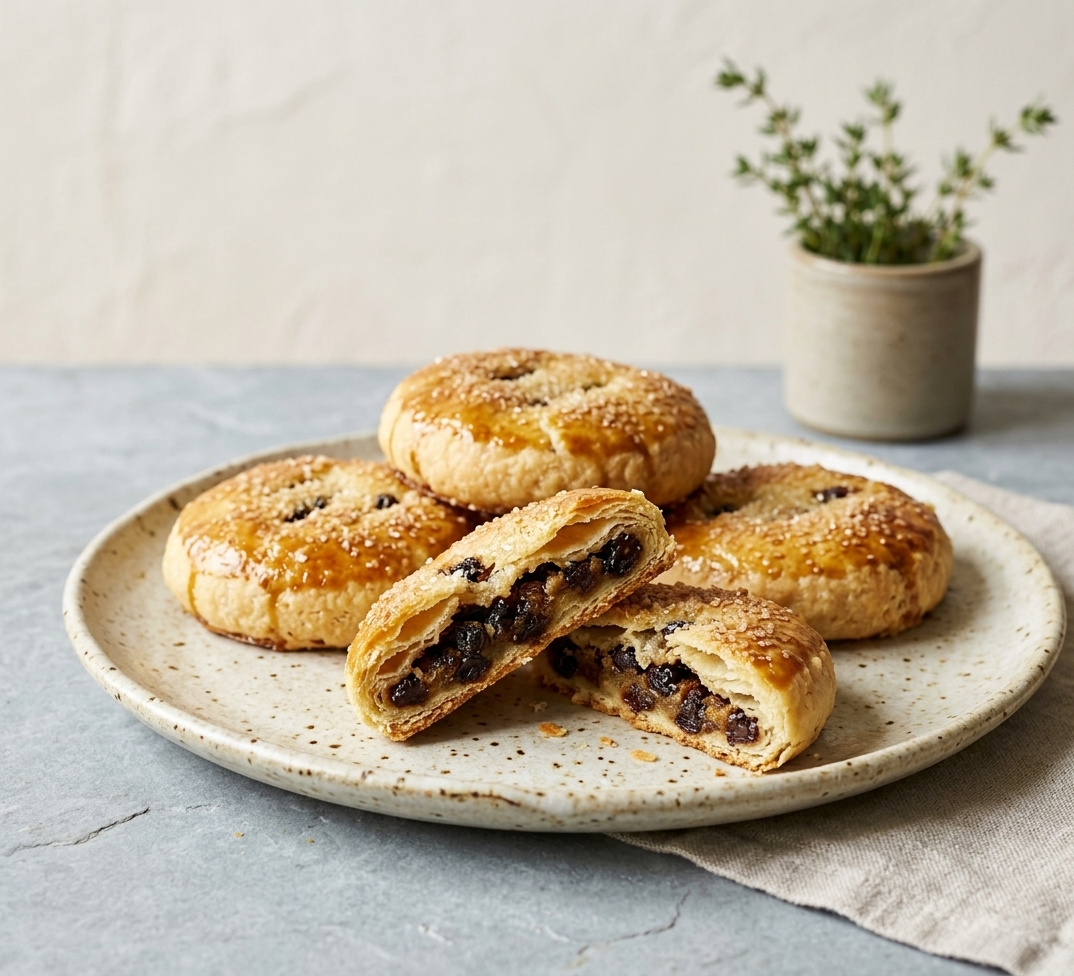
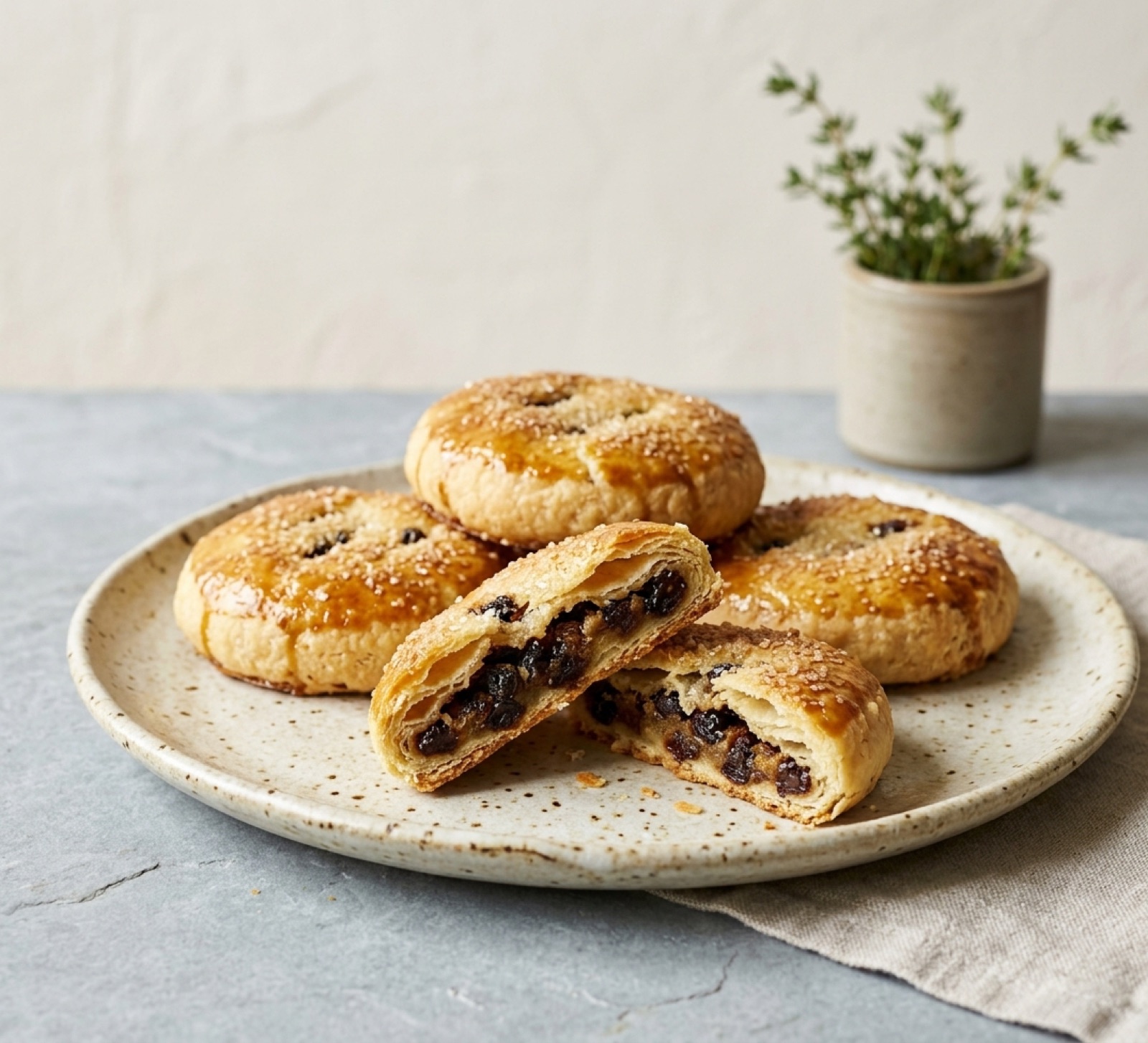
Eccles cakes.
Eccles cakes.JPG, 0.6 MB · Web size
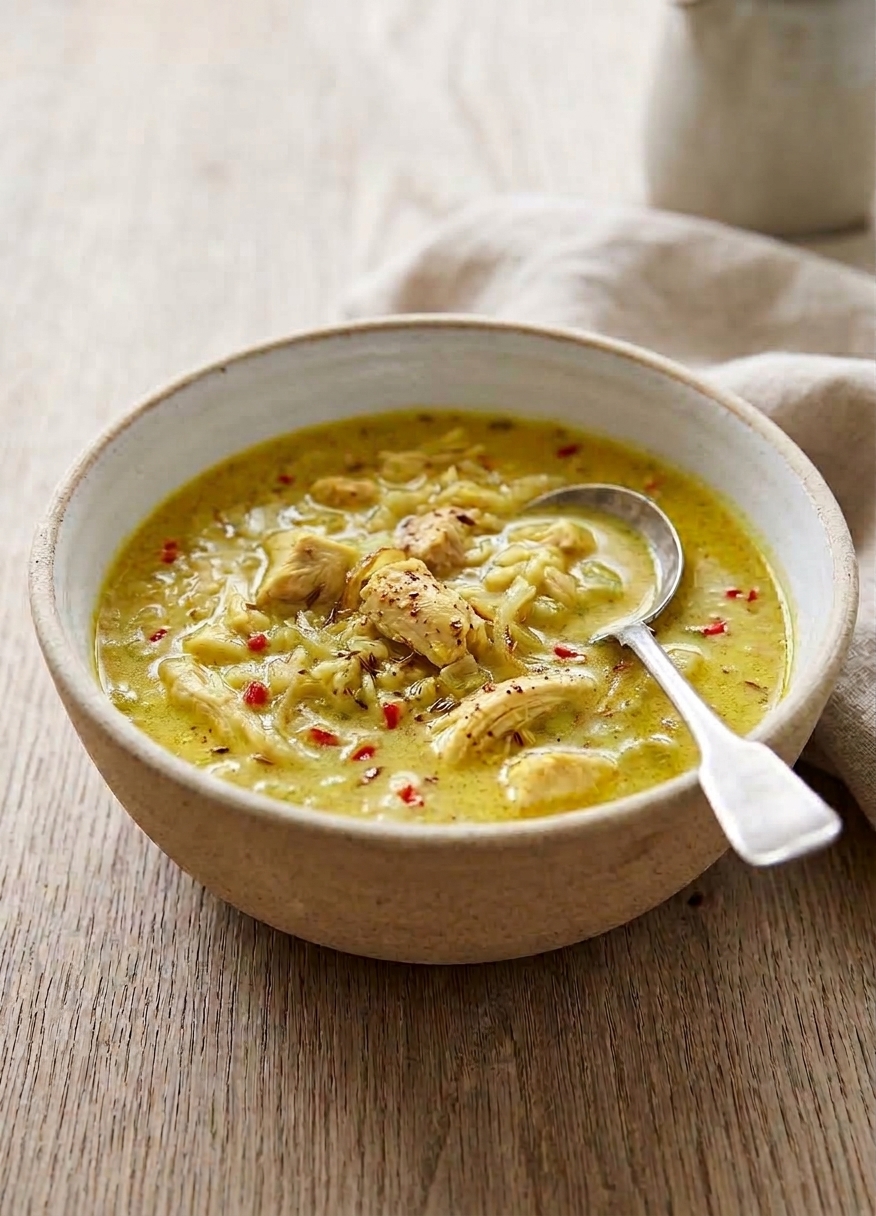
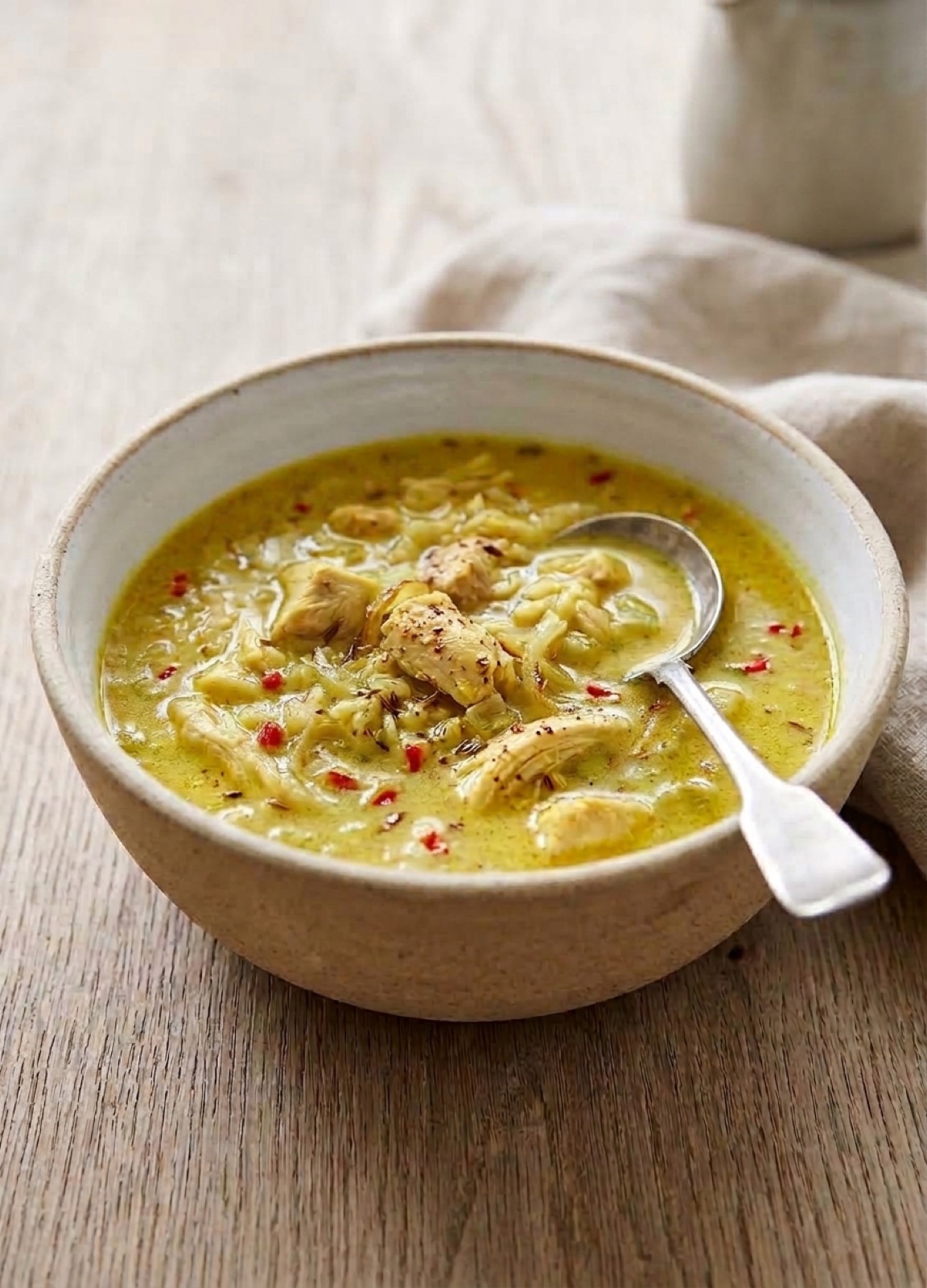
Mulligatawny soup.
Mulligatawny soup.JPG, 0.6 MB · Web size
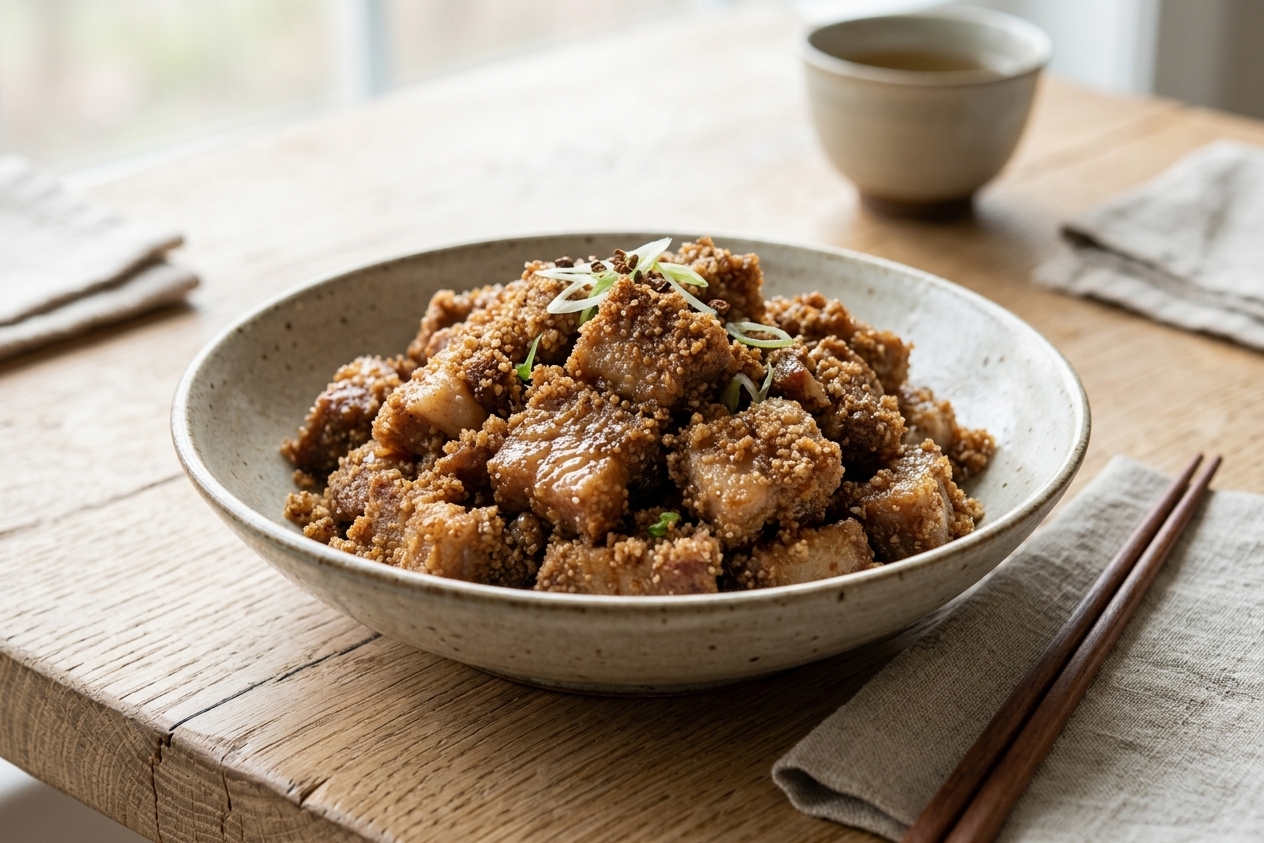
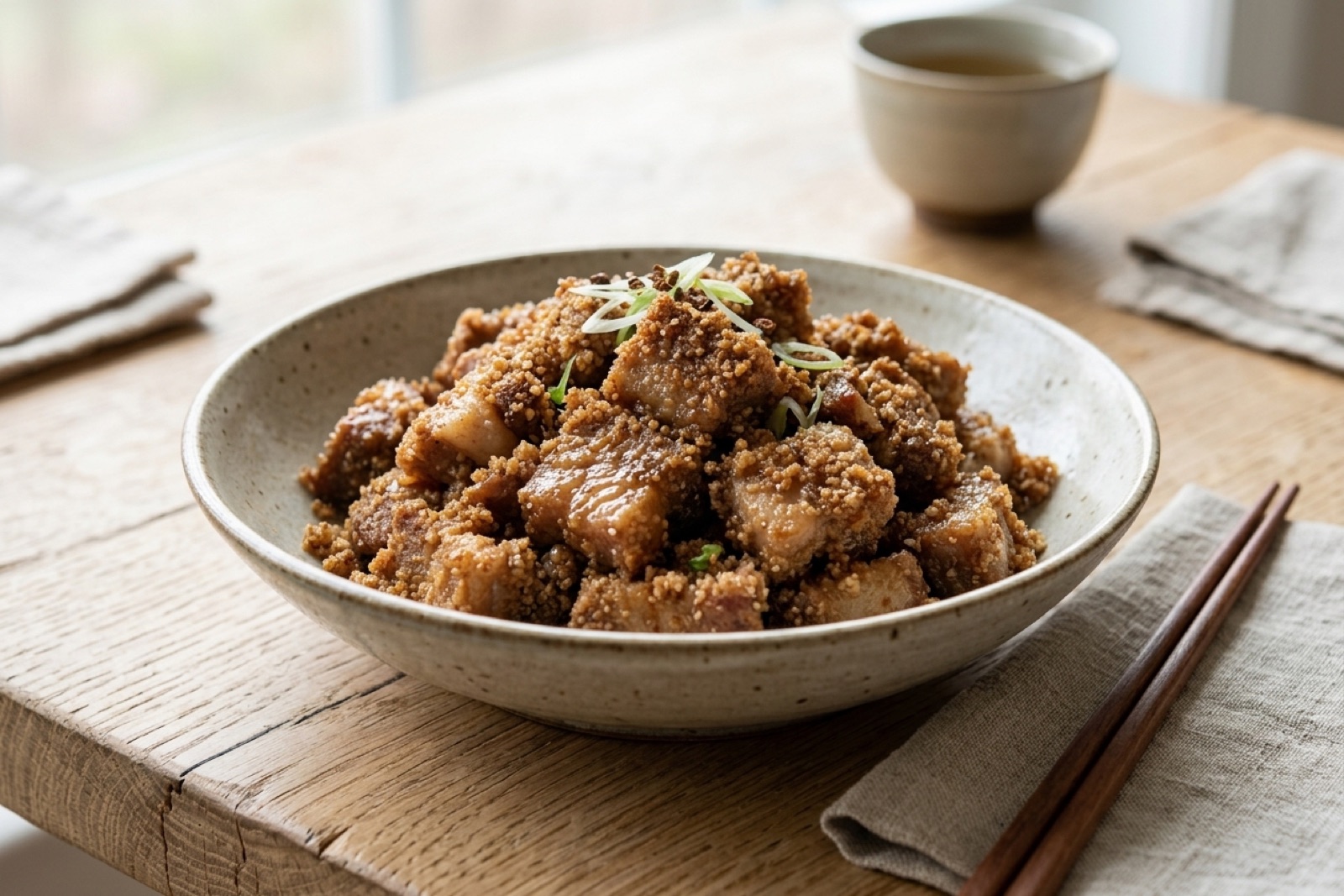
Fenzhengrou, steamed pork with rice powder.
Fenzhengrou, steamed pork with rice powder.JPG, 0.7 MB · Web size
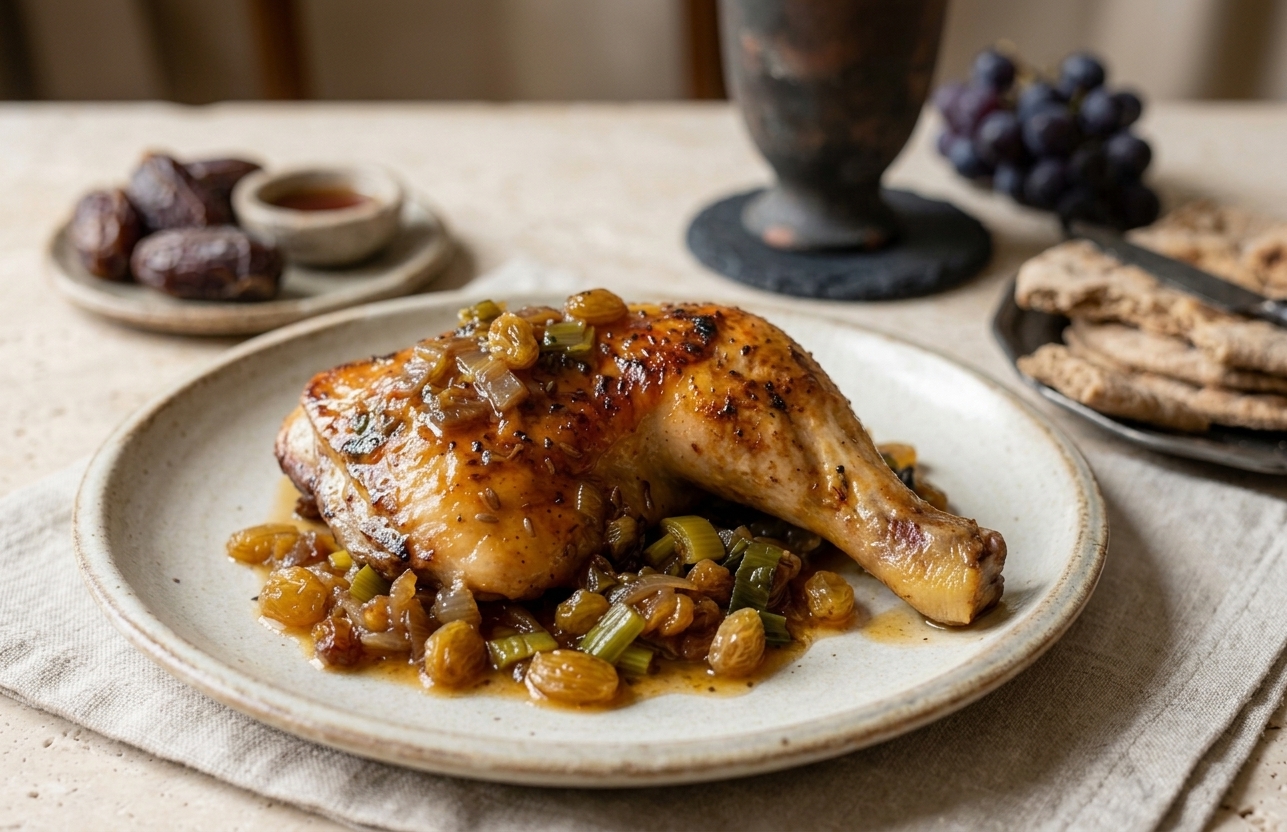
Parthian chicken.
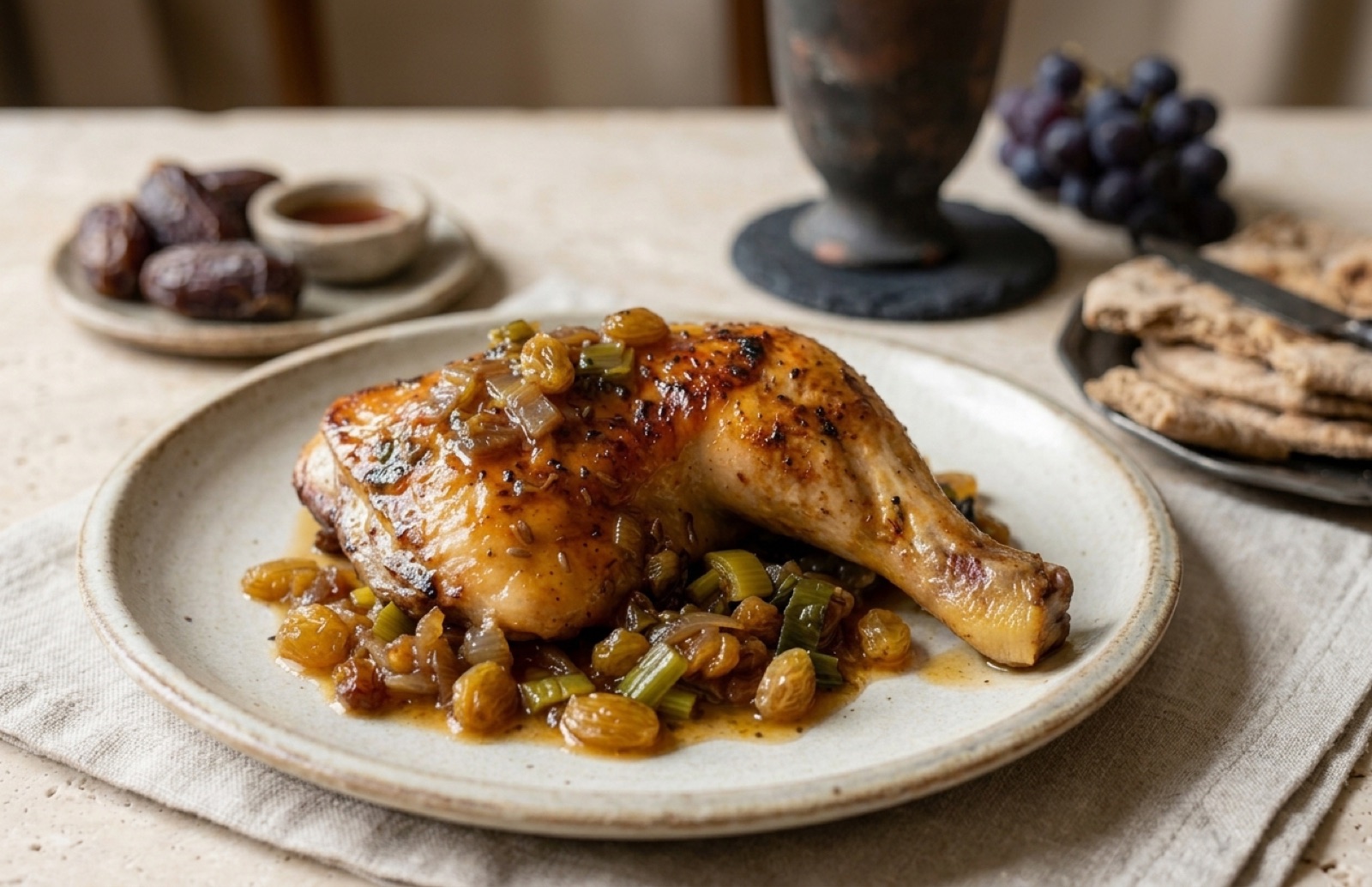
Parthian chicken.JPG, 0.7 MB · Web size

Brand

How to write the name, and how to use the logo, symbol, app icon and colors.

Name

  • Savorum is one word, with a capital S.
  • Say it suh-VOR-um (/səˈvɔrəm/), with the stress on the middle syllable.
  • Savorum Cloud is the hosted service, Savorum Core is the open-source server, and Savorum Connect is remote access for a server you run yourself.
  • On Apple platforms, write “Savorum for iPhone, iPad and Apple Watch”.
  • SREF stands for Structured Recipe Exchange Format.

Logo

xxxx
The tinted area is the clear space. Each outlined leaf is x high.

Clear space and size

  • Leave clear space of at least x on every side, where x is the height of one leaf.
  • Use the full logo at 120 pixels wide or larger on screen, and 30 mm or larger in print.

Logo on backgrounds

Use the color logo on light, quiet backgrounds and the light logo on dark ones. Use the one-color logo where color isn’t available.

DoThe color logo on Canvas, #FBFAF6
DoThe color logo on White, #FFFFFF
DoThe color logo on Linen, #F1EBDF
DoThe light logo on Forest, #3D5745
DoThe light logo on Ink, #28352C
DoThe one-color logo, where color isn’t available

Logo misuse

Don’tColored leaves on dark or mid-tone backgrounds such as Forest and Sage
Don’tBusy photographs without a calm area behind the logo
Don’tStretched or squashed artwork
Don’tRecolored artwork
Don’tRotated artwork
Don’tShadows, outlines or other effects
  • Use the logo as provided. Don’t recolor, stretch, rotate or redraw it, or add shadows or outlines.
  • Don’t rearrange the leaves and the name, or combine the logo with other marks.
  • Set the name in your own typeface in running text. Don’t imitate the logo’s lettering.

Symbol

Color, for light backgrounds
Color, for light backgroundsSVG · PNG
Light, for dark backgrounds
Light, for dark backgroundsSVG · PNG
Dark, one color
Dark, one colorSVG · PNG
xxxx
The tinted area is the clear space. Each outlined leaf is x high.

Using the symbol

  • Use the symbol where the full logo doesn’t fit: profile pictures, favicons and other small spaces. Use the full logo when there is room.
  • Leave clear space of at least x on every side, where x is the height of one leaf. In a round or square shape, such as a profile picture, size and place the symbol as described under Alignment in shapes.
  • Use the symbol at 24 pixels or larger on screen, and 6 mm or larger in print.
  • Use the color symbol on light backgrounds such as Canvas, White and Linen. On dark backgrounds such as Forest and Ink, use the light symbol, because the colored leaves lose contrast there. Use the dark one-color symbol where color isn’t available.
  • Don’t flip, rotate, separate or recolor the leaves, or set the name beside the symbol yourself. Use the full logo instead.

Alignment in shapes

3.5%57%
In a circle: 57% of the width, moved left 3.5%.
2.3%57%
In a square: 57% of the width, moved left 2.3%.
  • In a circle, make the symbol about 57% of the circle’s width and move it left by 3.5% of that width, as the Apple Watch app icon does.
  • In a square or rounded square, make the symbol about 57% of the square’s width and move it left by 2.3%, as Savorum’s social profile pictures do.
  • Keep the symbol vertically centered. The leaf tips at its top and bottom right reach the edge first, so a symbol centered by its outline looks pushed to the right, most of all in a circle.

Symbol use

DoA round profile picture, moved slightly left
DoThe light symbol in a round profile picture on Ink
DoThe light symbol in a square profile picture on Forest
DoThe color symbol on Canvas
DoThe light symbol on Ink
DoThe dark one-color symbol, where color isn’t available
Don’tThe app icon as a profile picture or brand mark
Don’tThe color symbol on dark or mid-tone backgrounds such as Forest and Sage
Don’tA symbol that crowds the edge of its shape
Don’tFlipped or rearranged leaves
Don’tRecolored leaves
Savorum
Don’tThe name set beside the symbol in another typeface

App icon

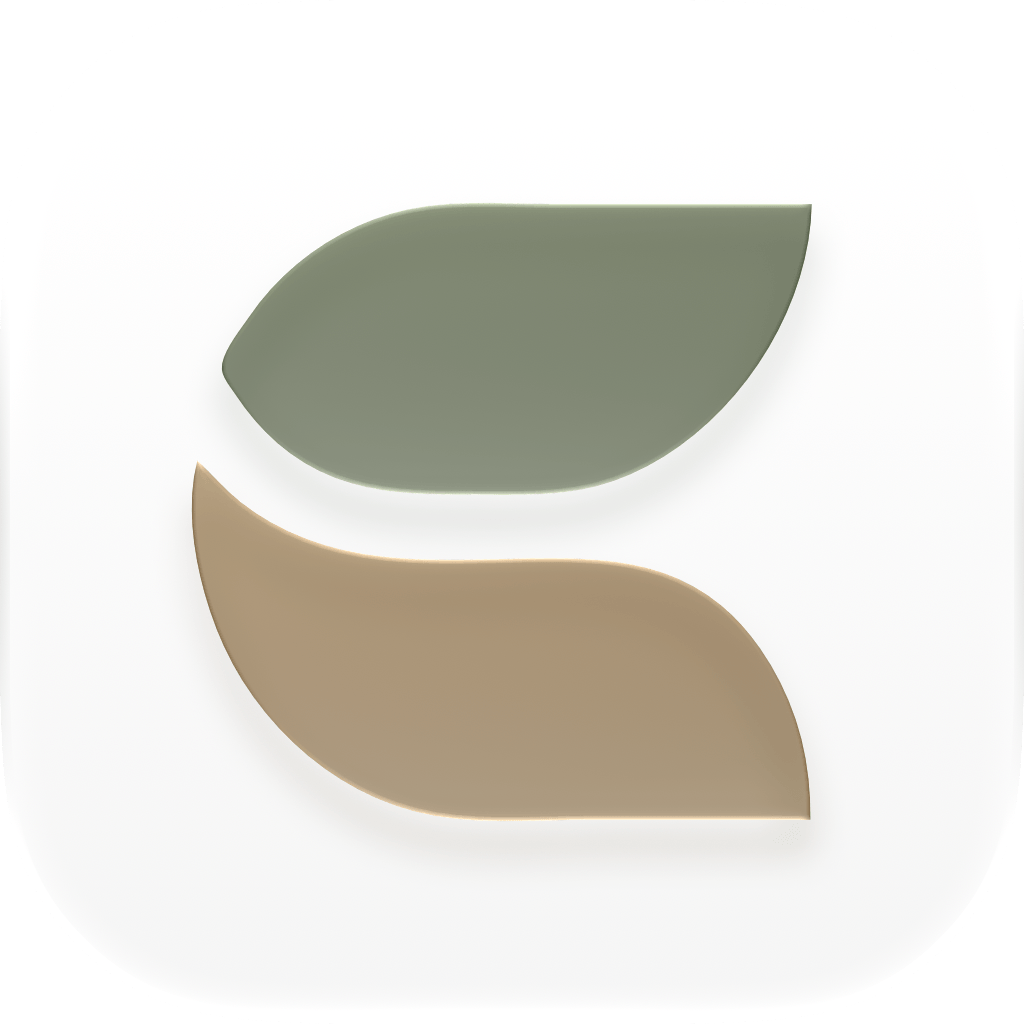
App icon
App iconPNG, 0.3 MB
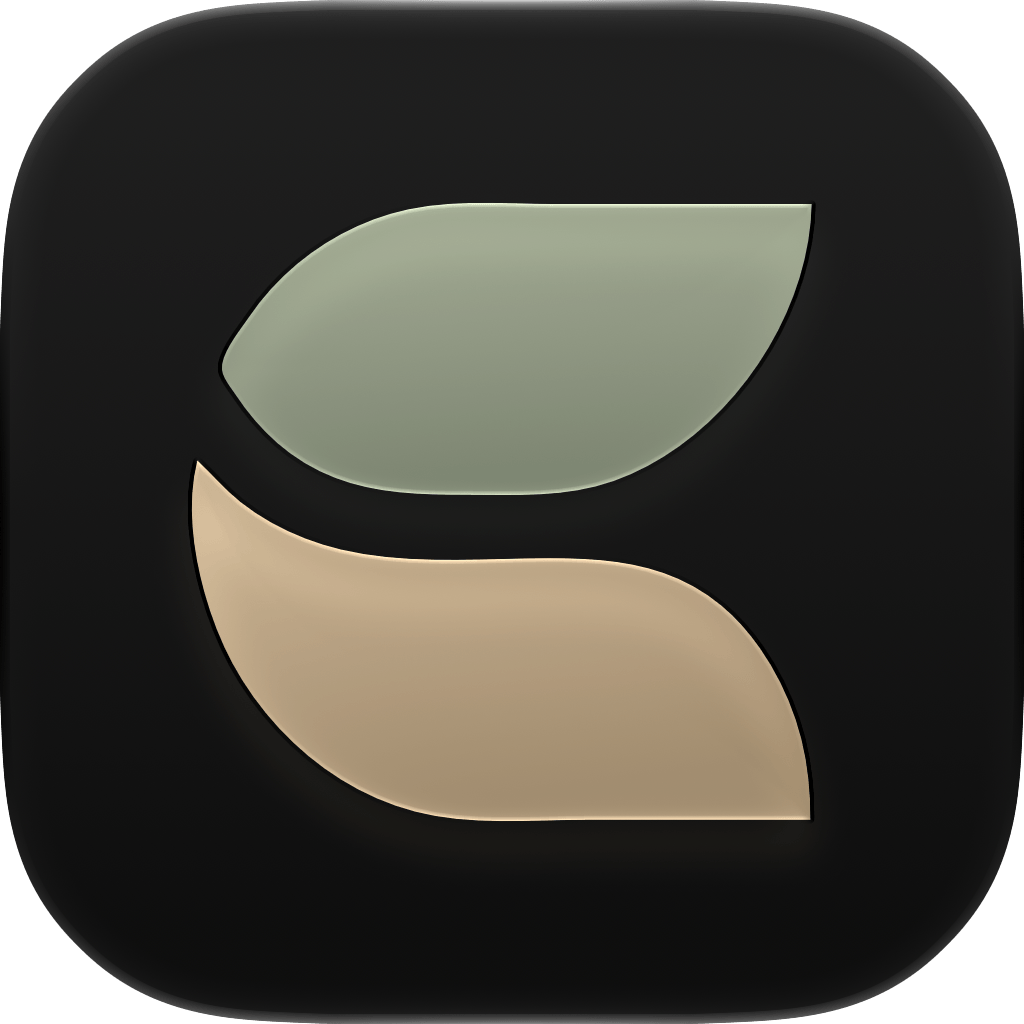
App icon, dark
App icon, darkPNG, 0.3 MB
App icon, clear light
App icon, clear lightPNG, 67 KB
Apple Watch app icon
Apple Watch app iconPNG, 0.3 MB
  • Use the app icon only to refer to the app itself: beside an App Store link, in a review, or in a picture of a Home Screen or watch face. For Savorum in general, use the logo or the symbol.
  • Use it as provided: the iPhone and iPad icon with its rounded corners, and the Apple Watch icon as a circle. Don’t crop, mask or recolor it, or add borders, shadows or other effects.
  • Show it at 40 pixels or larger on screen, with clear space of at least a quarter of its width.

Colors

Sage#7D876F · Upper leaf of the mark
Stone#C9B99F · Lower leaf of the mark
Forest#3D5745 · Buttons and links
Ink#28352C · Text
Canvas#FBFAF6 · Backgrounds
  • Canvas and Forest are the main pair: Canvas for backgrounds, Forest for buttons, links and dark panels.
  • Ink is the text color. Sage and Stone belong to the mark; don’t use them for text.

Questions

Answers to what writers usually ask.

Why is Savorum Cloud a subscription?

Each Cloud household runs on its own server, with daily backups and updates, and those costs continue every month. Running Savorum yourself is free and includes every feature.

What is open source?

Savorum Core, the server and web app, is open source under AGPL-3.0 at github.com/savorum/savorum. The SREF specification and its Python reader and writer libraries are public too.

What happens to my recipes if Savorum goes away?

Every recipe exports in SREF at any time. Cloud owners can download an encrypted backup of the whole library, including after cancelling, and restore it into Savorum Core on their own hardware.

Can I bring recipes from another app?

Savorum imports libraries from Paprika, Mealie, Tandoor and CookbookManager, as well as SREF files, web pages, PDFs, photos and scans of printed pages. It also reads recipes from public posts on TikTok, YouTube, Instagram, Reddit, Facebook and Pinterest.

Does Savorum use AI?

Savorum doesn’t write or rewrite recipes. It uses text and speech recognition, which aren’t generative: the app reads scanned pages with Apple’s on-device text recognition and recognizes spoken cooking commands on the device, and the server reads imported PDFs and photos with the open-source Poppler and Tesseract tools. Savorum then parses recipes with its own rules. On devices with Apple Intelligence, the app suggests labels for recipes, such as a course, cuisine or cooking method, with Apple’s on-device model; the recipe text stays on the device, and a suggestion applies only when you choose it. You can connect your own AI assistant over MCP, with read-only or full access to one library. Savorum never trains models on your recipes.

Does it work offline?

The app keeps the library and the recipes you’ve opened on the device, so you can read and cook from them without a connection. Shopping list changes are saved and sent when you’re back online, on iPhone, iPad and Apple Watch. Search needs a connection.

Is there a Mac, Android or Windows app?

Savorum runs in any modern web browser on those platforms. The native app is for iPhone, iPad and Apple Watch.

Does Savorum track me?

No. Savorum has no advertising or product-analytics trackers, doesn’t sell personal information and doesn’t use your library for advertising.

Where is my data stored?

Cloud libraries live in North America or Europe, as the owner chooses, and their backups stay on the same continent. Self-hosted libraries stay on your own hardware.

Who makes Savorum?

An independent developer. Veridorn LLC publishes the app and runs Savorum Cloud and Savorum Connect.

Contact

info@veridorn.com

Writing about Savorum? Email info@veridorn.com and we’ll set up a free Cloud household for you, either with a demo library already in it or empty, ready for your own recipes. We’re happy to answer technical questions and to check facts before publication.